
Contents
- 1 Table of Contents
- 2 What Is an Internal Backlink Checker and Why Does It Matter?
- 3 Internal Link Audit Essentials: What to Look For
- 4 Best Tools for Internal Link Analysis and Site Auditing
- 5 How Does Internal Link Structure Affect Your SEO Rankings?
- 6 Proven Techniques for Internal Link Optimization
- 7 LinkWhisper: The Complete Internal Linking Software Solution
- 8 Conclusion
- 9 Frequently Asked Questions
- 9.1 What is an internal backlink checker?
- 9.2 How often should I run an internal link audit?
- 9.3 How do I find orphaned pages on my WordPress site?
- 9.4 Why does my internal backlink checker show different data than Google Search Console?
- 9.5 How many internal links should each page have?
- 9.6 What anchor text should I use for internal links?
- 9.7 Can internal links improve my Google rankings?
- 9.8 What is the difference between an internal link audit and an internal link analysis?
- 9.9 How do I structure internal links on my website?
- 9.10 How do I create an internal linking strategy that works?
Internal backlink checker tools are the foundation of any serious SEO strategy. Yet most site owners overlook them entirely. Search Engine Journal’s guide to internal content linking notes that the number and quality of links pointing to a page can influence how search engines crawl and prioritize it. If your pages are not connected strategically, you are leaving ranking potential and user engagement on the table. This guide shows you how to use an internal link analyzer tool to audit your site. You will also discover the best techniques for improving link structure. Along the way, you will see how LinkWhisper’s WordPress SEO internal link suggestions automate the entire process for WordPress users.
Key Takeaways
- Internal backlink checkers reveal crawl gaps and orphaned pages
- Regular internal link audits improve SEO and user navigation
- Automated tools save hours of manual linking work
- Strong internal link structure boosts topical authority signals
- LinkWhisper simplifies internal link analysis at scale
Table of Contents
- What Is an Internal Backlink Checker and Why Does It Matter?
- Internal Link Audit Essentials: What to Look For
- Best Tools for Internal Link Analysis and Site Auditing
- How Does Internal Link Structure Affect Your SEO Rankings?
- Proven Techniques for Internal Link Optimization
- LinkWhisper: The Complete Internal Linking Software Solution
- Conclusion
What Is an Internal Backlink Checker and Why Does It Matter?
An internal backlink checker is a tool that scans your website and maps every internal link across all your pages. It shows you which pages link to which, how many inbound internal links each page receives, and where link gaps exist in your site architecture.
Understanding your internal link graph is critical because Google uses these connections to determine page importance, crawl priority, and topical relevance. Without visibility into this data, you are essentially flying blind when managing SEO for a growing site.
The Difference Between Internal and External Backlinks
Internal Backlinks Defined
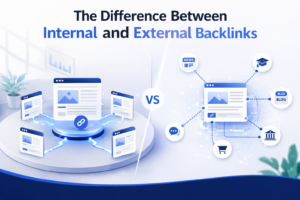
Internal backlinks are hyperlinks that connect one page on your domain to another page on the same domain. They pass link equity, signal content relationships, and guide both users and search engine crawlers through your site structure.
External Backlinks Defined
External backlinks come from other domains pointing to your site. While they are important for domain authority, you cannot control them directly. Internal links, on the other hand, are 100% within your control, making them a high-leverage SEO opportunity.
Why the Distinction Matters
Many site owners focus entirely on external link building while ignoring the internal link graph. A well-structured internal link network can amplify the value of every external backlink you earn by distributing that authority across more of your pages effectively.
What an Internal Link Analyzer Tool Actually Measures
Inbound Internal Link Count
This metric tells you how many internal links point to each page. Pages with zero or very few inbound links are considered orphaned content, meaning search engines may rarely crawl or index them. Your internal link analyzer tool should surface these gaps immediately.
Anchor Text Distribution
A good seo internal links tool will show you the anchor text used for every internal link. Over-optimized anchor text or generic anchors like ‘click here’ can weaken your topical signals and confuse search engines about a page’s primary topic.
Link Depth and Crawl Paths
Link depth measures how many clicks it takes to reach a page from your homepage. Pages buried at four or more levels deep are often under-crawled. An internal link structure tool reveals which pages are too deep and need better linkage from higher-authority pages. You can explore how crawl depth affects SEO rankings in detail to understand the full impact of link depth on your visibility.
Who Needs an Internal Backlink Checker?
Bloggers and Content Creators
If you publish content regularly, your older posts gradually lose relevance unless you actively link to them from newer content. An internal backlink checker reveals which older posts are isolated and need fresh links added.
SEO Professionals and Agencies
Agency SEOs managing multiple client sites need fast, repeatable internal link audit workflows. Manual link audits are time-consuming and error-prone at scale. Automated tools make client reporting faster and more accurate.
E-Commerce Store Owners
WooCommerce sites with hundreds or thousands of product pages need strategic internal linking to ensure every product page receives adequate crawl coverage and link equity distribution from category pages and blog content.
Internal Link Audit Essentials: What to Look For
Running a thorough internal link audit means more than just counting links. You need to examine the quality, relevance, and strategic placement of every internal link across your site. A proper audit uncovers structural weaknesses that limit your SEO potential.
The most effective audits combine automated tools to find internal links with manual review of your most important pages. Here is what every internal link audit should examine.
Identifying Orphaned and Under-Linked Pages
Orphaned Content Detection
Orphaned pages have no internal links pointing to them. They exist on your site but are invisible to search engine crawlers unless they appear in your sitemap. An internal link audit should flag every orphaned page so you can add contextual links from relevant content.
Under-Linked Pages
Some pages may have one or two internal links but still lack sufficient link equity to rank competitively. Your audit should identify pages receiving fewer than three inbound internal links, especially those targeting competitive keywords.
Prioritizing High-Value Pages
Not all pages deserve equal link equity. Your audit should distinguish between pillar content, supporting articles, and landing pages. Pillar pages should receive the most internal links, and your internal link structure tool should help you visualize this hierarchy clearly.
Analyzing Anchor Text Quality
Generic Anchor Text Problems
Anchors like ‘read more,’ ‘click here,’ or ‘this article’ waste your internal linking power. Search engines use anchor text to understand context. Generic anchors provide zero topical signal. Your internal link analyzer tool should report every instance of non-descriptive anchor text.
Over-Optimization Risks
Using the exact same keyword-rich anchor text for every internal link to a page can trigger over-optimization signals. Best practice is to vary your anchor text naturally across descriptive, partial-match, and branded variations while keeping it contextually relevant.
Anchor Text Diversity Strategy
Aim for a mix of exact-match, partial-match, and natural language anchors. For example, a page targeting ‘internal link audit’ might receive anchors like ‘auditing your internal links,’ ‘check your site link structure,’ and ‘internal link review process’ across different linking pages.
Checking for Broken Internal Links
Impact of Broken Internal Links
Broken internal links send users to 404 error pages and waste crawl budget. Every broken link is a lost opportunity to pass link equity and guide searchers to relevant content. Regular audits with an seo internal links tool should surface broken links immediately. You can learn the full process of how to fix 404 errors to resolve these issues fast.
Redirect Chain Detection
Sometimes internal links point to pages that have been redirected multiple times, creating redirect chains. These chains dilute link equity and slow page load times. Your audit should identify links pointing to redirected URLs so you can update them to point directly to the final destination URL.
Frequency of Broken Link Audits
For active content sites publishing multiple posts per week, run broken link checks at least monthly. For smaller sites with stable content, quarterly audits are sufficient to maintain a clean internal link graph.
Evaluating Internal Link Depth and Distribution
Click Depth Analysis
According to Google Search Central’s webmaster documentation on crawling and indexing, pages more than a few clicks from the homepage receive less crawl attention. Your internal link audit should map click depth for every page and flag those buried beyond three levels.
Link Distribution Across Site Section
Check whether your internal links are evenly distributed across all site sections or concentrated in a few high-traffic areas. Under-linked sections lose out on both crawl coverage and link equity, limiting their ability to rank even when they contain high-quality content.
Homepage Link Authority Flow
Your homepage typically carries the most PageRank on your site. Ensure your homepage links directly to your most important pillar pages, and those pillar pages link to supporting articles. This creates a clear authority flow that benefits every level of your site hierarchy.
Best Tools for Internal Link Analysis and Site Auditing
Choosing the right internal link analysis tool depends on your site size, technical skill level, and how deeply you want to analyze your link structure. Different tools offer different levels of insight, from basic link counts to full crawl simulations.
Here is a breakdown of the tool categories most useful for conducting a comprehensive internal link audit using available and recommended approaches.
Google Search Console for Internal Link Data
Internal Links Report
Google Search Console provides a free ‘Internal Links’ report under the ‘Links’ section. This shows you how many internal links point to each page on your site according to Google’s own crawl data. It is the most authoritative source for understanding how Google sees your internal link structure.
Limitations of Search Console
While useful, Search Console’s internal link report does not show anchor text, link context, or link depth. It also does not flag orphaned pages directly. For deeper analysis, you need a dedicated internal link analysis tool that goes beyond what Search Console provides.
Using Search Console Data Strategically
Cross-reference your Search Console internal link data with your content calendar. If a recently published pillar page shows only a handful of internal links, that is your signal to actively build more internal links to it using relevant anchor text from supporting content.
Dedicated Internal Linking Software for WordPress
Plugin-Based Internal Link Analyzers
For WordPress sites, plugin-based internal linking software offers the most seamless experience. These tools integrate directly with your content editor, allowing you to see, add, and manage internal links without leaving WordPress. This eliminates the friction of switching between multiple platforms.
Automated Link Suggestion Engines
The most powerful internal linking software uses AI to analyze your content and suggest relevant internal links in real time as you write or edit posts. This dramatically reduces the manual effort required to maintain a strong internal link graph across hundreds or thousands of pages.
Dashboard Reporting and Link Health Monitoring
Premium WordPress internal linking software provides link health dashboards showing broken links, orphaned pages, inbound link counts, and anchor text data across your entire site. This gives you a single command center for all your internal link management needs. Discover how site architecture and WordPress link structure work together for optimal SEO results.
Manual Crawling and Spreadsheet Audits
When Manual Audits Make Sense
For very small sites with fewer than 50 pages, a manual audit using a simple spreadsheet can be effective. Document each page URL, its inbound internal link count, and its key anchor texts. This baseline audit helps you spot obvious gaps without needing any specialized tool.
Spreadsheet Audit Template Approach
Create a spreadsheet with columns for page URL, page title, target keyword, number of inbound internal links, top anchor texts, and audit notes. Review each page systematically and flag those with zero or one inbound link as priority candidates for new internal links.
Scaling Challenges with Manual Audits
Manual audits break down quickly as your site grows. A 200-page site with a manual approach could take several hours just to document the current state, with no automation to flag new issues as content is added. This is why automated tools to find internal links become essential at scale.
LinkWhisper as an All-in-One Internal Backlink Checker
Built-In Internal Backlink Checking for WordPress
For site owners who want an internal backlink checker built directly into WordPress, LinkWhisper combines link suggestions, a link reports dashboard, and orphan page detection in one plugin. This removes the need to export data from Search Console or maintain a separate spreadsheet.
How LinkWhisper Compares to Other Tools
Unlike Search Console or a manual spreadsheet, LinkWhisper reports internal link issues and lets you fix them in the same editor screen. For WordPress users running a internal link audit regularly, this combination of checking and fixing in one place can save significant time over switching between tools.
How Does Internal Link Structure Affect Your SEO Rankings?
Your internal link structure directly influences how search engines crawl, index, and rank your pages. It is one of the most underutilized SEO levers available to site owners, and running regular audits with a quality seo internal links tool is the first step toward maximizing its potential.
Understanding the technical and algorithmic reasons why internal links matter helps you build a more intentional linking strategy rather than adding links randomly.
PageRank Distribution and Link Equity Flow
How PageRank Flows Through Internal Links
Google’s original PageRank algorithm assigned importance to pages based on the number and quality of links pointing to them. Internal links pass a portion of this PageRank between pages on your site. Pages with more internal links pointing to them are treated as more authoritative within your domain.
Equity Distribution Strategy
Strategic internal linking concentrates PageRank on your highest-value pages. By linking frequently from high-traffic blog posts to your conversion pages or pillar content, you amplify the authority of those priority pages, giving them a stronger signal for competitive keyword rankings.
Avoiding PageRank Leakage
Pages with high inbound link counts but excessive outbound links can ‘leak’ PageRank. An internal link audit should flag pages where the ratio of inbound to outbound internal links is severely imbalanced, as these pages may be diluting authority rather than concentrating it.
Topical Authority and Topic Cluster Architecture
Topic Clusters Explained
Modern SEO favors topic cluster models where a central pillar page covers a broad topic and multiple supporting pages cover subtopics, all linking back to the pillar. This architecture signals deep topical expertise to search engines and helps the entire cluster rank more effectively.
How Internal Links Signal Topical Relationships
When you link from a supporting article about ‘internal link audit checklist’ to your pillar page about ‘internal link strategy,’ you are telling search engines that these pages are semantically related. Consistent topical linking reinforces your site’s authority in a given subject area.
Cluster Mapping with Internal Link Tools
Use your internal link analysis tool to map which pages link to your pillar content and which pillar pages lack sufficient support. A well-mapped topic cluster should show every supporting article pointing back to the pillar and the pillar linking out to all major subtopics. For actionable strategies on this, see 5 proven internal linking strategies to rank higher.
Crawl Budget Optimization Through Internal Linking
What Crawl Budget Means
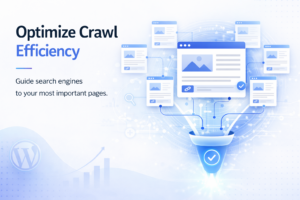
Crawl budget refers to the number of pages Googlebot will crawl on your site within a given time period. Larger sites have limited crawl budgets, meaning poorly linked pages may not get crawled or indexed promptly. Optimizing your internal link structure ensures Googlebot prioritizes your most important pages.
Internal Links as Crawl Signals
Pages with more internal links pointing to them are crawled more frequently than pages with few or no links. By adding strategic internal links to new or underperforming content, you can accelerate the crawling and indexing of those pages after publication. Cloudflare’s bot traffic data shows just how much of this crawl activity comes from Googlebot, underscoring why a well-linked site structure matters for crawl efficiency.
Reducing Crawl Waste
An internal link audit should identify pages consuming crawl budget unnecessarily, such as thin content pages or parameter-based URLs receiving internal links. Removing or no-following these unnecessary links redirects crawl attention to your highest-value content pages.
Proven Techniques for Internal Link Optimization
Knowing which tools to use is only half the battle. The other half is implementing the right techniques to systematically improve your internal link structure. These proven methods apply whether you are optimizing a 50-page blog or a 10,000-page content site.
Each technique below addresses a specific weakness that a thorough internal link audit typically uncovers.
The Hub and Spoke Linking Model
Understanding the Hub and Spoke Model
The hub and spoke model treats your pillar pages as hubs and your supporting articles as spokes. Every spoke links back to the hub, and the hub links out to all major spokes. This creates a tightly connected content cluster that maximizes topical authority signals for the entire group.
Implementing Hub and Spoke at Scale
Identify your five to ten most important topic areas and designate one pillar page per topic. Then use your internal link analyzer tool to confirm that every supporting article within that topic area links to the corresponding pillar. Add missing links systematically until every spoke connects to its hub.
Benefits for Ranking Power
Sites that implement hub and spoke architecture consistently see improved rankings for both pillar and supporting pages. The interconnected structure helps all pages rank for their target keywords while the pillar page gains maximum authority from the inbound link cluster surrounding it.
Contextual Internal Linking Best Practices
Contextual Links Outperform Navigational Links
Links placed within the body of your content, surrounded by relevant text, carry more SEO weight than navigation links in headers, footers, or sidebars. This is because contextual links signal a genuine topical relationship, while navigational links are structural and not content-specific.
Linking to Relevant Anchor Context
Always ensure the surrounding sentence and paragraph are contextually relevant to the page you are linking to. An anchor link to ‘internal link audit tips’ should appear in a paragraph discussing link auditing, not in an unrelated paragraph about keyword research. Context matters as much as the anchor text itself.
Optimal Internal Link Placement
Research suggests that links appearing in the first third of an article’s body content receive more crawl attention and click-through from users. Prioritize adding internal links early in long-form content rather than clustering them all in the final sections of a post.
Fixing Orphaned Pages Systematically
How Orphaned Pages Hurt Your Site
Orphaned pages are invisible to search engines unless they appear in your XML sitemap. Even if indexed, they receive no link equity from the rest of your site, severely limiting their ranking potential. Fixing orphaned content is often the highest-ROI task in any internal link optimization project.
Step-by-Step Orphan Fix Workflow
First, export a list of orphaned pages from your internal link analysis tool. Second, review each orphaned page to confirm it deserves internal links. Third, identify two to three existing pages that are topically related. Fourth, add contextual internal links from those pages to the orphaned content using descriptive anchor text.
Preventing Future Orphaned Content
Establish a workflow where every new page is added to the internal link graph before or immediately after publication. This means identifying at least two existing pages to link from before hitting publish. Tools that provide automated WordPress SEO internal links for top rankings make this step fast and seamless within your editor.
Using Internal Links to Boost Underperforming Pages
Identifying Pages on Page 2 of Search Results
Pages ranking in positions 11 to 20 are prime candidates for internal link boosts. Adding more high-quality internal links to these pages from authoritative content on your site can be enough to push them onto page one, making this one of the fastest organic ranking improvements available.
The Internal Link Boost Strategy
Identify your top five to ten underperforming pages using Google Search Console. Then use your seo internal links tool to find existing pages with strong inbound link profiles that are topically related. Add two to three new contextual internal links from those strong pages to your underperforming targets.
Tracking Results After Link Addition
After adding internal links to underperforming pages, allow three to six weeks for Google to recrawl and reprocess the updated link graph. Monitor ranking changes in Google Search Console for your target keywords to measure the impact of each internal link addition.
LinkWhisper: The Complete Internal Linking Software Solution
LinkWhisper is purpose-built for WordPress users who need a comprehensive internal backlink checker and linking automation tool in a single plugin. It combines AI-powered link suggestions, automated linking rules, and orphan page detection. A full link reporting dashboard rounds it out, giving you complete control over your internal link structure.
Whether you manage a personal blog or a large-scale content operation, LinkWhisper provides the internal linking software functionality you need to build and maintain a high-performing site architecture.
AI-Powered Internal Link Suggestions
How LinkWhisper’s AI Works
LinkWhisper’s AI engine is designed to analyze your content and scan your existing site for relevant pages to link to. It can present contextual link suggestions within the WordPress editor, which you can review and accept where they fit. This can reduce the manual work of searching for relevant internal links while writing.
Relevance Scoring for Suggestions
LinkWhisper scores each link suggestion based on content relevance, ensuring that suggestions are topically aligned with your current post. This means you receive quality suggestions rather than random links to unrelated pages, keeping your internal link graph semantically coherent and valuable.
Time Savings at Scale
Manual internal linking for a 500-page site can take dozens of hours per month. LinkWhisper’s automated suggestions reduce this time investment dramatically. Content teams can then focus on creating new content rather than manually managing link relationships across thousands of existing posts.
The Link Whisper Reports Dashboard
Inbound Links Report
The Reports dashboard shows you exactly how many inbound internal links each page on your site has. Pages with zero links are flagged as orphaned content. Pages with low link counts are also easy to identify and prioritize for new link additions. This is your primary internal backlink checker view within the plugin.
Outbound Links Report
LinkWhisper also tracks outbound internal links from each page. This helps you identify pages that are over-linking or under-linking relative to their content length and importance. You can then balance your internal link distribution across the site more effectively.
Broken Link Detection
The plugin’s broken link reporting feature flags any internal links pointing to 404 pages or redirected URLs. This ensures your link graph stays clean and every internal link is actively passing equity to a live, relevant page. Regular use of this feature prevents crawl budget waste and poor user experiences.
Auto-Linking Rules for Site-Wide Efficiency
Setting Up Auto-Link Rules
LinkWhisper allows you to create auto-linking rules that automatically insert internal links whenever a specific keyword or phrase appears in your content. For example, every mention of ‘internal link audit’ across your site can automatically link to your dedicated audit guide page without any manual intervention.
Auto-Linking for E-Commerce Sites
WooCommerce store owners can use auto-linking rules to ensure every mention of a product category term links to the relevant category page. This is particularly powerful for large product catalogs where manually linking hundreds of blog posts to product pages would be impractical without automation.
Control and Customization
Auto-linking rules in LinkWhisper include controls for limiting the number of auto-links per post and excluding specific pages from auto-linking. You can also select which post types the rules apply to. This flexibility ensures automated linking enhances your strategy rather than creating over-linking issues. Learn more about managing scaling internal links in WordPress without breaking site structure with LinkWhisper’s controlled automation.
Bulk Link Editing for Large Sites
Editing Links Across Multiple Posts
LinkWhisper’s bulk editing feature allows you to change anchor text, update destination URLs, or remove links across multiple posts simultaneously. This is essential when you rename a pillar page or update a URL. It also helps when you need to consolidate link equity from many supporting articles to a new target page.
Migrating Old Content Efficiently
When migrating from one URL structure to another, bulk link editing saves enormous time. It updates all internal links pointing to old URLs in a single operation. Without this feature, updating internal links after a site migration would require visiting and editing every individual post manually.
Anchor Text Optimization at Scale
Use bulk editing to identify and replace weak anchor text like ‘click here’ or ‘read more’ across your entire site. Replacing these with keyword-rich, descriptive anchors across hundreds of posts simultaneously is a task that would take hours manually. With LinkWhisper’s bulk edit capabilities, it takes minutes.
Why LinkWhisper Is the Best Choice for Internal Link Analysis
All-in-One Internal Link Management
Unlike standalone audit tools that only report problems, LinkWhisper both identifies internal link issues and allows you to fix them directly within WordPress. This all-in-one approach eliminates the need to switch between multiple platforms and makes your internal link audit workflow faster and more efficient.
Compatibility with All WordPress Editors
LinkWhisper works seamlessly with Gutenberg, Classic Editor, Elementor, and other major page builders. This ensures that no matter how your team builds content, the internal linking software works consistently across your entire content workflow without compatibility issues.
Scalable for Any Site Size
From a 10-page personal blog to a 50,000-page content site, LinkWhisper scales to meet your needs. The plugin handles large sites efficiently. It provides fast link reports and suggestion processing even for sites with thousands of pages and tens of thousands of internal links. Explore the full LinkWhisper WordPress plugin complete guide to see every feature in detail.
Conclusion
An internal backlink checker is not just a nice-to-have tool. It is an essential part of any serious SEO strategy. From identifying orphaned pages and broken links to optimizing anchor text and distributing PageRank strategically, regular internal link audits deliver measurable improvements in crawl coverage, topical authority, and organic rankings. The techniques covered in this guide give you a clear framework for auditing and improving your site’s internal link structure at any scale. For WordPress users, the fastest path to better rankings begins with proven internal linking strategies built for WordPress SEO. LinkWhisper provides the most complete internal linking software available, combining AI-powered suggestions, automated linking rules, a comprehensive link reports dashboard, and bulk editing capabilities in one powerful plugin. Start your free trial today and experience how automated internal link management transforms your SEO results.
Frequently Asked Questions
How often should I run an internal link audit?
Run an internal link audit at least once per quarter for stable sites and monthly for active content sites publishing multiple posts weekly. After major site changes like URL migrations or content restructuring, run an audit immediately to catch and fix any broken internal links quickly.
How do I find orphaned pages on my WordPress site?
Use a dedicated internal link analyzer tool or WordPress plugin that includes orphan detection. LinkWhisper's reports dashboard flags every page with zero inbound internal links, making it easy to identify and fix orphaned content by adding contextual links from niche site content strategies and related articles across your site.
Why does my internal backlink checker show different data than Google Search Console?
Different tools crawl sites differently. Your internal backlink checker may include links from dynamically generated content or JavaScript-rendered pages that Search Console processes differently. Always cross-reference data from multiple sources and prioritize Search Console data for understanding how Google specifically interprets your internal link graph.
How many internal links should each page have?
There is no exact limit, but best practice suggests three to ten inbound internal links for important pages and at least two to three for supporting content. Use an seo internal links tool to monitor link counts and ensure your most important pages consistently receive the most internal link equity across your site.
What anchor text should I use for internal links?
Use descriptive, keyword-relevant anchor text that clearly describes the destination page's topic. Vary your anchors naturally across exact-match, partial-match, and natural language variations. Avoid generic phrases. Your internal link analysis tool should report current anchor text distribution so you can identify and replace weak anchors across your content.
Can internal links improve my Google rankings?
Yes. Strategic internal linking distributes PageRank to priority pages, signals topical authority through topic clusters, and improves crawl coverage for under-linked content. Many SEOs report ranking improvements after systematically adding internal links to pages sitting on page two of search results, making it a high-leverage optimization technique.
What is the difference between an internal link audit and an internal link analysis?
An internal link audit is a systematic review to find and fix specific issues like broken links, orphaned pages, and poor anchor text. An internal link analysis is a broader evaluation of your overall link strategy and structure. Both are essential, and you can review 7 ways to find and fix link issues fast for a practical starting point.
How do I structure internal links on my website?
Build a hub and spoke structure: pillar pages link out to supporting articles, and every supporting article links back. Keep priority pages within two to three clicks of the homepage. See this guide to internal linking for SEO for a deeper breakdown of effective site architecture.
How do I create an internal linking strategy that works?
Map your pillar pages and supporting content first, then set linking rules for every new post before it publishes. Review these internal link strategy tips regularly, prioritize underperforming pages, and use consistent, descriptive anchor text across your site.
Check if your site has the same issues.
Run a free audit right now. See your orphaned pages, broken links, and link health score in 60 seconds.
Check My Site

