
Contents
- 1 Table of Contents
- 2 How Does an Internal Link Audit Work?
- 3 Internal Link Tools: What to Look For
- 4 What Does an SEO Internal Link Checker Actually Find?
- 5 How to SEO Optimize Internal Links for Maximum Impact
- 6 SEO Internal Links for WordPress: Unique Challenges and Solutions
- 7 Automate Your Internal Link Strategy with Link Whisper
- 8 Conclusion
- 9 Frequently Asked Questions
- 9.1 What is an SEO internal link checker and how does it work?
- 9.2 How often should I run an internal link audit on my website?
- 9.3 What are the most common internal linking mistakes that hurt SEO?
- 9.4 How many internal links should a page have for good SEO?
- 9.5 Can an internal link checker help identify orphaned content on my site?
- 9.6 What is the difference between internal links and external links for SEO?
- 9.7 How do I seo optimize internal links for my WordPress site?
- 9.8 What is the best way to use anchor text for internal links?
- 9.9 Does internal linking help with AI search engines and generative results?
- 9.10 How does Link Whisper improve the internal linking process for WordPress?
SEO internal link checker tools are no longer optional for serious website owners. According to Google Search Central, internal links are a fundamental signal for crawling, indexing, and distributing PageRank across a website. This makes a regular internal link audit one of the highest-impact activities in your SEO workflow. For growing WordPress sites, e-commerce stores, and content-heavy blogs, internal linking is essential for SEO.A strong link structure can improve rankings, while a weak one can limit performance.
This guide covers how to audit, optimize, and automate your internal links using the right SEO tools. It also explores how Link Whisper can make the process faster, easier, and more effective.
Key Takeaways
- Internal audits boost crawl efficiency and PageRank flow
- Link checkers reveal orphaned pages and broken links fast
- Automating links with Link Whisper saves significant time
- Optimized links support both traditional and AI-driven search
- Recurring audits keep site architecture healthy at scale
Table of Contents
- What Is an SEO Internal Link Checker and Why Does It Matter?
- How Does an Internal Link Audit Work?
- Top SEO Tools for Internal Links and What to Look For
- What Does an SEO Internal Link Checker Actually Find?
- How to SEO Optimize Internal Links for Maximum Impact
- SEO Internal Links for WordPress: Unique Challenges and Solutions
- Automate Your Internal Link Strategy with Link Whisper
- Conclusion
How Does an Internal Link Audit Work?
An internal link audit is the process of systematically reviewing every internal link on your website. This identifies problems, gaps, and opportunities. Unlike a surface-level review, a proper audit examines link depth, anchor text diversity, orphaned content, and link equity distribution. When done correctly, it gives you a complete picture of your site’s linking health. This also reveals a prioritized action list that directly improves how search engines crawl and index your pages.
Understanding the Crawl Process During an Audit
Crawl Initiation
An internal link audit begins by crawling your website from the homepage outward. This is followed by every internal link discovered along the way. The crawler maps page connections, counts incoming links, and identifies isolated pages. The starting point matters because it reflects how Googlebot discovers and prioritizes pages across your site.
Link Graph Construction
Once crawled, the audit tool builds a link graph in which every page is a node and every internal link is an edge. This graph reveals clusters of well-connected content, isolated pages, and potential bottlenecks. This is where PageRank stops flowing effectively through your site. Visualizing the link graph is often the fastest way to spot structural problems. This would otherwise take hours to find through manual review.
Issue Detection and Classification
The audit identifies broken links, redirect chains, and orphaned pages with no inbound internal links. It also flags pages with too few links and anchor text that is overly optimized or too generic.
Each category has a different priority level based on its impact on crawling and rankings. Understanding priority levels helps you focus on the most important issues first.
Key Metrics Measured in an Internal Link Audit
Inbound Internal Link Count
This metric counts the number of internal links pointing to each page. Pages with few inbound links, especially pillar articles or product pages, often underperform. This is because they receive weak PageRank signals.
Tracking this metric over time lets you measure whether your linking efforts are having the intended effect on specific high-priority pages.
Link Depth from Homepage
Link depth measures how many clicks it takes to reach a specific page starting from the homepage. Google generally crawls pages more frequently when they sit closer to the homepage. Pages buried at depth four or deeper are at risk of being crawled less often and indexed more slowly. A healthy site architecture keeps important pages within two to three clicks of the homepage to maximize crawl frequency and ranking potential.
Anchor Text Distribution
A healthy internal link profile uses varied anchor text that describes the destination page accurately. An audit reveals when too many links use vague phrases or when a single anchor text phrase is repeated across dozens of links. Reviewing anchor text distribution across your full content library often surfaces quick wins.
Orphaned Page Detection
Orphaned pages receive zero internal links from the rest of the site. They are invisible to both search engine crawlers and human visitors unless someone navigates to them directly. Identifying and linking to orphaned pages is one of the fastest wins from an internal link audit. It quickly improves crawl coverage across your site.
Why Audits Need to Be Recurring, Not One-Time Events
Content Growth Creates New Gaps
Every new post or page you publish creates potential linking opportunities to existing content and from existing content. Without a recurring audit schedule, these opportunities accumulate silently. Your site architecture gradually fragments as the content library grows. Sites that publish at high frequency are especially vulnerable to this fragmentation. This is because new content can go weeks without receiving a single inbound internal link.
Link Rot Over Time
URLs change, pages get deleted, and plugins sometimes alter permalink structures. These changes create broken internal links that damage the user experience and interrupt the flow of PageRank. A recurring internal link checker tool catches these issues before they compound into larger problems.
Internal Link Tools: What to Look For
Choosing the right seo tools for internal links is critical because different tools offer very different levels of depth, automation, and actionability. Some tools focus purely on crawling and reporting. Meanwhile, others like Link Whisper go further by suggesting and even automatically inserting relevant internal links based on content context. Understanding what separates a basic crawler from a truly comprehensive internal link platform. This helps you invest in the right solution for your site’s scale and complexity.
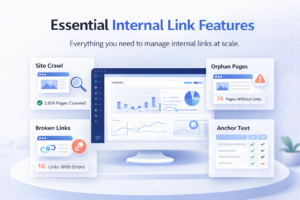
Core Features Every Internal Link Tool Should Have
Comprehensive Site Crawling
The tool must be able to crawl your entire site, including pages accessible only through deep links or specific navigation flows. Partial crawls miss critical issues and give you an incomplete picture of your internal link health. This is especially important for large sites. Such pages can only be reached through several layers of navigation. This would otherwise never appear in a shallow audit.
Orphaned Content Detection
Identifying pages with zero inbound internal links is one of the most valuable features any internal link checker tool can provide. Without this feature, you are essentially flying blind when it comes to understanding which pages are being ignored by your own site structure. Orphaned content detection combined with content-aware link suggestions creates a feedback loop. This is where every discovered gap can be immediately addressed.
Broken Link Identification
Every tool should flag internal links pointing to pages that return error status codes.Whether caused by deleted pages, changed URLs, or plugin conflicts, broken internal links need immediate attention. They waste the crawl budget.
The best tools not only flag broken links. It also suggest the most likely replacement destination based on content similarity.
Anchor Text Reporting
A quality SEO tool for internal links should show what anchor text is used and how often each phrase appears. It should also flag mismatched or overly repetitive anchors pointing to the same pages. This level of reporting transforms anchor text optimization from a guessing game into a data-driven process.
Advanced Features That Separate Good Tools from Great Ones
AI-Powered Link Suggestions
The most sophisticated seo tools for internal links analyze your content semantically. They suggest relevant links between pages that share topical relationships. This is far more valuable than simple keyword matching because it identifies contextual connections that improve topical authority signals. AI-powered suggestions also surface linking opportunities between posts that were published years apart. This might never be connected through manual review alone.
Automatic Link Insertion
Some tools can automatically insert approved internal links across your existing content based on keyword triggers or content rules you define. This feature alone can save dozens of hours for sites with hundreds or thousands of existing posts. You can learn more about this capability through scaling SEO with auto linking rules and settings.
Link Health Dashboard
A centralized dashboard showing the health of your entire internal link profile at a glance is essential for ongoing monitoring. The best tools display inbound link counts per page, broken link counts, orphaned page counts, and recent changes in a single view. This makes prioritization straightforward. A strong dashboard also allows you to filter and sort by specific metrics so you can quickly isolate the pages that need the most attention.
Bulk Editing Capabilities
For sites with large content archives, the ability to add, edit, or remove internal links in bulk rather than opening each post individually is a game-changing time saver. This feature is especially important when migrating a site, rebranding anchor text, or recovering from a URL structure change. Without bulk editing, even a modest site with two hundred posts could require dozens of hours of manual work to complete a full link update.
What Separates Link Whisper from Generic Crawling Tools
WordPress Native Integration
Link Whisper operates directly inside the WordPress editor, which means you see link suggestions in real time while writing or editing content rather than needing to switch between tools. This workflow integration dramatically reduces friction and increases the likelihood that linking recommendations actually get implemented rather than sitting in a report that never gets acted upon.
Content-Aware Suggestions
Unlike crawler-based tools that only analyze existing links, Link Whisper reads the content of the post you are currently editing and suggests the most contextually relevant internal links from your entire content library. This means every suggestion fits naturally into the surrounding text, resulting in a better reading experience as well as stronger SEO signals.
Reporting Built for Action
Link Whisper’s reporting module shows you which pages have the most inbound links, which pages have none, and where linking opportunities exist across your site. This actionable data turns a passive audit into an active improvement plan. Explore the full feature set at Link Whisper’s WordPress plugin page.
What Does an SEO Internal Link Checker Actually Find?
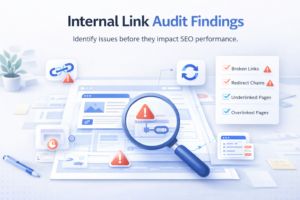
Running an SEO internal link checker for the first time on an established site almost always reveals more issues than expected. Understanding what these issues are, why they matter, and how to prioritize fixes helps you get the maximum ROI from your audit investment. The findings from a thorough audit typically fall into three broad categories: critical errors that need immediate attention, structural inefficiencies that limit ranking potential, and untapped opportunities that can quickly improve performance with minimal effort.
Common Issues Found During an Internal Link Audit
Broken Internal Links (404 Errors)
These are links that point to pages no longer available at the expected URL. They interrupt PageRank flow completely, damage user experience, and signal to search engines that your site is poorly maintained. Fixing these is always the highest priority action after any internal link audit. When you update or delete pages frequently, broken internal links accumulate rapidly unless you have a systematic process for tracking and correcting them.
Redirect Chains and Redirect Loops
A redirect chain occurs when Page A links to Page B which redirects to Page C which then redirects to Page D. Every hop in the chain dilutes link equity and slows page load time. A good internal link checker tool maps every redirect chain so you can update source links to point directly to the final destination URL. Redirect loops, where pages redirect in circles, are even more damaging because they make affected pages completely inaccessible to crawlers.
Pages With Too Few Inbound Links
Important pages that receive only one or two internal links are chronically undervalued by search engines. If your most profitable service page or your highest-converting product listing has only a single internal link pointing to it, that page will struggle to rank regardless of how well the content itself is optimized. An audit surfaces these underlinked pages and gives you a clear target list for your next round of internal link additions.
Pages With Too Many Outbound Internal Links
Linking to dozens of pages from a single post dilutes the PageRank passed to each destination. When a page contains an excessive number of outbound internal links, each individual link becomes less valuable. An audit helps you identify these link-heavy pages and trim them to a reasonable count, concentrating link equity more effectively and improving the user experience by reducing navigation overwhelm.
Structural Problems That Hurt Site Architecture
Flat Site Architecture Issues
Some sites accidentally create a flat architecture where every page links to every other page, eliminating any meaningful hierarchy. While shallow depth is generally good, a completely flat structure with no topical clustering fails to communicate to search engines which pages are most authoritative for specific topics. A well-structured internal link audit helps you identify where to introduce hierarchy intentionally through pillar and cluster relationships.
Topic Cluster Fragmentation
A topic cluster strategy requires pillar pages to link to supporting cluster pages and those cluster pages to link back to the pillar. When audits reveal that cluster pages do not link back to their pillar, the topical authority signal breaks down and the cluster loses its ranking power as a cohesive unit. Fixing cluster fragmentation is one of the most impactful structural changes you can make from a single audit session.
Inconsistent Anchor Text Across Related Pages
When several different posts link to the same destination page using completely different anchor text phrases with no consistent signal, search engines receive a confused message about what the destination page is about. An audit reveals these inconsistencies so you can standardize anchor text across related content and deliver a clearer topical signal to both traditional search algorithms and AI-powered retrieval systems.
Opportunities Revealed by Link Checker Data
High-Authority Pages That Under-Link
An audit often reveals pages with many inbound links, meaning they hold significant PageRank, that link out to very few other pages. These pages represent powerful opportunities to boost other content simply by adding relevant outbound internal links from them to pages you want to rank higher. Finding and leveraging these high-authority under-linking pages is one of the most underutilized strategies in SEO.
Thematic Gaps in Link Coverage
When you map internal links by content category or topic cluster, gaps become visible. An entire topic area might have strong content but weak internal linking between posts, which means the cluster is not functioning as an authority signal. This is a low-effort, high-reward opportunity to seo optimize internal links at scale. You can also learn more about organizing WordPress internal linking at scale for large content libraries.
How to SEO Optimize Internal Links for Maximum Impact
Knowing what your SEO internal link checker finds is only half the battle. The other half is acting on that data strategically. Optimizing internal links involves more than just fixing broken ones. It means building a deliberate structure that passes authority where it matters most and communicates your site’s topical expertise clearly to search engines. The most effective optimization strategies combine quick wins from audit data with longer-term architectural changes that compound in value over time.
Strategic Link Placement Principles
Prioritize Contextual Over Navigational Links
Links embedded within the body text of a post, called contextual links, carry more SEO weight than links in sidebars, footers, or navigation menus. When you seo optimize internal links, focus your energy on building contextual links within high-quality, relevant content rather than relying on template-based navigation links. Contextual links pass stronger relevance signals because they appear within topically related text, giving search engines clearer context about the relationship between the linking and destination pages.
Link from High-Authority to High-Priority Pages
Identify your ten most link-rich pages using your internal link audit data. Then identify your ten most commercially important pages. If those two lists do not overlap, you have an immediate opportunity to add internal links from your highest-authority pages to your most important landing pages, product pages, or pillar articles. This is a targeted PageRank sculpting technique that requires no new content creation and delivers measurable ranking improvements relatively quickly.
Use the Three-Click Rule as a Baseline
Any important page on your site should ideally be reachable within three clicks from the homepage. If your audit reveals pages buried at depth five or six, those pages need additional internal links from shallower pages to bring them closer to the surface and make them more accessible to crawlers and users alike. The three-click rule is not a hard requirement from Google, but it serves as a reliable architectural principle for ensuring that crawlers and visitors can find your most important content efficiently.
Balance Link Giving and Link Receiving
Pages that give many internal links without receiving many in return are often doing the heavy SEO lifting for the rest of the site without benefiting themselves. Auditing the ratio of outbound to inbound internal links per page helps you identify these one-sided relationships and correct them by adding links back from the pages being boosted to the pages doing the boosting, creating a more balanced and mutually reinforcing link ecosystem.
Anchor Text Best Practices for Internal Linking
Descriptive and Keyword-Relevant Anchors
The best anchor text for an internal link accurately describes the destination page using natural language that also incorporates target keywords. Phrases like ‘internal linking for SEO strategy’ or ‘WordPress internal link guide’ are far more useful to search engines than generic phrases like ‘click here’ or ‘read more’. Descriptive anchor text tells both the search engine and the reader exactly what to expect on the destination page, which improves click-through rates as well as ranking signals.
Anchor Text Variation Across Multiple Links
When multiple posts link to the same destination, vary the anchor text naturally. Use the exact target keyword in some cases, partial match variations in others, and descriptive natural language in the rest. This variation looks natural and helps search engines understand the full semantic context of the destination page. A page that receives links with multiple different but related anchor text phrases develops a richer semantic profile than one that receives identical anchor text every time.
Avoid Over-Optimization of Anchor Text
Repeating the exact same keyword-rich anchor text dozens of times across your site for the same destination page can trigger over-optimization signals. Google’s Penguin algorithm, which evaluates link patterns, treats unnatural anchor text repetition as a potential manipulation signal even when the links are internal rather than external. Striking the right balance between consistency and variation is one of the subtler skills in advanced internal link optimization.
Building an Internal Link Architecture That Scales
Hub and Spoke Model
The hub and spoke model organizes content around central pillar pages that cover a topic broadly and supporting spoke pages that dive deep into specific subtopics. Every spoke page links back to its hub, and the hub links out to all relevant spokes. This creates a clear topical authority signal that helps search engines understand your site’s depth and expertise. The hub and spoke model also benefits users by providing clear navigational pathways through complex topics without overwhelming them with irrelevant tangents.
Updating Old Content With New Links
Every time you publish a new piece of content, revisit older relevant posts and add links pointing to the new content. This practice distributes PageRank to new pages faster, helps them get indexed sooner, and keeps older posts fresh with updated references. For internal linking for SEO on a growing site, this habit is one of the most impactful you can develop. Discover how to add outbound links to WordPress efficiently to streamline this process.
Content Silo Architecture
A content silo groups all pages about a specific topic into a tightly interlinked cluster while minimizing cross-silo links that could dilute the topical signal. Within a silo, all pages link to each other and to the silo’s root page. Between silos, links are used sparingly and only when there is a genuinely relevant connection between topics. Content silos are particularly effective for e-commerce sites and authority publishers covering multiple distinct subject areas because they help search engines understand domain expertise at the topic level rather than just the page level.
Using Internal Links to Support Content Freshness Signals
Search engines interpret the pattern of internal links pointing to a page as a proxy for how important that page is within the site’s current content strategy. When you update an old post and then add new internal links pointing to it from recently published content, you send a freshness signal that can reinvigorate rankings for content that has started to stagnate. This technique is particularly useful for evergreen content that remains relevant but has gradually lost visibility due to increased competition or algorithm updates. Combining fresh internal links with updated on-page content produces a compounding effect that manual linking practices rarely achieve at scale.
SEO Internal Links for WordPress: Unique Challenges and Solutions
WordPress is the world’s most popular CMS, powering a significant majority of all websites on the internet. But its flexibility also introduces unique internal linking challenges that generic audit tools are not always built to handle. Understanding these WordPress-specific issues helps you choose the right seo internal links wordpress strategy and avoid the common pitfalls that affect growing WordPress publications.
WordPress-Specific Internal Linking Challenges
Content Volume and Scalability
WordPress sites accumulate content rapidly. A site that starts with fifty posts can grow to five hundred within a few years, and managing internal links manually at that scale becomes practically impossible. Without automation, important new posts go unlinked and older posts miss opportunities to link forward to newer relevant content. This scalability gap is the single biggest reason why WordPress site owners benefit from dedicated internal link automation tools rather than manual linking practices.
Editor Fragmentation
WordPress supports multiple editors including the classic editor, Gutenberg block editor, Elementor, Divi, and others. Links added in one editor sometimes appear differently in another, and some plugins manage custom post types that neither the standard editor nor basic crawling tools handle properly. This fragmentation creates blind spots in manual linking workflows and makes it difficult to audit internal links comprehensively without a tool that understands the WordPress database structure directly.
Custom Post Type Complexity
Plugins like WooCommerce create custom post types for products, categories, and attributes. These custom types often have their own URL structures and template files that standard internal link checkers may not crawl comprehensively. A WordPress-native tool that understands custom post types provides much more complete audit data for e-commerce sites. Without this understanding, entire sections of a WooCommerce store can remain invisible to link analysis even while they represent the most commercially important pages on the site.
How Link Whisper Solves WordPress Internal Linking Problems
Gutenberg and Classic Editor Compatibility
Link Whisper integrates natively with both the classic WordPress editor and the Gutenberg block editor, as well as popular page builders. This means link suggestions appear directly in your editing workflow regardless of which editor you use, eliminating the friction of switching between tools. Native editor integration also means that accepted link suggestions are inserted as proper HTML anchor tags that render correctly across all themes and display contexts.
WooCommerce and Custom Post Type Support
Link Whisper recognizes WooCommerce product pages, category pages, and other custom post types as valid link destinations and sources. This makes it one of the few seo tools for internal links that provides genuinely comprehensive coverage for e-commerce WordPress sites rather than just standard blog posts and pages. For online retailers, this coverage means that product pages receive the same quality of internal link analysis and suggestions as editorial content.
Auto-Linking Rules for Scale
Link Whisper’s auto-linking feature lets you define rules that automatically insert internal links every time a specific keyword phrase appears in your content. Once you configure a rule, every existing and future post that contains that phrase will automatically link to the designated destination page without any manual intervention required. This feature alone can deliver the linking coverage that would otherwise take weeks of manual work to achieve across a large content archive.
Practical SEO Internal Linking Workflow for WordPress Sites
Step One: Run Your Baseline Audit
Use Link Whisper’s reporting dashboard to generate a complete snapshot of your current internal link profile. Note how many orphaned pages exist, which pages have the fewest inbound links, and where broken links are located. This baseline gives you a prioritized list of fixes to address first and serves as a benchmark for measuring improvement over subsequent audit cycles.
Step Two: Fix Critical Issues First
Address broken links, redirect chains, and completely orphaned pages before doing anything else. These fixes prevent PageRank from leaking out of your site and ensure that crawlers can access your full content library without running into dead ends. Prioritizing these critical issues also produces the fastest measurable improvements in crawl coverage and can have a noticeable impact on page rankings within a few weeks of implementation.
Step Three: Build Topic Clusters Systematically
After fixing critical issues, use Link Whisper’s suggestions to connect related content into proper topic clusters. Accept link suggestions between topically related posts, add pillar to cluster links, and ensure cluster posts link back to their respective pillar pages. This step is where the long-term architectural value of a thorough internal link strategy becomes most visible, as properly structured clusters begin to develop collective topical authority that outperforms individual page optimization.
Step Four: Set Up Auto-Linking Rules for Priority Keywords
Identify your five to ten highest-priority pages, typically your most important commercial or informational pillar posts, and create auto-linking rules for their primary keyword phrases. This ensures that every piece of content you publish going forward automatically links to these high-priority pages when contextually relevant. Review these rules quarterly to ensure the destination pages remain the most appropriate targets as your content strategy evolves.
Automate Your Internal Link Strategy with Link Whisper
Manual internal linking simply does not scale. For any site with more than one hundred posts, reviewing every piece of content to find and add relevant internal links would take days of work every month. Link Whisper was built specifically to solve this problem by bringing AI-powered automation to internal linking for SEO within the WordPress environment. The result is a tool that lets you maintain a genuinely comprehensive internal link strategy without the time burden that makes manual linking impractical for most publishers.
How Link Whisper’s AI-Powered Suggestions Work
Natural Language Processing Analysis
Link Whisper analyzes the full text of the post you are currently editing using natural language processing to understand its topic, entities, and semantic context. It then scans your entire content library to find pages that share topical relevance and generates ranked link suggestions based on content similarity and SEO value. This semantic analysis goes beyond simple keyword matching to identify genuinely related content, producing suggestions that feel natural within the reading experience rather than forced or tangential.
Relevance Scoring
Each link suggestion comes with context showing exactly where in the current post the link would appear and what anchor text would be used. This transparency lets you evaluate each suggestion quickly and either accept it with a single click or skip it if it does not fit the context. The entire review process takes minutes rather than hours, which means that even a daily publishing workflow can maintain complete internal link coverage without requiring a dedicated SEO resource.
Suggestions During Publishing and Editing
Link Whisper shows its suggestions panel directly in the WordPress editor sidebar both when you are writing new content and when you are editing existing posts. This means you never need to leave the editor to improve your internal link structure, which dramatically reduces the time barrier to maintaining a healthy link profile. The in-editor workflow also encourages internal linking as a natural part of the content creation process rather than a separate audit task that gets deprioritized when publishing schedules become demanding.
Auto-Linking Rules and Their SEO Impact
Configuring Keyword-Based Auto-Links
To set up an auto-linking rule, you specify the keyword phrase you want to trigger the link and the destination URL you want that keyword to link to. Link Whisper then automatically inserts that link every time the phrase appears across your entire site, both in existing content and in new content published after the rule is created. This retroactive coverage of existing content is one of the most powerful aspects of the auto-linking system because it transforms years of published content into an active internal linking asset without any manual editing required.
Controlling Link Frequency
You can configure how many times an auto-link should appear per post and whether it should appear in every instance of the keyword or only the first occurrence. This control prevents over-linking, which can look spammy, while still ensuring broad coverage across your content library. Fine-tuning frequency settings for different keyword rules allows you to match the linking density to the importance of each destination page, with your highest-priority pages receiving more frequent links and secondary pages receiving more selective placement.
Exclusions and Override Controls
Not every instance of a keyword should link to the same destination. Link Whisper allows you to exclude specific posts or pages from auto-linking rules so you can maintain editorial control over situations where the automatic link would be redundant, confusing, or inappropriate given the specific context of that content. These exclusion controls are especially important for large sites where a single keyword phrase might appear in dozens of different contexts with meaningfully different implications for which destination page is most relevant.
Monitoring and Maintaining Your Internal Link Health
Link Whisper’s Reporting Dashboard
The reporting section of Link Whisper gives you a site-wide view of internal link counts per page, identified broken links, orphaned content, and top-linked pages. This dashboard serves as your ongoing internal link checker tool, replacing the need for manual audits or separate crawling software for WordPress sites. The reporting data updates as you make changes, giving you immediate feedback on whether your optimization actions are having the intended effect on your overall link health metrics.
Tracking Improvements Over Time
As you accept link suggestions, configure auto-linking rules, and fix broken links, Link Whisper’s data updates to reflect your improvements. Watching orphaned page counts drop and average inbound link counts rise gives you concrete evidence that your internal link strategy is working and helps justify the time and resources invested. Keeping a record of these metrics over time also helps you identify which types of content consistently struggle to attract internal links, revealing content strategy patterns that you can address proactively.
Integration With Your SEO Keyword Strategy
Link Whisper allows you to set target keywords for each post directly within the plugin. These target keywords inform the link suggestion algorithm, ensuring that the anchor text used in suggested links aligns with the SEO keyword strategy you have already defined for each piece of content. This integration between keyword targeting and internal link optimization creates a coherent on-page and off-page SEO strategy that reinforces itself at every level of your site architecture. If you want to deepen your overall strategy, exploring actionable SEO tips for content sites can complement your internal linking work significantly.
Why Internal Link Automation Supports Both SEO and AI Search
Traditional SEO Benefits
A well-executed automated internal link strategy improves crawl efficiency by ensuring all pages are reachable through short link paths, distributes PageRank to priority pages systematically, and builds clear topical authority signals through consistent hub and spoke linking patterns. These are foundational ranking factors that have been validated by Google’s own documentation on how PageRank works. Sites that automate internal linking at scale consistently outperform sites that rely on manual linking alone because automation eliminates the inevitable gaps that accumulate in any purely manual process.
AI Search and GEO Benefits
AI-powered search engines like Google’s AI Overviews, ChatGPT’s browsing features, and Perplexity use internal link structure to understand entity relationships within a website. When your internal links consistently connect related entities and concepts, AI systems develop a more accurate understanding of your site’s knowledge graph, which increases the probability of your content being cited in AI-generated answers. Semantically structured internal links help AI retrievers map content clusters when building their Retrieval Augmented Generation responses, a process that rewards sites with clear, consistent topical architecture over those with fragmented or random linking patterns.
Future-Proofing Your Content Architecture
The overlap between what makes a great internal link structure for traditional SEO and what makes it great for AI citation is significant. Both reward clear topical hierarchy, consistent anchor text signals, and reachable pages. By investing in a strong internal link strategy with Link Whisper today, you are simultaneously optimizing for the traditional search results that drive traffic now and the AI search landscape that is rapidly reshaping how readers discover content. For content creators managing large volumes of content, see how Link Whisper supports content creators at every scale of publication.
Measuring the ROI of Internal Link Automation
One of the most compelling arguments for automated internal linking is the measurable return it delivers relative to the time invested. Sites that implement systematic internal link automation typically see improvements in crawl coverage within the first month, which manifests as faster indexing of new content and recovery of previously ignored pages. Over a three to six month period, the compounding effect of consistent internal link optimization typically produces measurable improvements in organic traffic for pages that previously received few or no internal links. Tracking these improvements through Google Search Console alongside Link Whisper’s own reporting gives you a complete picture of the ROI your internal link strategy is generating.
Conclusion
A robust SEO internal link checker strategy is one of the highest-leverage investments you can make in your site’s long-term performance. From identifying broken links and orphaned pages to building systematic topic clusters and automating link insertion across hundreds of posts, the work you put into internal linking for SEO compounds over time. Link Whisper brings together AI-powered suggestions, auto-linking rules, bulk editing capabilities, and a comprehensive link health dashboard into a single WordPress-native tool that replaces manual audits entirely. Whether you are just starting your first internal link audit or scaling an established site to thousands of pages, Link Whisper gives you the speed, intelligence, and control you need. Start building a smarter internal link structure today and visit Link Whisper pricing options to find the right plan for your site.
Frequently Asked Questions
How often should I run an internal link audit on my website?
You should run an internal link audit at least once per quarter for active content sites. If you publish frequently or recently migrated your site, monthly audits are more appropriate. Regular audits catch new broken links, newly created orphaned pages, and emerging gaps in your topic cluster structure.
What are the most common internal linking mistakes that hurt SEO?
The most common mistakes include linking to pages with broken URLs, creating orphaned pages with no inbound links, using generic anchor text like 'click here,' building redirect chains, and burying important pages too deep in the site structure. All of these issues are detectable with a proper internal link checker tool.
How many internal links should a page have for good SEO?
There is no universal rule, but most SEO professionals recommend between three and ten contextual internal links per post depending on content length. Quality and relevance matter more than quantity. Each link should add genuine navigational value and use descriptive anchor text that reflects the destination page's topic.
Can an internal link checker help identify orphaned content on my site?
Yes. One of the most valuable features of a dedicated link checker is detecting orphaned pages, those with zero inbound internal links. Identifying these pages lets you connect them to relevant content, ensuring crawlers discover them and they receive the PageRank needed to compete in search. WordPress internal linking fundamentals explain how to connect orphaned pages efficiently within your existing site structure.
What is the difference between internal links and external links for SEO?
Internal links connect pages within the same domain and distribute PageRank across your own site structure. External links point to other domains and signal trust and authority to search engines. Both matter for SEO, but internal links are fully under your control and directly shape how search engines crawl and index your content.
How do I seo optimize internal links for my WordPress site?
To seo optimize internal links in WordPress, start by auditing existing links for broken URLs and orphaned pages. Then build topic clusters by linking pillar pages to supporting posts. Use descriptive keyword-rich anchor text, link from high-authority pages to priority content, and use automation tools to maintain links as your content grows.
What is the best way to use anchor text for internal links?
Use descriptive anchor text that naturally incorporates target keywords for the destination page. Vary the phrasing across multiple links pointing to the same page to avoid over-optimization. Avoid generic phrases and keep anchor text concise. Understanding how long tail keywords inform anchor text choices can meaningfully sharpen the relevance signals your internal links send to search engines.
Does internal linking help with AI search engines and generative results?
Yes. AI search engines use internal link structures to map entity relationships and understand topical authority within a site. Clear hub and spoke architectures with consistent contextual links help AI retrieval systems index your content accurately, increasing the likelihood your content appears in AI-generated answers and featured overviews.
How does Link Whisper improve the internal linking process for WordPress?
Link Whisper combines an AI-powered suggestion engine, auto-linking rules, broken link detection, and an orphaned content finder into one WordPress-native plugin. It replaces manual audits with real-time internal linking for SEO guidance directly inside your editor, saving significant time while improving link coverage across your entire content library.
Check if your site has the same issues.
Run a free audit right now. See your orphaned pages, broken links, and link health score in 60 seconds.
Check My Site

