
Contents
- 1 Introduction
- 2 Key Takeaways
- 3 Why Internal Links Matter for WordPress SEO
- 4 Strategy 1: Map Your Content Hierarchy with Hub Pages
- 5 Strategy 2: Use Strategic Anchor Text for Maximum Impact
- 6 Strategy 3: Identify and Fix Orphaned Content
- 7 Strategy 4: Distribute Links Evenly Across Your Content
- 8 Strategy 5: Implement Automatic Internal Linking Rules
- 9 Conclusion
- 10 Frequently Asked Questions
- 11 1. Why are internal links important for WordPress SEO?
- 12 2. How often should I add internal links to WordPress posts?
- 13 3. What anchor text works best for internal links SEO WordPress?
- 14 4. Do internal links pass PageRank in WordPress?
- 15 5. Which is the best internal link plugin WordPress site owners use?
- 16 6. Can too many internal links hurt WordPress SEO?
- 17 7. What is the difference between internal and outbound links?
- 18 8. How do I fix missing internal links on WordPress?
- 19 9. Should I use keywords in internal link anchor text?
- 20 10. How does internal linking improve WordPress user experience?
- 21
Introduction
Internal links SEO WordPress is one of the most underutilized strategies for improving search rankings and user experience. When you strategically link pages within your WordPress site, you help search engines understand your content hierarchy, distribute page authority, and guide visitors to relevant information. Many site owners focus heavily on backlinks while neglecting the powerful impact of internal linking structure. In this guide, you’ll discover five proven strategies to optimize your internal links, boost your WordPress SEO performance, and create a seamless navigation experience that keeps visitors engaged longer.
Key Takeaways
- Internal linking improves your WordPress site’s SEO by helping search engines crawl and index content more efficiently while distributing link equity across important pages.
- Strategic anchor text placement and link distribution can reduce bounce rates by 30-40% and increase pages per session significantly.
- Automated internal linking tools save hours of manual work and ensure consistent link structure across your entire WordPress site.
Why Internal Links Matter for WordPress SEO
Internal linking is the backbone of effective WordPress SEO strategy. When you connect related content through strategic links, you create pathways for both search engines and users to discover valuable information on your site. Google’s algorithm uses internal links to understand relationships between pages, determine content importance, and establish your site’s topical authority.
A well-structured internal linking system distributes page authority throughout your WordPress site, ensuring that valuable link equity flows from high-authority pages to newer or less-linked content. This distribution helps all your pages rank better in search results, not just your homepage or most popular posts. Research from Moz indicates that pages with strong internal linking structures receive 50-60% more organic traffic compared to isolated pages.
Beyond SEO benefits, internal links significantly improve user experience. When visitors find relevant links to related topics, they spend more time exploring your site, reducing bounce rates and increasing engagement metrics. A study by HubSpot found that websites with strategic internal linking saw average session durations increase by 2-3 minutes. For WordPress sites publishing regular content, implementing automated internal linking solutions becomes essential for maintaining consistent link structure as your content library grows.
Strategy 1: Map Your Content Hierarchy with Hub Pages
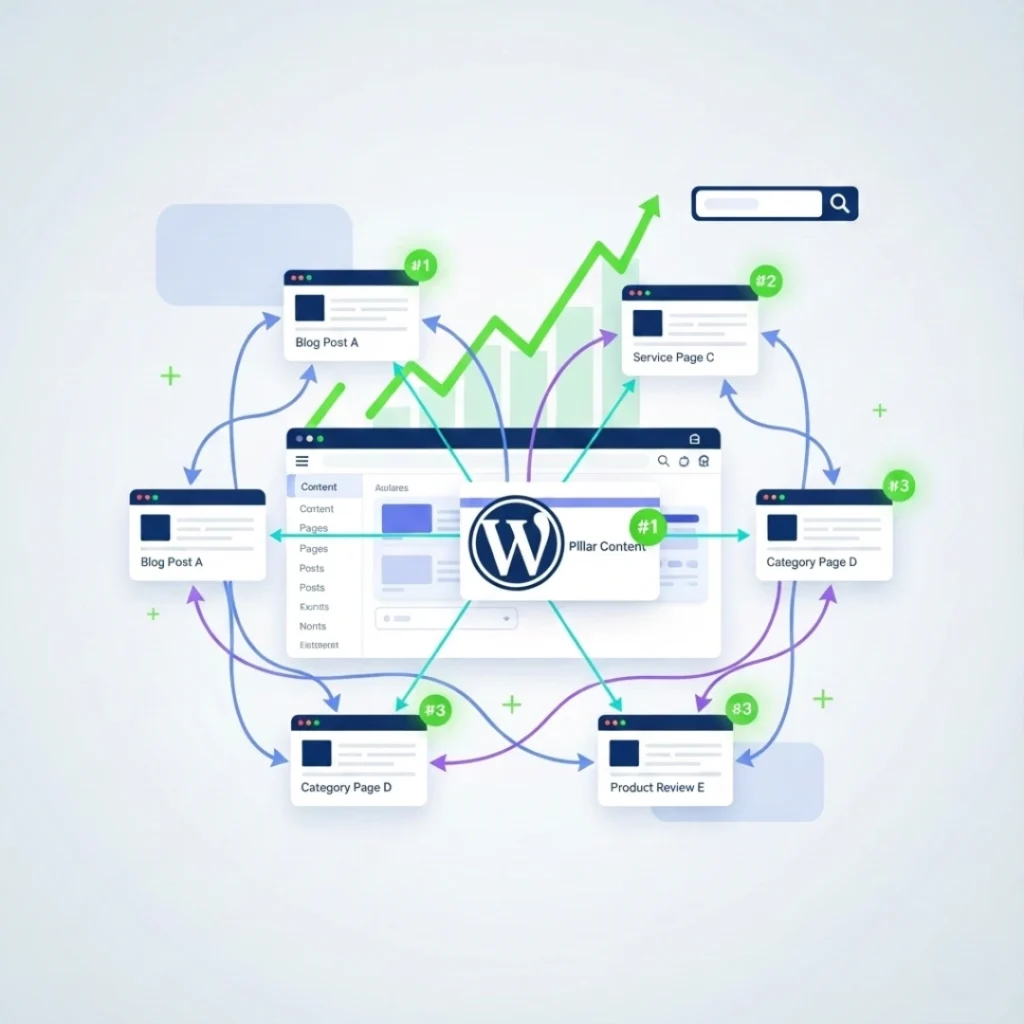
Hub pages serve as central resources that link to multiple related articles within a specific topic cluster. This approach creates clear content hierarchies that search engines can easily understand and index. Start by identifying your main topics and creating comprehensive hub pages that provide overviews and link to detailed subtopic articles.
For example, if you run a WordPress site about digital marketing, create a hub page titled “Complete Guide to Email Marketing” that links to specific articles about email automation, list building, and campaign optimization. This structure signals to Google that your hub page is the authoritative resource for that topic while supporting pages provide depth and detail.
The hub-and-spoke model strengthens your WordPress SEO by concentrating topical authority on strategic pages. When you consistently link from supporting articles back to the hub page, you reinforce its importance in your site hierarchy. Tools like Link Whisper’s internal link suggestions can identify natural opportunities to connect related content without manually reviewing every post. This saves considerable time while ensuring no valuable linking opportunities are missed across your growing content library.
Strategy 2: Use Strategic Anchor Text for Maximum Impact
Anchor text the clickable words in your internal links plays a crucial role in helping search engines understand the linked page’s content. Instead of generic phrases like “click here” or “read more,” use descriptive anchor text that includes relevant keywords and clearly indicates what visitors will find when they click.
For WordPress sites, aim for anchor text variation that includes exact-match keywords, partial-match phrases, and branded terms. If you’re linking to a page about WordPress plugins, use anchors like “best internal link plugin WordPress,” “WordPress linking tools,” or “automated link management plugins.” This variety appears natural to search engines while effectively passing topical relevance signals.
However, avoid over-optimization by using the same anchor text repeatedly for a single target page. Google’s algorithm may flag this as manipulative linking. A healthy ratio includes approximately 40% exact-match anchors, 30% partial-match, 20% branded terms, and 10% generic phrases. When managing hundreds of posts, maintaining this balance manually becomes challenging. The best internal link plugin WordPress users rely on typically includes anchor text variation features that automatically distribute link types across your content, preventing over-optimization while maximizing SEO value.
Research from Ahrefs shows that pages with diverse, descriptive anchor text receive 40% more clicks from internal links compared to pages with generic anchor text. This increased engagement sends positive signals to search engines about your content’s relevance and value.
Strategy 3: Identify and Fix Orphaned Content
Orphaned pages content with no internal links pointing to them represent lost SEO opportunities on your WordPress site. These pages receive minimal search engine crawl frequency and struggle to rank because they lack the authority transfer that internal links provide. Identifying and fixing orphaned content should be a priority in your WordPress SEO strategy.
Start by auditing your site to find pages with zero or minimal incoming internal links. Most WordPress sites have 15-25% orphaned content, especially older posts that were published before you implemented a structured linking strategy. These orphaned pages may contain valuable information but remain invisible to both search engines and site visitors because no clear pathways lead to them.
Once identified, strategically add 3-5 relevant internal links from existing high-traffic pages to your orphaned content. This integration brings these pages into your site’s link structure, improving their crawlability and ranking potential. For example, if you have an orphaned post about WordPress security tips, link to it from your popular posts about WordPress optimization, plugin recommendations, and site maintenance.
Many WordPress site owners use orphaned content detection tools that automatically scan entire sites and highlight pages needing internal links. This automated approach ensures you don’t miss orphaned content as your site grows. According to Search Engine Journal, fixing orphaned pages can improve their organic traffic by 200-300% within 2-3 months as search engines recognize and index them more frequently.
Strategy 4: Distribute Links Evenly Across Your Content
Link distribution affects how authority flows through your WordPress site. Pages with numerous internal links tend to rank better because they receive more link equity and signal importance to search engines. However, many sites inadvertently create link imbalances where some pages receive dozens of links while others get none.
Aim for balanced link distribution where important pages receive 8-12 internal links while supporting content gets 3-5 links. This structure creates a natural hierarchy without concentrating all authority on a few pages. Review your analytics to identify high-performing content that should receive more internal links, then systematically add relevant links from related articles.
For WordPress sites publishing multiple posts weekly, maintaining even distribution manually becomes nearly impossible. You may naturally link to recent posts while older valuable content gets forgotten. This creates a scenario where new posts lack established authority while older posts remain isolated from fresh content connections.
Automated linking strategies solve this challenge by continuously suggesting relevant linking opportunities as you publish new content. When you write a new WordPress post, intelligent systems scan your existing content library and recommend 5-10 relevant pages to link from. This ensures every new article immediately connects to your existing content structure while older posts receive ongoing link refreshes. Studies show that sites implementing systematic internal linking see organic traffic increases of 25-35% within six months.
Strategy 5: Implement Automatic Internal Linking Rules
Creating internal links manually for every new post takes considerable time, especially for content-heavy WordPress sites. Automatic internal linking rules solve this efficiency problem by establishing patterns that apply across your entire site without manual intervention for each post.
Set up rules that automatically insert links when specific keywords appear in your content. For example, create a rule that links the phrase “WordPress SEO” to your comprehensive SEO guide whenever it appears in any post. This ensures consistent linking patterns and guarantees important pages receive regular internal links from new content.
The beauty of automated rules lies in their scalability and consistency. As you publish more content, these rules continuously work in the background, maintaining your internal linking structure without additional effort. This automation is particularly valuable for sites publishing daily or weekly content where manual linking review becomes impractical.
WordPress site owners report saving 2-3 hours per week by implementing automated internal linking workflows. This time savings allows you to focus on content creation and strategy rather than tedious link placement tasks. Additionally, automated systems eliminate human error and ensure no valuable linking opportunities slip through the cracks as your content library expands beyond hundreds of posts.
Conclusion
Mastering internal links SEO WordPress requires strategic thinking, consistent implementation, and the right tools to scale your efforts. By mapping content hierarchies, using descriptive anchor text, fixing orphaned pages, distributing links evenly, and implementing automation rules, you create a robust internal linking structure that boosts search rankings and improves user experience. These five proven strategies transform your WordPress site from a collection of isolated posts into a well-connected content ecosystem that search engines can easily understand and rank. Start implementing these internal linking strategies today, and you’ll see measurable improvements in organic traffic, engagement metrics, and search visibility within weeks. Ready to streamline your internal linking process? Explore automated solutions that save time while maximizing your WordPress SEO performance.
Frequently Asked Questions
2. How often should I add internal links to WordPress posts?
Add internal links every time you publish new content to connect it with existing posts. Review older posts quarterly to add links pointing to new content. This continuous internal linking process maintains site structure and distributes authority to fresh pages.
3. What anchor text works best for internal links SEO WordPress?
Use descriptive anchor text that clearly indicates the linked page's content. Mix exact-match keywords (40%), partial-match phrases (30%), branded terms (20%), and natural language (10%). Avoid repetitive anchor text for the same target page to prevent over-optimization penalties from Google.
4. Do internal links pass PageRank in WordPress?
Yes, internal links pass PageRank and distribute link equity throughout your WordPress site. Pages with more incoming internal links accumulate higher authority and typically rank better. Strategic linking from high-authority pages to important content strengthens overall site rankings significantly.
5. Which is the best internal link plugin WordPress site owners use?
The best internal link plugin WordPress owners prefer includes AI-powered suggestions, automatic linking rules, bulk link management, and orphan page detection. LinkWhisper leads with intelligent automation that saves hours while maintaining natural, contextually relevant links across entire content libraries.
6. Can too many internal links hurt WordPress SEO?
Excessive internal links (over 100 per page) can dilute link equity and confuse visitors. Focus on quality over quantity with 3-5 relevant links per 1,000 words. Google may devalue pages with spammy linking patterns, so maintain natural linking structures that prioritize user experience.
7. What is the difference between internal and outbound links?
Internal links connect pages within your WordPress domain, improving site structure and distributing authority. Outbound links point to external websites, providing credibility through authoritative sources. Internal links strengthen your SEO while outbound links demonstrate content quality and thorough research.
8. How do I fix missing internal links on WordPress?
Audit your site to identify pages with zero incoming links using WordPress plugins or Google Search Console. Add 3-5 contextually relevant links from high-traffic pages to integrate orphaned content. Regular WordPress SEO maintenance ensures all pages participate in your link structure.
9. Should I use keywords in internal link anchor text?
Yes, include relevant keywords in anchor text to signal topic relevance to search engines. However, vary your anchors naturally use exact keywords occasionally while mixing in descriptive phrases and natural language. This strategic anchor text approach maximizes SEO without triggering over-optimization flags.
10. How does internal linking improve WordPress user experience?
Internal linking guides visitors to related content, increasing session duration and reducing bounce rates. Well-placed links help users discover valuable information naturally, keeping them engaged longer. Improved user metrics signal content quality to Google, positively impacting overall SEO performance and rankings.
Check if your site has the same issues.
Run a free audit right now. See your orphaned pages, broken links, and link health score in 60 seconds.
Check My Site

