
Contents
- 1 Why Site Owners Look for Auto Internal Links
- 2 Which Main Features Matter Most for Your Internal Linking Setup?
- 3 How Link Whisper Plugin Compares with Free Alternatives
- 4 Top SEO Tools for Interlinking: What Experts Suggest
- 5 Setting Up Auto Links the Safe Way
- 6 A Five Question Test to Run on Your Own Plugin
- 7 Keep Your SEO Plugin and Add the Missing Check
- 8 The Bottom Line
- 9 Try the Internal Link Checker from Link Whisper
- 10 Frequently Asked Questions
- 10.1 1. What is the best free auto internal linking plugin for WordPress?
- 10.2 2. Does automatic internal linking hurt SEO?
- 10.3 3. How many internal links should a post have?
- 10.4 4. Will auto-linking slow my site?
- 10.5 5. Is an internal link plugin WordPress sites install worth it versus linking manually?
- 10.6 6. Can I choose which links get inserted?
- 10.7 7. What are orphan pages and why do they matter?
- 10.8 8. Is Yoast enough for internal linking?
- 10.9 9. What anchor text should I use?
- 10.10 10. How do I set up auto-linking in Link Whisper?
- 11 Keep learning about internal linking
Spend ten minutes in any WordPress or SEO subreddit and the same question keeps surfacing: what is the best seo auto linker tool free for wordpress, and will it help rankings without slowing the site or stuffing posts with awkward links? The answers are scattered across long threads, so we pulled them together and checked them against what SEO publishers like Semrush, Ahrefs and Backlinko recommend. Below you’ll find a straight comparison, built around how Link Whisper handles auto linking.
Think of your content archive as a city. Every post is a building, and internal links are the roads between them. A travel blogger with hundreds of destination guides has a sprawling map of streets that should lead somewhere. A food blogger needs every recipe connected to the techniques, ingredients and roundups around it.
A WooCommerce store has product pages stranded on side streets that shoppers never reach. An agency is managing a dozen of these cities at once, and a publisher is building a new neighborhood every day. Niche site owners are trying to prove one subject to Google, one connecting road at a time. These are the people Link Whisper is built for, and they are also the ones asking Reddit which tool can lay the roads without bulldozing the scenery. Whatever kind of city you run, the question is the same: who builds the roads, and how much control do you keep?
Why Site Owners Look for Auto Internal Links
Manual linking works when you have 20 posts. At 200, you forget what you published two years ago, and older articles quietly become orphans that neither readers nor crawlers reach. That is the pain behind most searches for auto internal link wordpress solutions.
Experts agree on the fundamentals. Semrush, Ahrefs and Backlinko all recommend descriptive anchor text, a handful of relevant contextual links per article, and no orphan pages. Where Reddit users disagree is on how much of that work should be automated, and which plugin deserves the job. The most common complaint about basic auto linkers is that they link blindly: the same phrase gets linked four times in one post, or a link lands in the wrong sentence.
A good wordpress automatic internal links plugin should handle the repetition (linking the same phrase to the same page) and leave the judgment calls to you. That is where the Link Whisper Plugin is built differently. You set a keyword and a target URL once, and it links past mentions and every future mention across your site. Then it gives you the controls that keep wordpress auto internal links natural:
- One link per post by default, so a phrase never gets over-linked.
- One link per sentence by default, so anchors don’t pile up.
- Priority settings, so your most important page wins when two rules compete for the same sentence.
- Review before insertion, so you approve links instead of trusting a black box.
- Category and date limits, so rules apply only where they belong.
Alongside the automation, you get link reporting and orphan detection, so you can see what is actually happening instead of guessing. Not sure where your site stands today? Try free internal link map from Link Whisper to see how your pages connect and which ones sit isolated, then decide which keywords deserve an auto-link rule first.
Which Main Features Matter Most for Your Internal Linking Setup?
This is the question Redditors keep asking, so here are the four features that come up most, and how Link Whisper approaches each.
Full keyword auto linking
You pick a phrase, point it at a URL, and every mention across the site gets linked, including future posts. This is the feature most people mean when they search for wordpress auto internal links. Done badly, it over-links or hits the wrong sentences, so control matters. Link Whisper’s auto-linking lets you limit each rule to one link per post, set priority when two rules compete for a sentence, restrict rules to certain categories or posts after a chosen date, and review links before they go live. The official auto-linking walkthrough explains each setting.
Manual link suggestions
Many Reddit users distrust full automation, and they have a point. Suggestions let you read the sentence, judge the context and click to insert. Link Whisper surfaces relevant posts while you write, so you stay in control of anchor text. This suits editorial teams who care about every link.
Complete SEO suite
Some people would rather have one plugin for everything. That is reasonable, but suite plugins tend to be strongest at titles, schema and sitemaps and lighter on linking. Yoast’s free version covers sitemaps, breadcrumbs and focus keyphrase analysis, while its automated internal link suggestions sit in Premium. A dedicated internal link plugin wordpress users trust for linking can sit alongside a suite instead of replacing it.
Zero frontend speed impact
Speed worries come up constantly. The safest design inserts links into your content once, so nothing has to be computed when a visitor loads the page. The heavy work happens in the admin area, not on your public pages. Whatever you choose, test page speed before and after on a staging copy.
How Link Whisper Plugin Compares with Free Alternatives
If you want to compare Link Whisper alternatives, start with what each tool actually does. Here is the short version.
| Tool | Approach | Best for |
|---|---|---|
| Link Whisper Plugin | Auto-linking rules plus suggestions, link reports and orphan detection | Sites that want control and visibility |
| Internal Link Juicer | Free auto links from per-post keywords, anchor variation, blacklist and whitelist | Small sites happy to configure keywords |
| Web & SEO Autolinker | Free scan that builds semantically related links | Quick experiments on existing posts |
| Yoast SEO (free) | Sitemaps, breadcrumbs, keyphrase analysis | General SEO basics, not linking |
Link Whisper Plugin vs Internal Link Juicer
Internal Link Juicer is a popular free plugin that builds automatic internal links from per-post keyword settings, with anchor text diversification and blacklist and whitelist controls. For a tight budget it is a fair choice, and reviewers praise its speed.
The trade-off is workload. You define target keywords post by post, and independent roundups note there is no suggestion dashboard in the free version, which means you find opportunities yourself. The Link Whisper Plugin reads your existing content and suggests contextual links, so it finds connections you had not planned. It also reports on your link structure and flags orphan posts, which a keyword-only tool does not do. For anyone managing more than a few dozen posts, discovery plus control is why it sits above a keyword-rules plugin. There is a direct side by side from Link Whisper if you want the feature list.
Web & SEO Autolinker and Yoast
Web & SEO Autolinker is a free plugin that scans existing posts and builds semantically related internal links. It is worth testing, though newer, smaller plugins deserve a trial run on a backup first. Yoast SEO remains a strong all round plugin, but its free tier is not built around linking, so pair it with a specialist instead of expecting it to replace one.
One honest note on cost: Link Whisper’s free offering is about auditing, such as link reporting and finding orphans, while full auto-linking and suggestions are part of paid plans. If a zero budget is non-negotiable, Internal Link Juicer is the free way to automate. If time matters more than the license fee, the paid route usually pays back quickly.
Top SEO Tools for Interlinking: What Experts Suggest
When SEO publishers list the top seo tools for interlinking, they split them into three jobs. Crawlers like Semrush and Ahrefs audit your site and find orphan pages. Writing assistants suggest links while you draft. Automation plugins apply rules at scale. Most healthy setups combine an audit tool with one internal link builder inside WordPress, and that builder is where a plugin earns its place.
Expert guidance on using any of them stays consistent: write descriptive anchors instead of “click here”, vary the wording, keep important pages within a few clicks of the homepage, and prefer links inside body copy because readers and crawlers weight them more than footer links.
Setting Up Auto Links the Safe Way
- Start with five to ten money pages or pillar posts, not your whole site.
- Choose anchor phrases that read naturally and are specific, not generic words like “tools”.
- Limit each rule to one link per post and review links before insertion for the first batch.
- Check a sample of posts to confirm the links read well.
- Re-run your audit a month later and expand.
A Five Question Test to Run on Your Own Plugin
You do not need a new tool to answer this. Five questions, asked inside the plugin you already run, show whether it covers the site wide job. Answer from the screens you can actually open today, not from a feature list, and note any question that leaves you clicking through posts one at a time.
Open your plugin and try each task below without visiting individual posts. Give yourself a yes only if the screen exists and you found it. A feature that lives inside the post editor does not count here, because the point of the test is whether you can see the whole site from one place.
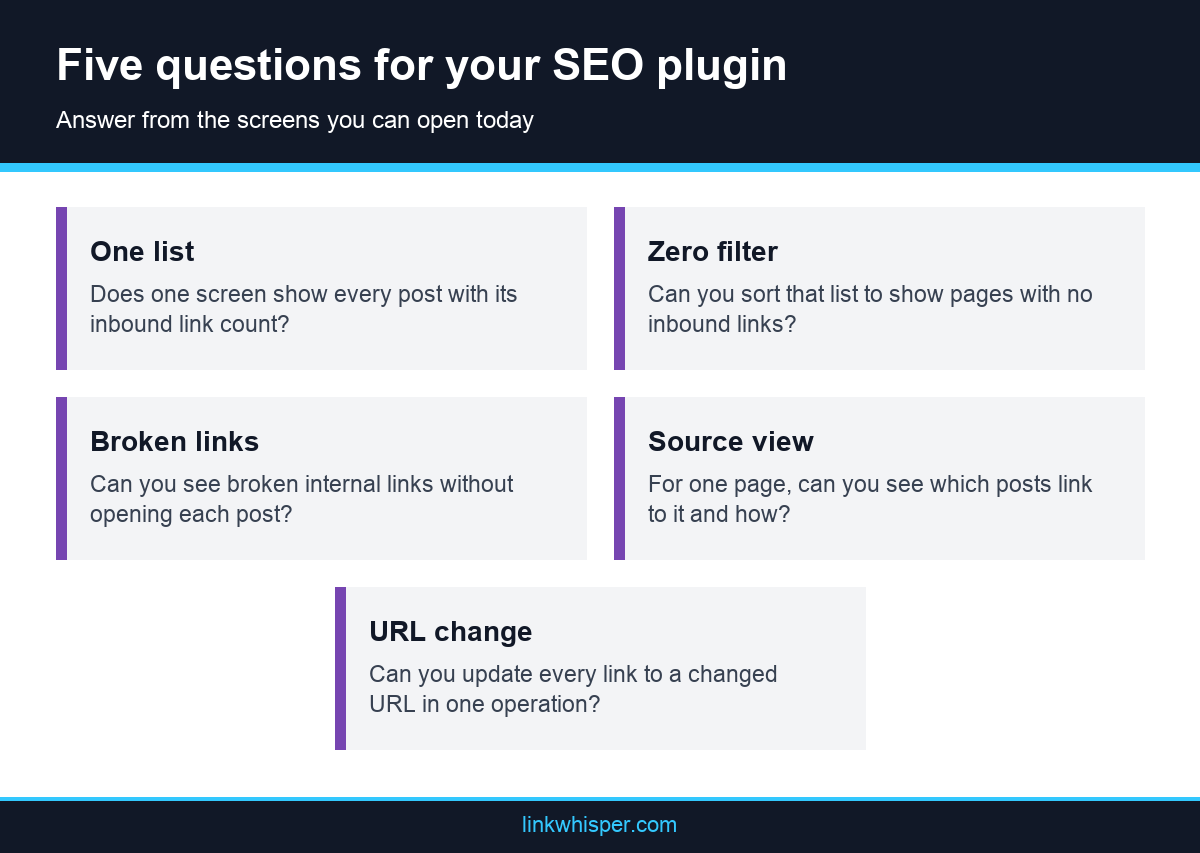
Five yes answers mean your setup already covers this job, and you can stop here. A mix of yes and no shows you exactly which gap to close. Mostly no answers do not mean you chose badly. Your plugin was built for different work.
Then compare your answers with an outside view. The simplest way to see what a dedicated scan finds is the free Link Whisper checker. You enter the public URL of your WordPress site, with no install or account, and it reports pages crawled, orphaned pages, dead end pages, deep pages and a score. The tool itself calls that score a directional health signal, not a promise of a ranking position, so read the page lists first.
- Does one screen list every post with its inbound link count?
- Can you sort that list to show pages with zero inbound internal links?
- Can you see broken internal links without opening each post?
- For one target page, can you see which posts link to it and with what anchor text?
- If a URL changes, can you update every link pointing to it in one operation?
Keep Your SEO Plugin and Add the Missing Check
A low score is not a reason to replace your SEO plugin. The two kinds of tool do different work and can run side by side. Keep titles, schema and sitemaps where they are, and add a link view on top. How far you go depends on site size and how often you publish.
A small site may need nothing more than a free scan and a spreadsheet. Search Console also has a Links report showing how many internal links each page has and which pages link to it. This guide to several ways of checking your link structure notes its limit: it will not show where on the page a link sits or which anchor text it uses.
Larger archives usually need a tool that lives inside WordPress. Link Whisper is the one we know best, so read this as a description rather than a verdict. Its four reports include a Links Report with inbound and outbound counts per post, sortable by most linked, least linked or orphaned, plus a Broken Links Report. It also pulls Yoast SEO and Rank Math focus keywords in as target keywords, so the plugins can share work instead of competing for it. Check compatibility for your own setup before you commit.
Whatever you choose, give every job one home. Let the SEO plugin own page settings and let the link tool own connections. Then rerun the five questions a month later, and see whether the answers changed.
The Bottom Line
The right pick depends on your size and budget. Free keyword plugins automate repetition, suites cover the basics, and a dedicated tool like the Link Whisper Plugin adds suggestions, reporting and control on top of auto-linking.
Try the Internal Link Checker from Link Whisper
Before installing anything, see where your site stands. Run your site through Link Whisper’s free internal link checker to spot orphan pages and weak link structure, then decide which automation fits. It takes a couple of minutes and shows exactly where your next ten links should go.
Frequently Asked Questions
1. What is the best free auto internal linking plugin for WordPress?
For fully free automation, Internal Link Juicer is fine. However, for deeper discovery and reporting, many step up to Link Whisper. Its free tool for internal linking for wordpress does the work automatically.
2. Does automatic internal linking hurt SEO?
Not when it is controlled as done by LinkWhisper seo auto linker tool which has free version for wordpress. Problems come from over-linking, repeating identical anchors or linking irrelevant pages. Rules such as one link per post and category limits prevent most of it.
3. How many internal links should a post have?
There is no official number. SEO guides commonly suggest a few relevant contextual links per article, with more for long pillar pages. Relevance beats count.
4. Will auto-linking slow my site?
It depends on how the plugin works. Plugins that write links into content once avoid runtime processing. Always compare speed tests before and after.
5. Is an internal link plugin WordPress sites install worth it versus linking manually?
Under 30 posts, manual is fine. Beyond that, a plugin saves hours and catches forgotten pages.
6. Can I choose which links get inserted?
With Link Whisper you can review auto-link candidates before they go live, and set one link per post, priorities and category limits.
7. What are orphan pages and why do they matter?
They are pages with no internal links pointing to them. Crawlers and readers struggle to find them, so they rarely perform. A link report or an internal link checker finds them quickly.
8. Is Yoast enough for internal linking?
Free Yoast covers sitemaps, breadcrumbs and content analysis, but automated link suggestions are a Premium feature. Many sites pair it with a dedicated linking plugin.
9. What anchor text should I use?
Short, descriptive and natural, matching what the target page is about. Vary the wording across posts instead of repeating one exact phrase everywhere.
10. How do I set up auto-linking in Link Whisper?
Create a keyword and URL rule, choose your controls, and let the plugin link past and future mentions. Follow the step by step auto-linking guide.
Link Whisper tips
Keep learning about internal linking
Get Link Whisper tips and offers in your inbox.
Check if your site has the same issues.
Run a free audit right now. See your orphaned pages, broken links, and link health score in 60 seconds.
Check My Site