
Contents
- 1 Key Takeaways
- 2 Table of Contents
- 3 What Is a Topic Cluster? Understanding the Core SEO Framework
- 4 Building a Content Cluster Strategy That Actually Works
- 5
- 6 How Topic Clusters SEO Builds the Topical Authority Google Rewards
- 7 Orphan Pages SEO: The Hidden Traffic Killer in Your Content Cluster
- 8 Anchor Text Best Practices for Content Clusters and Pillar Pages
- 9 How Link Whisper Automates Your Content Cluster Strategy on WordPress
- 10 What Are the 4 Types of Keywords? How Do They Map to a Topic Cluster?
- 11 WordPress Content Strategy & Topic Clusters: A Special Note for Blog Owners
- 12 Conclusion
- 13 Frequently Asked Questions
- 13.1 What is a topic cluster in SEO?
- 13.2 What are the 5 pillars of content strategy?
- 13.3 What are the 5 C's of content?
- 13.4 What are the 4 types of clustering in SEO?
- 13.5 What are the 7 steps of content marketing using topic clusters?
- 13.6 What are the 4 types of keywords in SEO?
- 13.7 What is the 3C content strategy?
- 13.8 What tools can help me improve my internal linking strategy for SEO?
- 13.9 What is keyword clustering and how does it differ from topic clustering?
- 13.10 How long does it take for a topic cluster to improve SEO rankings?
You publish blog posts week after week. Traffic trickles in. But nothing builds. Nothing connects. Sound familiar?
That is exactly what happens when you create content without a topic clusters SEO strategy. Your posts compete with each other. Pages sit in isolation. Google sees no clear expertise signal from your site. This is why auto internal linking plugin wordpress from Link Whisper helps you fix the gap. A topic is needed, a cluster is built and these all need to be interlinked too.
Here is the truth: modern search engines do not reward individual pages anymore. They reward websites that demonstrate deep, organized knowledge on a subject. That means building internal linking for SEO through connected content, structuring pillar pages, and using your content cluster strategy to signal topical authority at scale.
This guide breaks down exactly how content strategy and topic clusters work together — and how to build one that actually ranks.
Key Takeaways
- Topic clusters SEO organizes content into connected pillar and cluster pages
- Topical authority is now Google’s primary trust signal — not just domain authority
- Internal linking and link equity make or break a cluster’s ranking power
- Orphan pages SEO issues silently drain traffic from your WordPress blog
- Link Whisper automates cluster-building, saving hours of manual work
Table of Contents
- What Is a Topic Cluster? Understanding the Core SEO Framework
- Building a Content Cluster Strategy That Actually Works
- How Topic Clusters SEO Builds the Topical Authority Google Rewards
- Orphan Pages SEO: The Hidden Traffic Killer in Your Content Cluster
- Anchor Text Best Practices for Content Clusters and Pillar Pages
- How Link Whisper Automates Your Content Cluster Strategy on WordPress
- Conclusion
- FAQ / PAA: Topic Clusters SEO Questions Answered
What Is a Topic Cluster? Understanding the Core SEO Framework
Most sites publish content at random. Topic clusters fix that by giving every page a home, a purpose, and a connection to something bigger.
If you have ever wondered what a topic cluster is, here is the simplest answer: it is a group of interlinked content pages built around one central theme. You can use the seo internal link checker from linkwhisper for this.
One authoritative page sits at the center — your pillar page. Several detailed supporting articles orbit around it — your cluster content. Every page links to the others with purposeful, keyword-rich anchor text.
This is not just a nice content theory. It is the architecture that modern search engines use to evaluate your expertise.
Topic Cluster Meaning: The Hub-and-Spoke Model in Plain English
The Core Idea Behind the Hub-and-Spoke Model
Think of a bicycle wheel. The hub is your pillar page — broad, comprehensive, authoritative. The spokes are your cluster content pages — each one diving deep into one specific subtopic. Every spoke connects back to the hub. The hub links out to every spoke.
This structure creates a self-reinforcing web of relevance. When Google crawls your site, it sees a clear pattern: this website knows this topic inside and out.
What Each Component of the Hub-and-Spoke Does
- The Pillar Page (Hub): Covers a broad topic comprehensively. It answers the big question without going too deep on any one point. Think “The Complete Guide to Digital Marketing.
- The Cluster Pages (Spokes): Each one covers a specific subtopic in depth. Think “SEO for Beginners,” “Email Marketing Best Practices,” or “Social Media Ad Strategy.”
- The Internal Links (The Spokes Themselves): The actual hyperlinks that hold the cluster together. Without them, you just have a pile of unrelated blog posts.
Why This Structure Makes Sense for Search Engines
Google officially acknowledged the concept of “topic authority” in May 2023. But SEOs had been building toward this model for years. Search engines use crawlers to map the connections between pages. When your cluster is tightly linked, those crawlers can quickly understand the full scope of your knowledge on a topic. That means higher confidence in ranking your pages — even against larger, older domains.
Pillar Content vs. Cluster Content: What Sets Them Apart
What Is Pillar Content?
Pillar content is the cornerstone of your topic cluster strategy. It is a long-form, comprehensive resource ; usually 3,000 to 6,000 words — that gives readers a complete overview of a broad topic. It does not try to answer every narrow question. Instead, it introduces subtopics and seo internal link checker can link out to cluster pages that answer them in depth.
A strong pillar page:
- Targets a high-volume, competitive primary keyword
- Covers 8 to 15 related subtopics at a surface level
- Uses internal links to send readers deeper into the cluster
- Acts as the “home base” that collects link equity from all cluster pages
What Is Cluster Content?
Cluster content pages are your supporting articles. Each one focuses on a single, specific long-tail keyword. They go deep where the pillar page goes broad. A cluster page on “how to create keyword clusters” might be 1,500 to 2,000 words, entirely focused on one tactical process.
Good cluster content:
- Targets long-tail or mid-tail keywords with clear search intent
- Answers one specific question thoroughly
- Links back to the pillar page with relevant anchor text
- Cross-links to other related cluster pages where it makes sense
The Key Difference in One Line
Pillar content says, “Here is everything you need to know about this topic.” Cluster content says, “Here is exactly how to do this one specific thing.”
How Topic Clusters Became the Next Evolution of SEO
The Old Way: One Keyword, One Page
For years, the standard SEO playbook was simple: pick a keyword, write a page, rank. That worked when search algorithms were basic keyword-matching machines. You targeted “best running shoes” with one page. You targeted “Nike running shoes” with another. Each page was an island.
The problem? Google got smarter. A lot smarter.
Semantic SEO and the Shift to Topics
Today, search engines are built on semantic SEO principles. They understand context, intent, and relationships between topics — not just individual keywords. A page that mentions “running shoes” in isolation carries far less authority than a site that comprehensively covers footwear, running gear, training advice, and shoe comparisons — all connected by internal links.
This shift meant that isolated keyword pages stopped competing with thematic content hubs. Topic clusters emerged as the answer.
The Cost of Ignoring Topic Cluster Strategy
Sites that still publish disconnected content face three major problems:
- Keyword cannibalization: Multiple pages fighting each other for the same search term — check out our guide on keyword cannibalization to understand how damaging this is
- Thin topical authority: Google cannot confirm your expertise because your content has no clear focus
- Poor crawl efficiency: Bots waste crawl budget on isolated, unlinked pages
According to HireGrowth’s 2025 analysis — cited by Search Engine Land — content grouped into topic clusters drives approximately 30% more organic traffic and holds rankings 2.5 times longer than standalone pieces. That is not a small margin. That is the difference between a site that compounds authority over time and one that plateaus.
Building a Content Cluster Strategy That Actually Works
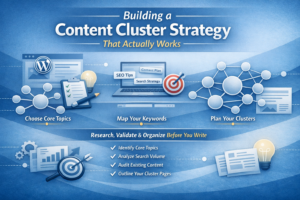
A great content cluster strategy starts before you write a single word. It starts with choosing the right topic, mapping the right keywords, and building a framework you can actually scale.
Most WordPress blogs fail at content clusters not because of poor writing — but because of poor planning. You need a clear content strategy and topic clusters template before you publish anything. This section gives you that framework.
Choosing Core Topics for Your Content Cluster Strategy
Start With What Your Audience Actually Searches For
Choosing the wrong pillar topic is the most common content cluster mistake. Your pillar topic should be:
- Broad enough to support 8 to 15 subtopic cluster pages
- Specific enough to stay within your site’s niche
- Commercially relevant to your business or audience goals
- Searched by your target audience at every stage of intent
Do not pick a topic because it interests you. Pick a topic because your target audience in the USA needs answers on it — and those answers align with your content expertise.
How to Validate a Pillar Topic Before You Commit
Before building an entire cluster, validate your topic with these steps:
- 9. Search your topic on Google. Are the results a mix of guides, tutorials, tools, and comparisons? Good — that means search intent is varied enough to support multiple cluster pages.
- 10. Check keyword volume. Your pillar keyword should have meaningful monthly search volume. Use SEO keywords research to map volume and competition.
- 11. Audit your existing content. Do you have blog posts you have already written that could become cluster pages? A content audit often reveals an entire cluster sitting unpublished and unlinked.
- 12. Look at what your audience asks on Reddit, Quora, and Google’s “People Also Ask” box. These are your cluster page ideas, handed to you for free.
Content Strategy & Topic Clusters Examples That Work
Here are proven topic cluster examples across different niches:
- SaaS: Pillar = “Project Management Software.” Clusters = time tracking, team collaboration tools, Kanban boards, project status reports.
- Health & Fitness: Pillar = “Weight Loss for Beginners.” Clusters = calorie counting, meal prep, beginner workouts, sleep and weight loss.
- SEO Tools: Pillar = “Internal Linking for SEO.” Clusters = anchor text optimization, orphan pages, link equity, crawl depth, pillar content strategy.
Each example shows a pillar topic broad enough to own — and specific enough to demonstrate real expertise.
Keyword Clusters SEO: How to Create Keyword Clusters That Drive Traffic
Understanding Keyword Cluster Meaning
A keyword cluster is a group of closely related search terms that share the same or very similar search intent. Instead of targeting one keyword per page, you map a cluster of related keywords — primary, secondary, and long-tail — to each page in your cluster.
Here is a keyword cluster example:
- Pillar keyword: topic clusters SEO
- Cluster keywords: content cluster strategy, content clusters, topic cluster meaning, SEO topic clusters guide, topical clusters SEO, topic clusters the next evolution of SEO
- Long-tail keywords: how to create a topic cluster for SEO, what is the difference between pillar and cluster content, how do topic clusters improve rankings
All of these belong to the same semantic neighborhood. When you map them properly across your pillar and cluster pages, you cover the full range of user intent without creating competing pages.
Keyword Cluster Meaning: What It Actually Tells You
Understanding keyword cluster meaning goes beyond just grouping similar terms. A keyword cluster tells you:
- What users want: the search intent behind the group
- How to structure content: which page should target which keywords
- Where gaps exist: topics your competitors cover that you do not
Which Is Not an Approach in Ordering Keyword Clusters?
A common question is: which is not an approach in ordering keyword clusters? The answer is ordering them by word count or article length. Keyword clusters should be ordered by search intent, user journey stage, and topical relevance — not by how long you plan to write each article. Length follows intent, not the other way around.
Keyword Cluster Tools Worth Using
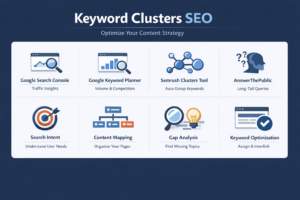
Several keyword cluster tools can help you map your clusters efficiently:
- Google Search Console: Shows what queries already bring traffic to your pages — a natural cluster map
- Google Keyword Planner: Identifies volume and competition for cluster keywords
- Semrush keyword clusters feature: Groups related keywords by intent automatically
- AnswerThePublic: Surfaces long-tail questions your cluster content can answer
What Is Keyword Optimization Within a Cluster?
Keyword optimization in a cluster context means assigning each keyword to the page best suited to rank for it — then interlinking those pages to share authority. It also means knowing what is keyword volume and choosing keywords your cluster pages can realistically compete for, based on your current domain strength.
Understanding what is keyword and its types (informational, navigational, transactional, and commercial) helps you map the right keyword types to the right cluster pages at each stage of the buyer journey.
Content Strategy & Topic Clusters Template: A Step-by-Step Framework
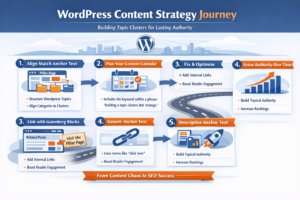
Step 1 — Identify One Broad Pillar Topic
Start by defining a topic you want to own, not just rank for. This is your pillar content—the foundation of your authority.
Think beyond traffic. Think topical authority.
Instead of scattering blog posts, build a central resource like:
“The Complete Guide to Topic Clusters SEO and Internal Linking Strategy.”
This is where site structure SEO begins to take shape. A well-defined pillar signals to search engines that your domain is not just publishing content—it understands the ecosystem around a subject.
When done right, your pillar becomes the entry point for both users and crawlers, anchoring your entire SEO internal links strategy.
Step 2 — Map 8 to 12 Subtopics as Cluster Pages
Once your pillar is defined, expand outward with cluster pages. These are not random blogs—they are intent-driven assets.
Each page should answer a specific query while strengthening your topic clusters SEO framework.
For example, cluster pages can naturally target queries like:
- how to seo optimize internal links
- best seo tools for internal links
- how to use a seo internal links tool
- improving wordpress internal linking
This is where your authority compounds. Instead of isolated posts, you are building a semantic network.
Over time, this structure helps search engines associate your domain with depth, not just keywords—strengthening your topical authority in measurable ways.
Step 3 — Conduct Keyword Research per Page
Every cluster page must target a unique intent. Overlap dilutes rankings.
Use tools that help identify gaps such as:
- tools to find internal links
- seo internal link checker
- wordpress find internal links
These are not just keywords—they represent real operational problems users are trying to solve.
For WordPress-driven ecosystems, queries like:
- wordpress internal link suggestion
- wordpress add internal link
- wordpress auto internal links
Reflect actionable search intent. Your job is to match that intent with precise, structured content.
Avoid duplication. If two pages compete for the same keyword, neither wins.
Step 4 — Write and Publish the Cluster Content First
This is where most strategies fail.
Teams rush to publish the pillar page first—but without supporting depth, it becomes a hollow asset.
Instead, build your ecosystem bottom-up:
- Publish cluster pages targeting seo internal links wordpress
- Create content around wordpress internal linking plugin
- Address automation with wordpress automatic internal links plugin
Once these are live, your pillar page can seamlessly connect to them—creating a functional content network, not a theoretical one.
Search engines reward this structure because it reflects real usability, not just planning.
Step 5 — Build the Internal Link Web
Internal linking is not mechanical—it is strategic architecture.
This is where implementation tools matter. Whether you use a plugin internal link wordpress solution or a more advanced wordpress interlinking plugin, the goal is the same:
Create a system where content supports and strengthens each other.
A strong structure includes:
- Cluster pages linking back to the pillar using contextual anchors
- Pillar page distributing authority outward
- Cross-linking between clusters where relevance exists
To maintain efficiency at scale, many teams adopt:
- wordpress automatic internal links plugin for automation
- seo tools for internal links to monitor performance
This transforms linking from a manual task into a scalable SEO advantage.
Step 6 — Audit, Expand, and Refresh
No content system survives without maintenance.
Quarterly audits should focus on:
- Identifying orphan pages SEO issues—pages with no internal links pointing to them
- Running a seo internal link checker to detect gaps and broken paths
- Using tools to find internal links that are under-optimized
As your content grows, your structure must evolve:
- Add new clusters as search behavior changes
- Strengthen weak pages with better seo optimize internal links practices
- Continuously refine your site structure SEO
For WordPress users, leveraging:
- wordpress find internal links
- wordpress internal link suggestion
- seo internal links wordpress tools
This ensures your architecture stays intact as complexity increases.
How Topic Clusters SEO Builds the Topical Authority Google Rewards
Topical authority is the reason some sites rank for hundreds of keywords while others fight for one. Topic clusters are the engine behind it.
Google has been explicit: it rewards sites that demonstrate expertise, authority, and trustworthiness — what the industry calls E-E-A-T. Topic clusters are the most direct, scalable way to build that signal. Here is how it works at a technical and strategic level.
What Is Topical Authority and Why Rankings Depend on It
The Definition of Topical Authority in SEO
Topical authority is a measure of how comprehensively and credibly a website covers a specific subject area. A site with high topical authority on “internal linking” would have multiple in-depth articles covering anchor text, link equity, orphan pages, crawl depth, pillar pages, and more — all connected to each other.
According to seoClarity, “topic clusters strengthen authority signals by aligning content with Google’s semantic and intent-focused ranking shifts.” In plain terms: when your content is organized around a clear topic, Google trusts you more for that topic.
How Topical Authority Differs from Domain Authority
Domain authority is a metric invented by third-party tools to estimate a site’s overall link profile strength. Topical authority is different. It is Google’s internal assessment of whether your site deserves to rank for queries on a specific subject.
You can have low domain authority but high topical authority on a niche subject — and outrank much larger sites. That is the opportunity topic clusters create for small and mid-sized WordPress blogs in the USA.
The Three Signals That Build Topical Authority
- Content breadth: How many subtopics within your niche do you cover?
- Content depth: How thoroughly does each page answer its target question?
- Internal link structure: How well are all those pages connected to each other?
Topic clusters directly address all three signals at once. That is why this strategy outperforms every other approach to building search engine trust.
Link Equity Flow: How Internal Linking Powers Every Content Cluster
What Is Link Equity and Why Does It Matter?
Link equity — sometimes called “link juice” — is the ranking power that flows from one page to another through hyperlinks. When an authoritative page links to a less authoritative page, it passes some of its trust signal along. This is the fundamental mechanic behind internal link strategy.
In a topic cluster, link equity flows in a powerful loop:
- Your pillar page accumulates external backlinks (from other websites)
- That link equity flows down to cluster pages through outgoing internal links
- Cluster pages pass their own link equity back up to the pillar page through inbound links
- The whole cluster benefits from a shared, self-reinforcing authority pool
How to Build a Healthy Link Equity Flow in Your Cluster
Follow these rules to maximize link equity distribution across your content cluster:
- Every cluster page must link back to the pillar page. This is non-negotiable.
- The pillar page must link out to every cluster page. Place these links in contextually relevant paragraphs — not just a list at the bottom.
- Use descriptive, keyword-rich anchor text. Generic phrases like “click here” pass zero topical relevance.
- Do not over-link. Too many links on a single page dilutes the equity sent to each one.
Our internal link strategy guide breaks down the precise rules for building a healthy, equity-rich internal link architecture.
What Happens When Link Equity Is Poorly Distributed?
When your cluster pages do not link back to the pillar, or the pillar does not link out to its clusters, the equity pool fragments. Some pages collect authority they never redistribute. Others receive no equity at all. The result is a cluster where a few pages rank and most languish — even when the content quality is high.
Crawl Depth, Site Architecture, and Content Discoverability
What Is Crawl Depth and Why It Affects Rankings
Crawl depth refers to how many clicks it takes for a search engine crawler — or a human visitor — to reach a page from your homepage. The fewer clicks, the better.
According to Authority Hacker’s study of over one million websites, pages within three clicks of the homepage generate 9 times more SEO traffic than pages buried deeper. That statistic alone should motivate you to restructure your site architecture around your topic clusters.
A well-structured topic cluster naturally reduces crawl depth because:
- The pillar page is typically linked from your main navigation or homepage
- Every cluster page is one click from the pillar page
- Every cluster page is at most two clicks from your homepage
What Are the Main Types of SEO and How They Connect to Crawl Depth?
Understanding what are the main types of SEO helps you see why crawl depth matters across the board:
- On-page SEO: Ensures each page is optimized for its target keyword
- Technical SEO: Covers crawlability, site speed, mobile usability, and indexation
- Off-page SEO: Builds external backlinks to boost domain and topical authority
- Semantic SEO: Structures content so search engines understand topic relationships
How many types of SEO does your current strategy address? Topic clusters touch all four when executed correctly. Your cluster structure handles on-page and semantic SEO. The internal links improve technical crawlability. The pillar page — as your most comprehensive resource — becomes the most link-worthy page on your site, helping off-page SEO too.
SEO Main Topics You Must Cover to Own a Niche
If your goal is to rank for a competitive niche, your topic cluster must cover all the SEO main topics that users within that niche search for. Gaps in topical coverage are the most common reason a cluster fails to build authority. Think of it this way: if you cover 80% of the subtopics in a niche but miss 20%, Google still sees an incomplete picture of your expertise. Fill every gap with a cluster page.
Orphan Pages SEO: The Hidden Traffic Killer in Your Content Cluster
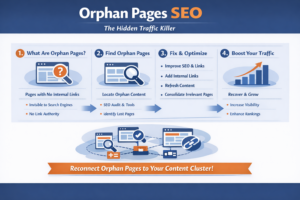
You may have great content sitting completely invisible on your site. Orphan pages — pages with no incoming internal links — are one of the most underestimated SEO problems on WordPress blogs.
If you have been publishing content for years without a clear cluster strategy, chances are you have orphan pages scattered across your site right now. This section explains what they are, how to find them, and how to fold them into your topic cluster to recover lost traffic.
What Are Orphan Pages and Why They Quietly Kill Your SEO
The Definition of an Orphan Page
An orphan page is a page that no other page on your website links to. It exists in your CMS and may even be indexed by Google — but because no internal links point to it, search engine crawlers have almost no way to find it. It receives no link equity from the rest of your site. It is invisible to your internal link structure.
Why Orphan Pages Are So Damaging
Orphan pages hurt your SEO in three distinct ways:
- Zero link equity: No internal links means no authority flows to the page. It must rank entirely on its own — against pages with full cluster support.
- Poor crawl discoverability: Googlebot follows links to find pages. If no link points to your orphan page, the crawler may visit it infrequently — or not at all.
- Wasted content investment: You spent time and money creating that content. If it gets no internal link traffic, that investment never pays off.
Orphan Pages Are Especially Common in Long-Running WordPress Blogs
Most WordPress blogs develop orphan pages over time without realizing it. Here are the most common causes:
- Category or tag pages removed from the navigation without updating internal links
- Old posts never linked to from newer content because the writer did not check
- Content published during a rebrand or site migration that lost its internal links
- Cluster pages written before the pillar page existed and never linked back
How to Find Orphan Pages on Your WordPress Blog
Manual Discovery vs. Automated Detection
Finding orphan pages manually means comparing every page in your sitemap against every page that receives at least one internal link. For sites with more than 50 pages, that process is painfully slow and unreliable.
The smart approach is automation. Link Whisper’s orphan page detection feature scans your entire WordPress site and flags every page that has zero incoming internal links. No spreadsheets. No cross-referencing. Just a clean list of pages that need to be linked — immediately.
What to Do Once You Find Your Orphan Pages
Once your orphan pages are identified, categorize them:
- High-quality content with clear cluster fit: Prioritize these. Link to them from the relevant pillar page or cluster pages right away.
- Outdated content that can be refreshed: Update the content and integrate it into your cluster before linking to it.
- Thin content with no clear home: Consider consolidating it with a related cluster page using a canonical redirect.
- Irrelevant content outside your niche: These should be evaluated for removal or noindex to avoid diluting topical authority.
Orphan Pages SEO Recovery: A Real-World Scenario
Imagine a travel WordPress blog that has published 200 articles over five years. A Link Whisper orphan page scan reveals that 40 of those articles — including some of the best-performing ones from years ago — have zero incoming internal links. They were linked from an old sidebar widget that was removed during a theme update.
By identifying those 40 pages and adding even two to three internal links each, the site immediately improves:
- Crawl discoverability across 40 pages
- Link equity redistribution to previously isolated content
- User navigation through related content clusters
This is a common scenario on content-heavy WordPress sites. Fixing it takes minutes with the right tool.
Integrating Orphan Content Into Your Topic Cluster the Right Way
Match Orphan Pages to Existing Clusters First
Before creating new cluster content, always check whether your orphan pages already cover a subtopic that belongs in an existing cluster. If they do, link to them from the pillar page and from related cluster pages. This is the fastest way to rescue orphan content without writing a single new word.
Create New Clusters Around Orphan Content If Needed
Sometimes you find orphan pages that cover a topic broad enough to become a new pillar page. Instead of just linking to them from an existing cluster, you build a new cluster around them. That orphan page becomes your new pillar — and you write supporting cluster pages around it.
Maintain a Clean Linking Audit After Every Publishing Cycle
The best way to prevent new orphan pages is to adopt a rule: no content gets published without at least two incoming internal links from existing pages. Link Whisper’s real-time suggestions surface relevant linking opportunities the moment you start writing — ensuring no new page ever gets published into isolation.
Anchor Text Best Practices for Content Clusters and Pillar Pages
The words you choose for your anchor text shape what search engines think your pages are about. Inside a topic cluster, anchor text is not just a linking tool — it is a keyword signal.
Most site owners pick anchor text randomly. They write a sentence, highlight a phrase, and add a link. Inside a topic cluster, that approach leaves significant SEO value on the table. Here is how to do it right.
Why Anchor Text Matters for Topic Cluster SEO
Anchor Text as a Topical Relevance Signal
When Google crawls a link, it reads the anchor text to understand what the linked page is about. This is one of the most direct on-page signals you can send to search engines. Inside a topic cluster, every internal link is an opportunity to reinforce the keyword relevance of the page you are linking to.
A link with the anchor text “topic clusters SEO” tells Google: “The page I am linking to is about topic clusters SEO.” A link with the anchor text “click here” tells Google: absolutely nothing useful.
The Compounding Effect of Consistent Anchor Text Across a Cluster
When 8 to 10 cluster pages all link to your pillar page using variations of your pillar keyword as anchor text, the signal compounds. Google receives the same topical message from multiple pages. The pillar page’s relevance for that keyword phrase strengthens with every internal link that points to it.
This is why anchor text best practices are not optional inside a topic cluster — they are the difference between a cluster that ranks and one that does not.
Types of Anchor Text and When to Use Each in Your Content Cluster
Exact Match Anchor Text
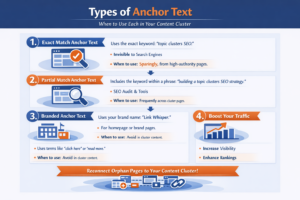
Exact match anchor text uses the precise keyword you want the linked page to rank for. Example: linking to your pillar page with the anchor “topic clusters SEO.”
When to use it: Sparingly. One or two exact match anchors pointing to your pillar page from your highest-authority cluster pages is powerful. Too many identical anchors looks unnatural to search engines.
Partial Match Anchor Text
Partial match anchor text includes the target keyword as part of a longer phrase. Example: “building a topic clusters SEO strategy for WordPress.”
When to use it: This is your workhorse anchor type. Use it frequently across cluster pages. It reads naturally, includes the keyword, and adds context.
Branded Anchor Text
Branded anchor text uses your brand name as the linking phrase. Example: “Link Whisper’s internal linking tool.
When to use it: When linking to your own homepage or brand-specific feature pages. Not typically used within cluster content linking.
Generic Anchor Text
Generic anchor text uses phrases like “read more,” “learn here,” or “this post.”
When to use it: Avoid in topic clusters entirely. Generic anchors send no topical signal and waste a linking opportunity.
Descriptive / Contextual Anchor Text
Descriptive anchor text describes what the reader will find on the linked page in a natural sentence. Example: “our guide to anchor text optimization for internal links covers the full framework.”
When to use it: Every time a generic or exact-match anchor would read unnaturally. This is the safest, most scalable anchor type for cluster content.
Anchor Text Mistakes That Damage Your Cluster SEO Performance
Mistake 1 — Using the Exact Same Anchor Text on Every Link
If all 10 cluster pages link to your pillar page with the exact same anchor phrase, it looks like a manufactured pattern to search engine algorithms. Vary your anchor text using synonyms, partial matches, and descriptive phrases while keeping the core topic keyword present.
Mistake 2 — Linking Without Relevance to the Surrounding Sentence
An internal link placed in a sentence that has nothing to do with the linked page confuses both readers and crawlers. Every internal link inside your cluster should appear in a sentence that contextually relates to the page being linked.
Mistake 3 — Ignoring the Pillar Page in Anchor Text Strategy
Many site owners focus all their anchor text strategy on external link building. They forget that the pillar page inside their own cluster needs consistent, keyword-relevant internal links with strong anchor text to build ranking power. Internal links to your pillar page are free authority. Do not leave them on the table.
Mistake 4 — Never Auditing Anchor Text Across the Cluster
As your cluster grows, anchor text patterns drift. Links added months apart by different writers rarely follow a consistent strategy. A quarterly anchor text audit — reviewing what phrases link to your pillar page and cluster pages — catches inconsistencies before they dilute your topic cluster’s ranking potential.
How Link Whisper Automates Your Content Cluster Strategy on WordPress
Building a topic cluster manually is possible. Building one at scale — without burning out or making mistakes — requires automation. That is where Link Whisper changes everything.
Link Whisper is a WordPress plugin built specifically to automate, manage, and optimize internal linking. For content creators building topic clusters, it is the most powerful tool in the stack. Here is exactly what it does and why it matters for your content cluster strategy.
AI-Powered Internal Link Suggestions for Topic Cluster Building
How Link Whisper’s AI Reads Your Content
When you open any post or page in WordPress, Link Whisper scans the content you are editing and reads your entire site’s content library simultaneously. Its AI engine identifies semantic relationships between the current page and every other page on your site. Within seconds, it surfaces a list of relevant internal link suggestions — complete with suggested anchor text.
You do not have to search your site for related posts. You do not have to manually copy and paste URLs. Link Whisper does the work. You review the suggestions, approve the ones that make sense for your cluster structure, and move on.
This is what makes Link Whisper’s features a game-changer for anyone building a topic cluster strategy on WordPress. The AI understands topical relevance. That means its suggestions naturally align with your cluster architecture — pillar pages link to cluster pages, cluster pages link to other cluster pages, and the entire hub-and-spoke structure builds itself as you publish.
Suggestions That Match Your Topic Cluster Intent
One of the most valuable aspects of Link Whisper’s suggestion engine is that it considers context — not just keyword overlap. It does not suggest a link just because two pages share a word. It suggests links because the two pages cover related topics that a reader genuinely interested in one would also benefit from reading about the other.
For a WordPress blog focused on SEO content strategy, this means:
- Your orphan pages get discovered and linked automatically
- New cluster pages receive immediate internal links from existing content
- Your pillar page collects consistent, relevant inbound links without manual effort
Auto-Linking Rules That Reinforce Your Pillar Content Architecture
What Are Auto-Linking Rules in Link Whisper?
Internal linking automation in Link Whisper lets you set rules that automatically insert internal links every time a specific keyword or phrase appears across your site. You set the rule once. Link Whisper applies it to every existing post and every new post published going forward.
Here is how this maps directly to your topic cluster strategy:
- Rule example 1: Every time the phrase “pillar content” appears on any page → automatically link to your pillar page on content strategy
- Rule example 2: Every time “orphan pages SEO” appears → automatically link to your orphan page guide
- Rule example 3: Every time “anchor text best practices” appears → automatically link to your anchor text cluster page
This is the most scalable way to maintain consistent link equity flow across a growing topic cluster. Whether your site has 50 posts or 5,000, auto-linking rules ensure that keyword occurrences never go unlinked.
How Auto-Linking Rules Protect Against Cluster Decay
Topic clusters decay over time when new content is added without updating older pages to link to it. Auto-linking rules prevent this. The moment you publish a new cluster page with a targeted keyword, Link Whisper’s automation engine starts linking to it from every existing page that mentions that keyword.
Your cluster grows stronger with every new post — instead of fragmenting.
Setting Smart Auto-Linking Rules for Maximum Impact
Not every keyword should have an auto-linking rule. Focus your rules on:
- Primary cluster keywords: The exact phrases that define each cluster page’s topic
- High-volume search terms: Keywords that appear frequently across your blog
- Pillar page keywords: The most important terms that should always flow back to your main pillar page
Avoid setting auto-linking rules for generic phrases. Stick to specific, topic-relevant keywords that reinforce your cluster’s structure.
Link Whisper Reports and Statistics for Content Cluster Health
Why Cluster Health Monitoring Matters
Building your topic cluster is step one. Maintaining it is the ongoing work that most site owners skip. Links break. Content gets updated. Pages get deleted. Over time, even a well-built cluster starts to develop gaps and broken connections.
Link Whisper’s internal link analytics and reporting dashboard gives you a real-time view of your entire site’s internal link health. You see:
- Total inbound and outbound links per page: Instantly spot pages with too few or too many links
- Orphan page detection: A live list of every page receiving zero internal links
- Broken link reporting: Any internal link pointing to a 404 or missing page
- Anchor text distribution: What phrases are being used to link to each page
Using Reports to Strengthen Your Pillar Page’s Authority
Your pillar page is the most important page in your cluster. It needs to collect the most internal links. Link Whisper’s reporting shows exactly how many inbound internal links your pillar page currently receives — and from which cluster pages.
If your pillar page is receiving fewer internal links than some of your cluster pages, that is a warning sign. You are not funneling enough link equity to your hub. Use the reporting data to identify which cluster pages are not yet linking back to the pillar — and fix them immediately.
The Link Whisper Dashboard as Your Cluster Command Center
Think of Link Whisper’s reporting dashboard as the control room for your content cluster strategy. Every data point it surfaces corresponds to a specific action you can take to improve cluster health:
- Page with 0 inbound links? → Add it to the relevant cluster. Fix the orphan.
- Broken internal link? → Update the URL before Google crawls it as a 404.
- Pillar page with fewer links than expected? → Use bulk link editing to add inbound links from existing cluster pages.
- Over-linked page? → Redistribute some links to under-served cluster pages.
According to Google’s own SEO documentation — covered thoroughly in Google Search Central’s SEO Starter Guide — good internal linking helps Google understand your site structure and discover your content. Link Whisper makes that job effortless for any WordPress site owner.
What Are the 4 Types of Keywords? How Do They Map to a Topic Cluster?
Understanding keyword types is essential for assigning the right content to the right cluster page.
A well-built content cluster addresses all four keyword types strategically. Here is how they map:
Informational Keywords
Informational keywords target users seeking to learn something. These are your cluster content pages. Examples: “what is a topic cluster,” “how do content clusters work,” “what is crawl depth.”
Navigational Keywords
Navigational keywords target users looking for a specific site or brand. These typically belong on branded pillar pages or homepage content — not deep inside a cluster.
Transactional Keywords
Transactional keywords target users ready to act or buy. In a WordPress SEO cluster, these might be “best internal linking plugin for WordPress” or “buy Link Whisper.” These belong on product or landing pages linked from your cluster.
Commercial Investigation Keywords
These are the most valuable cluster keywords. Users are researching before making a decision. Examples: “best topic cluster strategy for WordPress,” “Link Whisper vs manual internal linking,” “how to improve topical authority.” These keywords belong on detailed comparison and how-to cluster pages.
WordPress Content Strategy & Topic Clusters: A Special Note for Blog Owners
Running a WordPress blog in 2026 means competing in one of the most saturated content environments on the planet. Topic clusters are not optional — they are survival.
A successful WordPress content strategy focused on the USA market requires more than good writing. It requires technical organization, topical clarity, and consistent internal linking discipline. Here is what that looks like in practice for a web WordPress site owner:
Align Your WordPress Categories with Your Topic Clusters
Your WordPress category structure should mirror your topic cluster structure. Each category becomes a cluster. The category page becomes your pillar page — or links directly to it. Posts within that category are your cluster pages.
Use Your WordPress Blog Editorial Calendar Strategically
Map your editorial calendar to your cluster roadmap. Every post you schedule should answer: which cluster does this belong to? Which existing pages should link to it? Which page should it link back to? Without these answers, you are back to publishing isolated content.
Use Gutenberg Blocks to Reinforce Cluster Navigation
WordPress Gutenberg blocks give you flexible tools to visually link readers through your cluster. Use “Related Posts” blocks at the bottom of every cluster page. Link to your pillar page in a sticky callout box. These UX elements reinforce your internal link structure while improving reader engagement.
A Content Strategy With Topic Clusters Builds Compounding Authority
Unlike paid traffic — which stops the moment you stop paying — a well-built topic cluster compounds authority over time. Each new cluster page strengthens the existing pages. Each new internal link raises the equity of the pages it points to. The longer you maintain the cluster, the harder it becomes for competitors to dislodge you from those rankings.
Conclusion
Building a topic clusters SEO strategy is the single highest-leverage move you can make for your WordPress blog’s long-term search performance. You have seen how content clusters build topical authority, how link equity flows through a well-structured pillar and cluster architecture, and why orphan pages SEO issues silently drain your site’s ranking potential.
The hard part is not understanding this strategy. The hard part is executing it consistently — across dozens, or hundreds, of pages — without letting links decay, clusters fragment, or new content go unlinked.
That is the problem Link Whisper solves. With AI-powered link suggestions, auto-linking rules, and a reporting dashboard that surfaces every gap in your cluster health, Link Whisper turns topic cluster management from a full-time job into an automated background process.
Start building your first cluster today. And if you want to go deeper on optimizing your WordPress SEO across your entire site, Link Whisper’s full feature set is ready to help you get there.
Frequently Asked Questions
What are the 5 pillars of content strategy?
The five pillars of a strong content strategy are: defining your target audience, conducting keyword and topic research, planning a content calendar, creating high-quality content organized into topic clusters, and consistently measuring performance to iterate and improve based on search and engagement data.
What are the 5 C's of content?
The 5 C's of content are: Clarity (easy to read and understand), Consistency (regular publishing cadence), Credibility (fact-checked and authoritative), Connectivity (content linked into clusters), and Conversion (content that moves readers toward a goal through clear, relevant calls to action).
What are the 4 types of clustering in SEO?
The four main types of content clustering are: topic-based clustering (by subject), keyword-based clustering (by search intent), entity-based clustering (by people, places, or things), and audience-based clustering (by buyer journey stage). A healthy sitemap audit helps identify which approach your site currently reflects.
What are the 7 steps of content marketing using topic clusters?
The seven steps are: (1) define your audience, (2) identify pillar topics, (3) map cluster subtopics, (4) conduct keyword research per page, (5) create and publish cluster content, (6) build the internal link structure across all cluster pages, and (7) monitor, refresh, and expand the cluster over time.
What are the 4 types of keywords in SEO?
The four keyword types are: informational (seeking to learn), navigational (seeking a specific site), transactional (ready to act or buy), and commercial investigation (researching before a decision). Each type belongs on a different layer of your topic cluster — from awareness cluster pages down to conversion-focused pillar content.
What is the 3C content strategy?
The 3C content strategy framework stands for: Content (creating high-quality, relevant material), Context (ensuring content aligns with where users are in their journey), and Connection (linking all content meaningfully through internal linking and topic clusters so each page reinforces the others).
What tools can help me improve my internal linking strategy for SEO?
Link Whisper is the most direct WordPress solution for internal linking. It provides AI-powered suggestions, auto-linking rules, broken link detection, and orphan page identification. Discovering your internal linking opportunities systematically is what separates strategic clusters from random blog posts.
What is keyword clustering and how does it differ from topic clustering?
Keyword clustering groups semantically similar search terms that should target a single page. Topic clustering organizes multiple pages around a broad subject area. Keyword clustering is a micro-level strategy (within one page), while topic clustering is a macro-level strategy (across your entire site architecture).
How long does it take for a topic cluster to improve SEO rankings?
Initial ranking improvements from topic clusters typically appear within 60 to 90 days of publishing a complete cluster. Full topical authority impact — including stronger rankings for competitive pillar keywords — usually develops over six to twelve months of consistent cluster maintenance, internal link building, and content refreshes.
Check if your site has the same issues.
Run a free audit right now. See your orphaned pages, broken links, and link health score in 60 seconds.
Check My Site

