
Contents
- 1 Key Takeaways
- 2 What Is an Internal Link Audit and Why It Matters
- 3 Common Internal Linking Problems Discovered in Audits
- 4 Step-by-Step Process for Conducting Your Internal Link Audit
- 5 Best Practices for Maintaining Healthy Internal Links
- 6 Measuring the Impact of Your Internal Link Audit
- 7 Conclusion
- 7.1 Frequently Asked Questions
- 7.2 What is an internal link audit?
- 7.3 How long does an internal link audit take?
- 7.4 What tools are best for conducting an internal link audit?
- 7.5 Can internal link audits improve search rankings?
- 7.6 How many internal links should each page have?
- 7.7 What are the most critical issues found in internal link audits?
- 7.8 How often should I perform an internal link audit?
- 7.9 Do internal links affect page authority and rankings?
- 7.10 Can I automate internal linking after an audit?
- 7.11 What's the difference between internal link audits and external link audits?
- 7.12
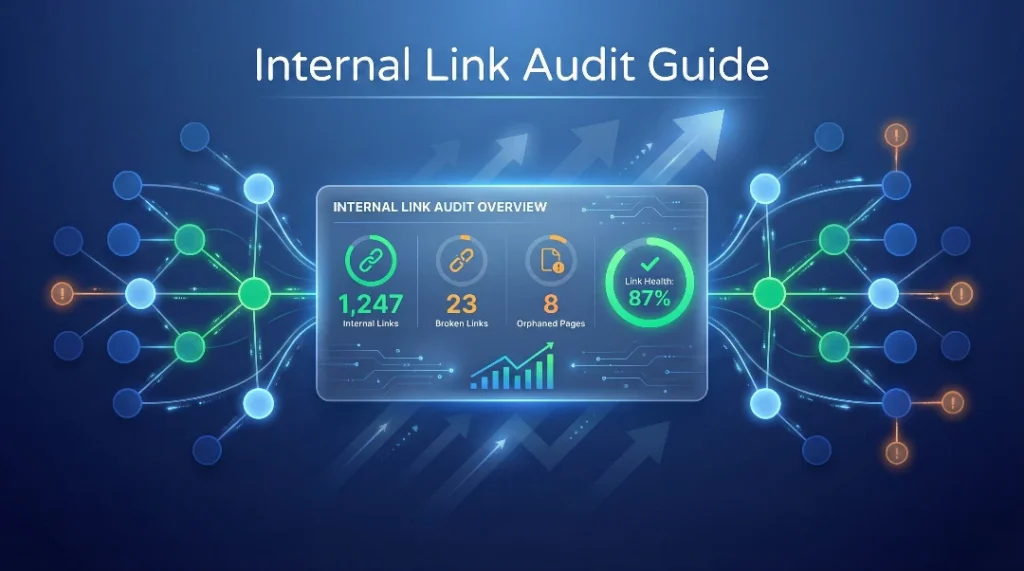
An internal link audit is one of the most overlooked yet powerful SEO strategies for improving your website’s performance. Whether you manage a small blog or a content-heavy website, understanding how your pages connect can dramatically impact your search rankings and user experience. In this guide, you’ll learn exactly how to conduct a thorough internal link audit that uncovers hidden opportunities and fixes critical issues holding your site back.
Key Takeaways
- An internal link audit helps identify broken links, orphaned pages, and missed linking opportunities that hurt your SEO performance and user navigation.
- Using an internal link checker tool automates the process, saving hours of manual work while providing actionable insights into your site’s link structure.
- Regular audits improve crawlability, distribute page authority effectively, and create a better user experience that keeps visitors engaged longer on your site.
What Is an Internal Link Audit and Why It Matters
An internal link audit is a systematic review of all the links pointing from one page to another within your website, helping you understand how content connects and where improvements are needed.
Think of your website as a city, and internal links as the roads connecting different neighborhoods. When these roads are broken, missing, or poorly designed, visitors get lost and search engines struggle to understand which areas are most important. An internal link audit maps out these connections, revealing gaps where pages sit isolated without proper navigation paths. This process goes beyond simply counting links it examines anchor text quality, identifies pages receiving too few or too many links, and spots technical issues like redirect chains or broken links. For content-heavy sites with hundreds of posts, conducting an internal linking strategy review becomes essential for maintaining site health. Search engines like Google use internal links to discover new content, understand page hierarchy, and distribute authority throughout your site. Without regular audits, you’re likely missing opportunities to boost underperforming pages and fix issues that prevent your best content from ranking.
Common Internal Linking Problems Discovered in Audits
Most websites suffer from orphaned pages, broken links, poor anchor text optimization, and unbalanced link distribution all fixable issues that an audit quickly exposes.
Orphaned pages rank among the most damaging issues found in audits. These are pages that exist on your site but have zero internal links pointing to them, making them nearly impossible for search engines to find or for users to discover naturally. Statistics show that up to 30% of pages on content sites can be orphaned, representing wasted potential and missed traffic. Broken internal links create another serious problem, sending users and search bots to 404 error pages that hurt credibility and SEO rankings. Many site owners don’t realize they have dozens or even hundreds of broken links accumulated over time from deleted pages, changed URLs, or migration errors. Poor anchor text presents a subtler but equally important issue using generic phrases like “click here” instead of descriptive, keyword-rich text means you’re missing opportunities to signal relevance to search engines. Additionally, link distribution problems occur when some pages hoard hundreds of internal links while important content receives only one or two connections. Using an internal link checker tool helps identify these patterns quickly, providing a clear roadmap for improvement without spending days manually clicking through every page.
How to Identify Orphaned Content
Orphaned content detection starts with crawling your entire website to map all internal connections. Tools analyze which pages receive incoming links and flag those with zero references. The fix is straightforward: add relevant internal links from related content, navigation menus, or footer sections. For blogs, this often means going back to older posts and naturally weaving in links to newer articles that add value for readers. The impact is immediate—once connected, these pages can start appearing in search results and contributing to your site’s overall authority.
Step-by-Step Process for Conducting Your Internal Link Audit
A thorough internal link audit follows seven key steps: crawl your site, export link data, identify issues, prioritize fixes, implement changes, monitor results, and establish ongoing maintenance.
Start by using a comprehensive crawler or internal link checker tool to scan every page on your website. This creates a complete database of all internal links, showing which pages link where, what anchor text is used, and the HTTP status of each destination. Export this data into a spreadsheet or dashboard where you can filter and sort by different metrics look for columns showing inbound link counts, outbound link counts, anchor text, and link status codes. Next, analyze the data to identify problems: create a list of orphaned pages (zero inbound links), broken links (404 errors), redirect chains (301s leading to more 301s), and pages with weak anchor text. Prioritize fixes based on impact address broken links first since they directly harm user experience, then tackle orphaned high-value content that deserves better visibility. When implementing changes, focus on adding contextually relevant links rather than forcing connections just to increase numbers. A page about email marketing strategies naturally connects to content about internal linking best practices, but linking it to an unrelated topic feels spammy and confuses readers. After making changes, monitor your analytics and search console data for improvements in organic traffic, time on site, and pages per session. Finally, schedule regular audits every quarter to catch new issues before they accumulate—automation tools can run continuous monitoring and alert you to problems as they arise.
Tools and Features That Simplify the Audit Process
Manual audits become overwhelming fast, especially for sites with hundreds of pages. Modern internal linking tools offer automated suggestions based on AI analysis of your content, showing opportunities you might never find manually. Features like bulk editing let you add links to multiple posts simultaneously, while link reporting dashboards provide real-time visibility into your site’s link health. Look for tools that integrate seamlessly with your WordPress editor, support various page builders, and offer broken link detection alongside linking suggestions.
Best Practices for Maintaining Healthy Internal Links
Successful internal link management requires following proven practices: aim for 2-5 contextual links per 1,000 words, use descriptive anchor text, link to relevant content, and regularly update old posts with new connections.
The sweet spot for internal linking density sits between 2-5 links per 1,000 words of content. Too few links means missed opportunities to guide readers and distribute authority; too many creates a cluttered, spammy experience that dilutes the value of each link. Every internal link should serve a purpose either helping readers find related information they’ll genuinely want, or supporting your site architecture by connecting topic clusters. Anchor text deserves special attention because it tells search engines what the destination page is about. Instead of “check this out,” use phrases like “WordPress internal linking plugins” that include relevant keywords while reading naturally in context. Strategic linking means thinking about your site’s hierarchy and user journey. Important cornerstone content should receive more internal links than minor blog posts, and newer articles should connect back to established pages to inherit some of their authority. Don’t forget about updating old content with links to new posts this creates a living, interconnected web of information rather than isolated islands. Automated tools excel at maintaining these connections by suggesting relevant opportunities as you create new content, but the human touch remains important for ensuring links genuinely add value rather than existing just to tick an SEO box. Regular monitoring through an internal link report dashboard helps you spot trends, identify underperforming pages that need more connections, and celebrate improvements in your site’s overall link health metrics.
Creating a Sustainable Internal Linking Workflow
The most successful websites build internal linking into their content creation process rather than treating it as an afterthought. When writing new posts, keep a list of related existing content open and naturally reference it where appropriate. Set up automatic linking rules for evergreen topics that frequently appear across your site—for example, automatically linking certain keywords to your main service pages or pillar content. Schedule quarterly deep audits to catch accumulated issues, but use continuous monitoring tools to stay informed about broken links or orphaned pages as they occur. This proactive approach prevents problems from snowballing and keeps your site architecture strong without requiring massive cleanup projects.
Measuring the Impact of Your Internal Link Audit
Track improvements in organic traffic, average time on site, pages per session, and search rankings for specific pages to quantify the ROI of your internal linking efforts.
The true test of any SEO initiative is measurable results, and internal link audits deliver them across multiple metrics. Start by establishing baseline numbers before making changes record current organic traffic levels, average session duration, pages per visit, and rankings for key pages in Google Search Console. After implementing audit fixes and new links, monitor these same metrics over 4-8 weeks to spot improvements. Many site owners see traffic increases of 10-30% for previously orphaned pages once they’re properly connected to the site structure. Engagement metrics typically improve too, as better internal linking encourages visitors to explore more content rather than bouncing after one page. Google Search Console provides especially valuable insights look at the “Links” section to see which pages receive the most internal links and how that correlates with ranking positions. Pages that gain more quality internal links often climb search results, even without changes to the content itself. Track specific pages that were problematic before the audit, such as high-quality content stuck on page three of search results. Adding strategic internal links from related high-authority pages can push these underperformers onto page one within weeks. Beyond rankings and traffic, consider user experience improvements—did fixing broken links reduce bounce rates? Are visitors finding related content more easily? These qualitative benefits compound over time, building a site that serves both search engines and real people effectively.
Conclusion
Conducting a thorough internal link audit transforms your website from a collection of isolated pages into a cohesive, powerful asset that serves both users and search engines. By following the seven-step process outlined above, you’ll uncover hidden problems, fix critical issues, and create new opportunities for growth. Remember that internal linking isn’t a one-time task but an ongoing practice that requires regular attention and optimization. Start with a comprehensive audit today, implement the fixes systematically, and establish a maintenance schedule that keeps your site healthy. The investment of time pays dividends through improved rankings, increased traffic, and better user engagement. Ready to take control of your internal linking? Begin your audit now and discover the untapped potential waiting within your existing content.
Frequently Asked Questions
How long does an internal link audit take?
A manual internal link audit can take 8-20 hours for medium-sized sites. Using an internal link checker tool reduces this to 1-3 hours by automating crawling, data analysis, and issue identification, making the process significantly more efficient.
What tools are best for conducting an internal link audit?
Top tools include dedicated internal link checker tools, website crawlers, and WordPress plugins. Look for features like orphaned content detection, broken link reporting, anchor text analysis, and automated linking suggestions for comprehensive audits.
Can internal link audits improve search rankings?
Yes, internal link audits significantly improve search rankings by fixing broken links, connecting orphaned pages, optimizing anchor text, and distributing page authority effectively. Many sites see 15-40% traffic increases after implementing audit recommendations systematically.
How many internal links should each page have?
Each page should have 2-5 outbound internal links per 1,000 words and receive at least 2-3 inbound links from other pages. This balance ensures proper link distribution without overwhelming users or diluting link value unnecessarily.
What are the most critical issues found in internal link audits?
Critical issues include orphaned pages with zero inbound links, broken 404 links, redirect chains, poor anchor text optimization, and unbalanced link distribution. These problems prevent search engines from crawling effectively and hurt user experience significantly.
How often should I perform an internal link audit?
Perform comprehensive internal link audits quarterly for most websites. High-volume content sites benefit from monthly reviews. Implement continuous monitoring with automated link tracking tools to catch issues immediately between scheduled audits.
Absolutely. Internal links pass authority between pages, helping search engines understand content hierarchy and importance. Strategic internal linking can boost underperforming page rankings by 20-50 positions without changing the actual content, making it powerful for SEO.
Can I automate internal linking after an audit?
Yes, automation tools can suggest relevant links while you write, apply automatic linking rules to existing content, and bulk-edit multiple posts simultaneously. This maintains link health without constant manual effort after your initial audit.
What's the difference between internal link audits and external link audits?
Internal link audits analyze connections between pages on your own website, while external link audits examine backlinks from other sites. Internal audits focus on site structure, navigation, and authority distribution; external audits assess domain authority and referral quality.
Check if your site has the same issues.
Run a free audit right now. See your orphaned pages, broken links, and link health score in 60 seconds.
Check My Site

