
Contents
- 1 Introduction
- 2 Key Takeaways
- 3 What Is an Internal Linking Tool and Why Does It Matter?
- 4 Core Features That Make Internal Linking Tools Valuable
- 5 AI-Powered Link Suggestions
- 6 Automated Linking Rules
- 7 Orphaned Content Detection
- 8 Link Health Dashboard and Reporting
- 9 How Internal Linking Tools Improve SEO and Site Performance
- 10 Choosing the Right Internal Linking Tool for Your WordPress Site
- 11 Implementation Best Practices
- 12 Common Mistakes to Avoid
- 13 Conclusion
- 14 Frequently asked questions
- 15 1. Why is an internal linking tool essential for WordPress sites?
- 16 2. What features should I look for in an internal linking tool?
- 17 3. How does an internal linking tool help with SEO?
- 18 4. Can internal linking tools find broken links on my site?
- 19 5. How often should I use an internal linking tool to audit my site?
- 20 6. Do internal linking tools work with WooCommerce stores?
- 21 7. What is the difference between manual and automated internal linking?
- 22 8. Can an internal linking tool help with topical authority?
- 23 9. Is an internal linking tool suitable for new WordPress sites?
- 24 10. What metrics should I track with an internal link analysis tool?
Introduction
Managing internal links across a growing WordPress site can feel overwhelming. An internal linking tool helps you build stronger site architecture, discover orphaned content, and create relevant connections between posts without spending hours on manual work. Whether you run a blog with 50 posts or a content site with thousands of pages, the right tool transforms linking from a tedious task into an automated workflow that supports better SEO and user experience.
Key Takeaways
- Internal linking tools automate link suggestions, saving hours of manual research and editing.
- These tools identify orphaned pages, broken links, and under-linked content that hurt your site’s SEO performance.
- Automated linking rules and bulk editing features help you scale internal linking across large content libraries.
What Is an Internal Linking Tool and Why Does It Matter?
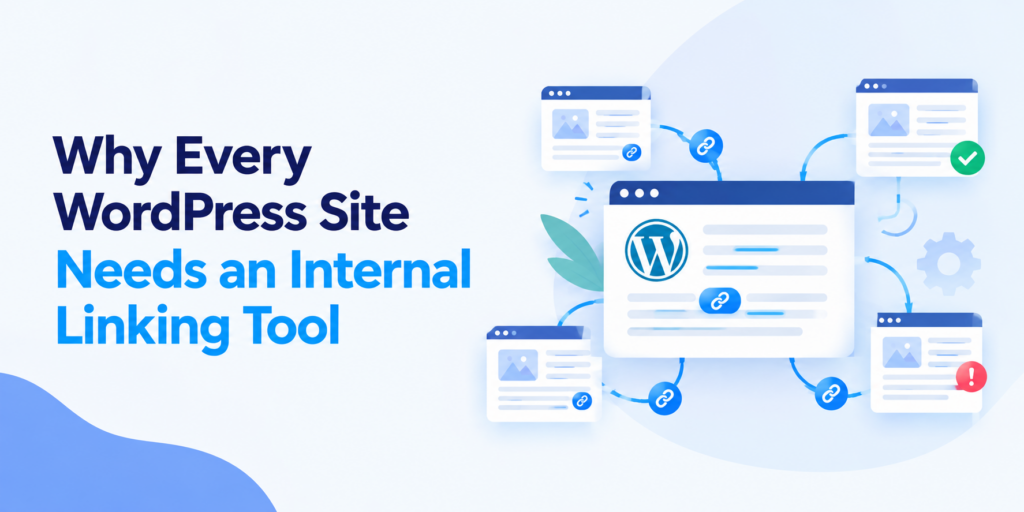
An internal linking tool is software designed to help website owners create, manage, and optimize links between pages on their own site. These tools scan your content, suggest relevant linking opportunities, and often provide automation features that insert links based on rules you define.
Internal links play a critical role in SEO. They help search engines discover and index your content, distribute page authority across your site, and guide users to related information. Without a systematic approach, important pages get overlooked, link distribution becomes uneven, and site structure weakens. An internal linking tool solves these problems by giving you visibility into your link profile and automating repetitive tasks. Sites that implement proper internal linking strategies see improved rankings, better crawl efficiency, and lower bounce rates.
Core Features That Make Internal Linking Tools Valuable
AI-Powered Link Suggestions
Modern internal linking tools use artificial intelligence to analyze your content and suggest relevant links. The software scans existing posts, identifies semantic relationships, and recommends anchor text that fits naturally within your sentences. This eliminates guesswork and speeds up the linking process significantly.
Instead of manually searching through hundreds of posts to find linking opportunities, you get instant suggestions that match the context of what you’re writing. The AI understands topics, keywords, and content relationships, making it easier to build a cohesive site structure. For sites with large content libraries, this feature alone can save dozens of hours each month while improving link relevance and distribution quality.
Automated Linking Rules
Automation takes internal linking to the next level. With automated rules, you can set parameters that automatically insert links across your site based on keywords, post types, categories, or other criteria. For example, you might create a rule that automatically links the phrase “WordPress SEO” to your comprehensive WordPress SEO guide whenever it appears in new or existing content.
This feature is particularly valuable for agencies and large sites that publish frequently. Instead of manually adding links to every new post, the system handles it automatically while you focus on content creation. Automated rules ensure consistency, reduce human error, and keep your internal linking strategy active even as your site grows.
Orphaned Content Detection
Orphaned pages are posts that have no incoming internal links from other pages on your site. Search engines have difficulty finding and ranking these pages, which means your content isn’t reaching its full potential. An internal link analysis tool identifies orphaned content quickly, showing you exactly which pages need attention.
Once you know which pages are orphaned, you can strategically add links from relevant posts to bring them into your site’s link structure. This simple fix often leads to improved indexing and better search visibility. Regular orphan detection helps maintain a healthy site architecture where every piece of content is accessible and valuable.
Link Health Dashboard and Reporting
A comprehensive internal link analysis tool provides detailed reports on your site’s link profile. You can see metrics like total internal links, links per post, most linked pages, and posts with few or no links. This dashboard view helps you identify problems and opportunities at a glance.
For example, you might discover that your cornerstone content has fewer incoming links than less important posts, or that certain categories are under-linked. The internal link analytics feature lets you track changes over time, measure the impact of your linking efforts, and make data-driven decisions about where to focus your optimization work.
How Internal Linking Tools Improve SEO and Site Performance
Internal linking tools directly impact search engine rankings and user engagement. When you build a strong internal link structure, you help search engines understand which pages are most important and how your content relates to each other. This topical relevance signals to Google that you have comprehensive coverage of specific subjects, which can boost rankings for competitive keywords.
Beyond SEO, internal links improve user experience by guiding visitors to related content they find valuable. Lower bounce rates, longer session durations, and higher pages per session are common results of effective internal linking. Users discover more of your content, which increases engagement and conversion opportunities. The combination of SEO benefits and user experience improvements makes internal linking tools one of the most cost-effective optimizations you can implement.
Studies show sites with robust internal linking structures often rank higher than competitors with similar content quality but weaker site architecture. An internal linking tool makes it practical to implement these best practices at scale, even if you don’t have technical SEO expertise or unlimited time for manual optimization.
Choosing the Right Internal Linking Tool for Your WordPress Site
When evaluating internal linking tools, consider compatibility with your existing WordPress setup. The tool should work seamlessly with your editor (Gutenberg, Classic Editor, or page builders like Elementor), support your site’s theme, and integrate with other SEO plugins you use.
Look for features that match your specific needs. If you manage a large site, automation and bulk editing capabilities are essential. If you’re building topical authority, prioritize tools with strong semantic analysis and contextual linking suggestions. Check whether the tool identifies orphaned pages, offers broken link reporting, and provides analytics to track your progress.
User experience matters too. The best tools present information clearly, make suggestions that actually make sense in context, and don’t slow down your content creation workflow. Read reviews from other WordPress users, test the tool on a few posts, and evaluate whether it genuinely saves time while improving your site’s link structure.
Implementation Best Practices
Start by auditing your existing internal links. Use the tool to identify orphaned content, pages with few incoming links, and opportunities to strengthen connections between related posts. Address the most critical issues first, such as linking cornerstone content and eliminating orphans.
Set up automated rules strategically. Focus on high-value keywords and important pages you want to rank. Be careful not to over-optimize; links should feel natural and add value for readers. Aim for 2-5 internal links per 1000 words, distributed evenly throughout your content.
Review suggestions before accepting them. While AI-powered tools are sophisticated, human judgment ensures links make contextual sense and serve your readers. Check that anchor text flows naturally in sentences and that linked pages are truly relevant to the context.
Common Mistakes to Avoid
Over-linking is a common pitfall. Adding too many internal links in a single post can overwhelm readers and dilute link value. Focus on quality over quantity, linking only when it genuinely helps users find related information.
Using exact-match anchor text excessively looks unnatural to search engines. Vary your anchor text with synonyms, related phrases, and natural language. For example, instead of always linking “internal linking opportunities” as exact-match text, use variations like “ways to connect your content” or “linking strategies.
Neglecting to update old content is another mistake. Your internal linking for SEO strategy should include regularly revisiting older posts to add links to new content. This keeps your entire site interconnected and ensures new posts receive link authority from your established content.
Conclusion
An internal linking tool transforms how you manage your WordPress site’s architecture. By automating suggestions, identifying orphaned content, and providing clear analytics, these tools make professional-level SEO accessible without requiring hours of manual work. Whether you’re a blogger growing your traffic or an agency managing multiple client sites, implementing a systematic internal linking approach strengthens rankings, improves user experience, and helps your content reach its full potential.
Ready to simplify your internal linking workflow? Explore automation features that save time while building stronger site structure and better SEO performance.
Frequently asked questions
2. What features should I look for in an internal linking tool?
Look for AI-powered link suggestions, automated linking rules, orphaned page detection, broken link reporting, and comprehensive analytics. The tool should integrate seamlessly with WordPress editors like Gutenberg and Elementor while providing actionable insights for improving your site's architecture.
3. How does an internal linking tool help with SEO?
Internal linking tools strengthen topical authority by connecting related content, distribute page authority throughout your site, and improve crawl efficiency. They help search engines understand your site structure, which can lead to higher Google rankings and increased organic traffic.
4. Can internal linking tools find broken links on my site?
Yes, most internal link analysis tools include broken link detection features. They scan your site for 404 errors, redirect chains, and links pointing to deleted pages, helping you maintain link health and preserve user experience.
5. How often should I use an internal linking tool to audit my site?
Perform audits monthly for growing sites or quarterly for established sites. Regular checks help identify new internal linking opportunities, orphaned pages from recent posts, and broken links before they impact rankings or user experience.
6. Do internal linking tools work with WooCommerce stores?
Yes, quality internal linking tools support WooCommerce alongside standard WordPress posts and pages. They help connect product pages, category pages, and blog content, creating a cohesive site structure that improves both SEO performance and customer navigation through your store.
7. What is the difference between manual and automated internal linking?
Manual linking requires researching relevant pages and adding links individually, taking significant time. Automated linking uses rules and AI to suggest or insert links based on keywords and context, maintaining consistency across large sites while reducing manual effort by 70-90%.
Absolutely. By connecting related content within topic clusters, internal linking tools signal to search engines that you have comprehensive coverage of specific subjects. This clustering approach strengthens topical authority and improves rankings for competitive keywords.
9. Is an internal linking tool suitable for new WordPress sites?
Yes, starting with an internal linking tool from day one establishes strong site architecture as you grow. Even with just 20-30 posts, the tool helps create strategic connections, prevents orphaned content, and builds SEO foundations that scale with your site.
10. What metrics should I track with an internal link analysis tool?
Monitor total internal links, average links per post, orphaned pages, most-linked pages, and link distribution across categories. Track how changes impact rankings, organic traffic, and on-page SEO performance to measure your internal linking strategy's effectiveness.
Check if your site has the same issues.
Run a free audit right now. See your orphaned pages, broken links, and link health score in 60 seconds.
Check My Site

