Contents
- 1 Why Your Link Builder Software Choice Changes Everything
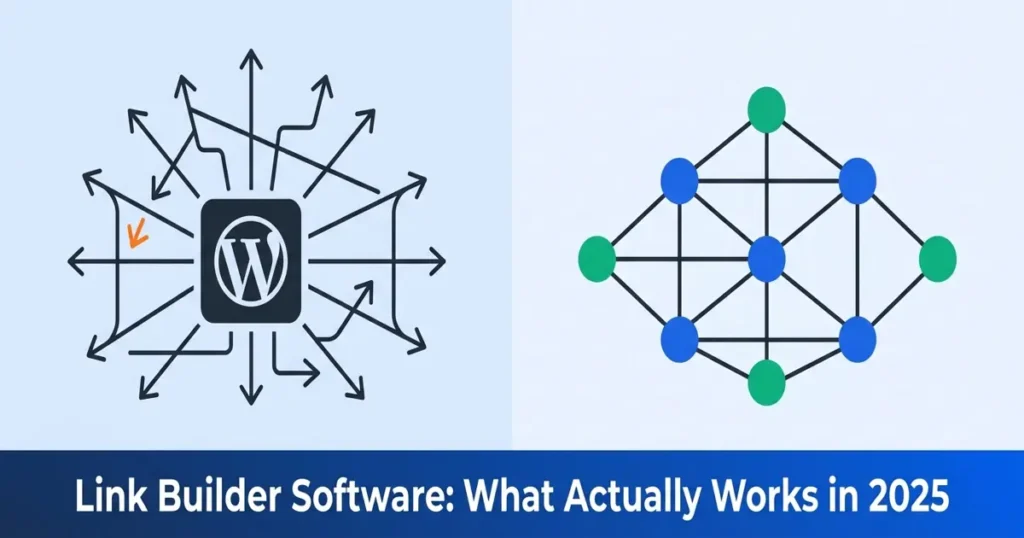
- 2 The Two Categories of Link Building Software
- 3 How Internal Linking Drives WordPress Rankings
- 4 How the LinkWhisper Plugin Closes the Gap
- 5 Real Data: What Internal Linking Actually Moves
- 6 Practical Implementation Steps for WordPress Sites
- 7 Conclusion: Build Smarter Links Starting Today
- 8 What is link builder software and how does it work for WordPress? Link builder software analyzes your content library and identifies opportunities to connect pages through internal links. For WordPress, a dedicated plugin like LinkWhisper integrates directly into the editor and provides AI-powered suggestions that you can accept with a single click. Is internal link building software better than external outreach tools? For sites with 50 or more published posts, internal link building software typically delivers faster and more measurable ROI than external outreach. Internal linking improves rankings within two to four weeks, while outreach campaigns average 60 to 90 days before showing movement. How many internal links should a WordPress post have? Most SEO practitioners recommend two to five internal links per 1,000 words, depending on topic density and content length. The key is relevance over quantity. Links should serve readers by connecting genuinely related content rather than forcing keyword matches into unrelated sentences. What is an orphaned page and why does it hurt SEO? An orphaned page has no internal links pointing to it from other pages on your site. Search engines crawl these pages less frequently, which slows indexation and ranking updates. Sites using an SEO internal link checker can identify orphaned content automatically and fix it fast. How does the LinkWhisper plugin suggest internal links? The LinkWhisper plugin uses AI to analyze the semantic content of each post and match it with relevant pages across your site. Suggestions appear directly in the WordPress editor panel, showing the exact sentence placement, recommended anchor text, and destination URL for each proposed link. Can link building SEO software help recover rankings after an algorithm update? Yes. Internal link architecture improvements are one of the fastest legitimate recovery paths after an algorithm update. Fixing orphaned content, improving PageRank distribution, and optimizing anchor text can produce measurable ranking recovery within two to four weeks of implementation. Does auto-linking in WordPress create over-optimization problems? Auto-linking rules can create over-optimization if not configured carefully. Quality bulk auto-link creation tools include controls for maximum links per page, exclusion rules for specific posts, and limits on how many times a keyword triggers a link, preventing unnatural patterns. What should I look for when choosing a link building platform for a large WordPress site? Prioritize AI-powered suggestion quality, auto-linking rule functionality, orphaned content detection, and comprehensive reporting. The platform should integrate natively with your WordPress editor, scale with your content volume, and provide data on link distribution across your entire site rather than just individual pages. How long does it take to see results from internal link building software? Most sites see initial ranking movements within two to four weeks after making systematic internal linking improvements. The timeline depends on how frequently Googlebot crawls your site and how significant your previous linking gaps were. Sites with a Google Search Console audit already completed often identify gaps faster and see quicker results. Is the LinkWhisper tool compatible with Elementor and Gutenberg? Yes, the LinkWhisper tool is compatible with Gutenberg, Classic Editor, and Elementor. The plugin integrates into the WordPress admin interface and delivers link suggestions and reporting across all supported editing environments without requiring separate configuration for each editor type.
- 9 Keep learning about internal linking
Why Your Link Builder Software Choice Changes Everything
Link builder software has become one of the most debated categories in SEO tooling. Every WordPress site owner eventually faces the same question: should you spend thousands on external outreach campaigns, or should you invest in building a stronger internal link architecture first? The answer, backed by real crawl analysis, almost always points inward. This post breaks down the two categories of link building software and explains why internal link building for WordPress sites consistently outperforms expensive outreach tools in 2025.
Key Takeaways
- Faster ROI with internal link building
- WordPress sites benefit most from internal tools
- AI suggestions cut linking time drastically
- LinkWhisper automates WordPress internal architecture
- Orphaned content detection recovers lost rankings
The Two Categories of Link Building Software
When most people search for link building software, they imagine tools that help them pitch guest posts or manage outreach campaigns at scale. That is one category. The second category is quieter but more powerful for sites that already have a library of published content. Understanding both is the first step toward a smart investment decision.
External Outreach Tools: Costs and Limitations
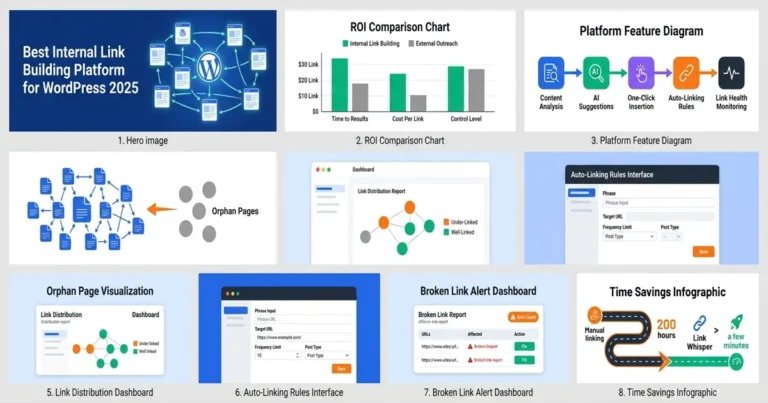
External link building platforms are designed to acquire backlinks from third-party domains. Monthly subscriptions range from $99 to over $500, and a single high-quality guest post campaign can cost $300 to $1,500 per link. Results take 60 to 90 days to appear, and backlink profiles decay when you stop building, making this a recurring expense rather than a one-time improvement.
Google’s 2024 algorithm updates have continued to devalue low-quality link schemes. The Google Search Essentials documentation explicitly addresses manipulative link building as a violation. ROI on external link campaigns has been declining even as costs have risen. External outreach works best as a complement to strong internal architecture, not as a replacement for it.
Internal Link Building Software: The Faster ROI Category
Internal link building SEO software analyzes the pages you already own and builds connections between them. Instead of chasing backlinks from external sites, it optimizes your own content architecture so search engines can crawl, understand, and rank your pages more effectively. The cost profile is dramatically lower, and results can appear within two to four weeks rather than months.
Understanding what topical relevance means in practice helps explain why internal link architecture is not just a technical exercise but a direct ranking signal. When multiple pages on related topics link to each other using relevant anchor text, Google recognizes your site has depth and authority on the subject. This recognition translates directly into improved rankings for competitive keywords without spending a single dollar on external campaigns.
How Internal Linking Drives WordPress Rankings
Internal links distribute PageRank across your site. According to the original Google PageRank paper by Brin and Page, every page passes a fraction of its authority to the pages it links to. When you have deep, well-linked content clusters, authority flows from your strongest pages to supporting articles, lifting rankings across the entire site over time.
Googlebot follows internal links to discover and index content. Pages with no internal links pointing to them, what the SEO industry calls orphaned content, are crawled infrequently or missed entirely. Adding internal links to orphaned pages directly increases crawl frequency and indexation rate. A comprehensive internal link anchor text guide shows how precise anchor text choices reinforce keyword targeting across your entire content library, making each internal link do double duty as both a navigation signal and a relevance signal.
The Orphaned Content Problem
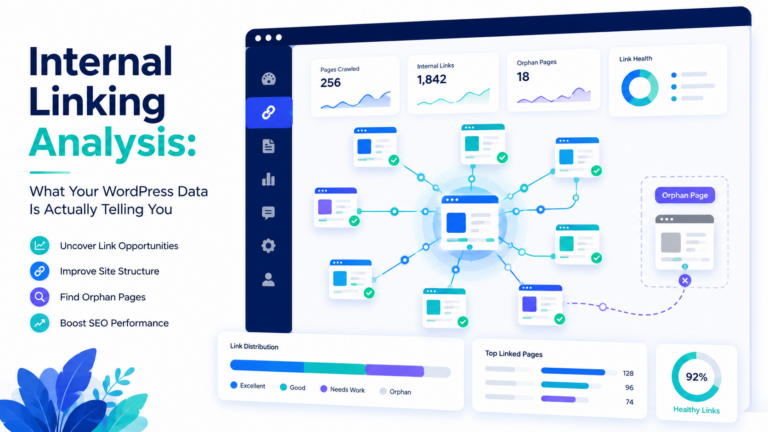
An orphaned page has no internal links pointing to it from other pages on your site. Research on crawl behavior shows orphaned pages receive dramatically fewer crawl visits than linked pages, meaning slower index updates and slower ranking improvements even after you update the content. For sites that publish regularly, orphaned content accumulates faster than most site owners realize, because new posts almost never naturally link back to older articles without a deliberate process in place.
Manual orphan detection on a site with hundreds of posts is practically impossible without software. Internal link building tools with orphan detection allow you to identify and fix these dead ends systematically. Adding even two or three quality internal links to a previously orphaned page can trigger a crawl visit within days and start the ranking recovery process. Beyond the crawl benefit, newly linked orphaned pages begin receiving PageRank equity from linked pages, giving them the authority signals they need to compete for relevant keyword positions.
The compounding effect of fixing orphaned content is significant. Each page you rescue from isolation becomes part of your internal link graph, which means it can now pass authority to other pages you link from it. One fix creates a chain reaction of improved authority flow throughout your content architecture. Sites that audit and fix orphaned content systematically often see site-wide ranking improvements rather than gains limited to the individual pages they directly fixed.
How the LinkWhisper Plugin Closes the Gap
The LinkWhisper plugin was built specifically to solve the internal linking problem WordPress site owners face at scale. Rather than trying to be a general-purpose SEO tool, it focuses entirely on making internal link building faster, smarter, and more effective. The result is a tool that delivers measurable improvements without requiring hours of manual analysis.
AI-Powered Link Suggestions
When you open any post in the WordPress editor with the LinkWhisper tool installed, it analyzes the content and scans your entire content library to find the most semantically relevant linking opportunities. Suggestions appear directly in the editor panel, showing the exact sentence where a link can be placed, the anchor text, and the destination URL. You can accept a suggestion with a single click, reducing the time to add a quality internal link from several minutes to under ten seconds. For a site with 200 published posts, this acceleration can translate to hundreds of new internal links added in a single working session.
Auto-Linking Rules for Site-Wide Consistency
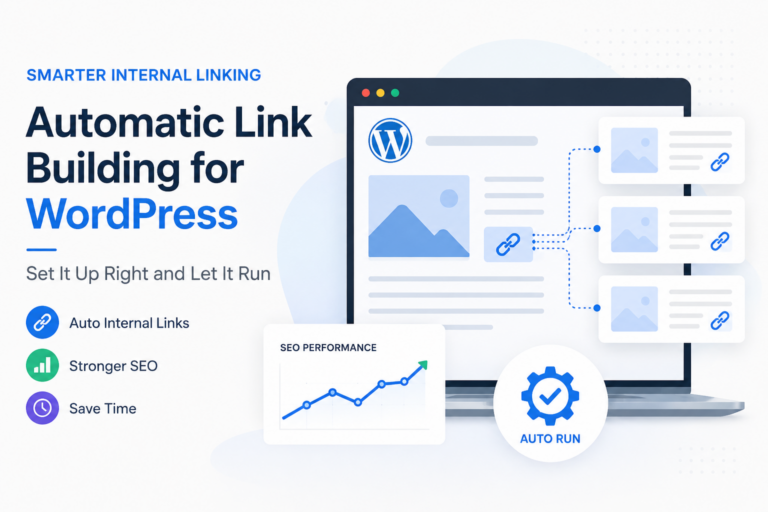
The LinkWhisper tool includes an auto-linking feature that lets you define rules for automatic link insertion. You specify a keyword or phrase and a destination URL, and every time that phrase appears in any published post, the software automatically converts it into a link. Auto-linking rules include controls for how many times a link fires per page and which post types to include, preventing over-linking patterns that could create unnatural internal link distributions.
Auto-linking is particularly valuable for evergreen content and high-priority money pages. If you have a pillar page about a core topic, you can set an auto-link rule that ensures every mention of that topic across your entire site links back to the pillar. This creates the consistent hub-and-spoke link architecture that Google’s quality raters look for when evaluating topical authority. Setting up five to ten auto-link rules for your most important pages can reshape your internal link profile in minutes rather than weeks of manual work.
Broken Link Detection and Link Health Monitoring
Broken internal links waste crawl budget and create dead ends in your internal link graph. Redirect chains and broken links both interrupt the PageRank flow that your internal linking strategy is designed to optimize. The LinkWhisper plugin includes a link health dashboard that reports broken links, redirect chains, and 404 errors across your entire site so you can fix them without navigating to each individual post. Regular link health monitoring prevents the gradual decay of your internal link architecture that happens naturally as URLs change, posts get deleted, and site structures evolve.
Internal Link Reporting and Analytics
The internal link reports inside WordPress provided by the LinkWhisper plugin show you inbound link counts per page, outbound link counts per page, anchor text distributions, and orphaned content lists. Pages with high authority but few inbound internal links are your best opportunities for quick ranking improvements. This data guides your decisions rather than leaving you guessing about which pages to prioritize in your internal linking workflow.
Real Data: What Internal Linking Actually Moves
A documented case study shows how internal linking strategy recovered rankings for a USA plumbing website that had been struggling with suppressed organic traffic. After implementing a systematic internal linking strategy using LinkWhisper, the site recovered lost positions and improved visibility for competitive local service keywords. The improvement came entirely from architecture changes, not new content creation or external link acquisition.
Understanding position in SEO requires looking beyond surface-level keyword rankings to understand the authority signals that determine where pages land in search results. Internal links directly influence these authority signals by distributing PageRank from your strongest pages to the content you most want to rank. Systematic internal linking can move pages from positions 11 to 20 into the top ten results, producing significant traffic increases that compound month over month as Googlebot continues to process your improved link architecture.
An internal link checker scans your entire site and maps every internal link relationship, showing which pages receive the most link equity, which pages are isolated, and where the biggest gaps exist between your content and your linking structure. A systematic internal link audit starts with identifying your highest-authority pages and checking how effectively those pages distribute authority to related supporting content. Sites that complete this audit before using internal link automation software see faster results because they start with a clear picture of their current architecture gaps.
Practical Implementation Steps for WordPress Sites
Knowing that internal link building delivers ROI is one thing. Building a repeatable process that maintains link architecture quality as your site grows is another. The following framework works for WordPress sites at any stage of growth and can be implemented using the LinkWhisper plugin without requiring advanced technical SEO knowledge.
Step One: Run Your First Complete Link Audit
Before making any changes, get a clear picture of your current internal link state. Use the link reporting dashboard to export a list of all pages sorted by inbound internal link count. Identify your top 20 highest-authority pages and check how many internal links they currently receive. Then identify your 20 most important target pages and check how many links they receive. The gap between these two lists is your first optimization priority.
Step Two: Fix Orphaned Content Immediately
Filter your reporting dashboard to show pages with zero inbound internal links. Work through this list systematically, adding at least two contextually relevant internal links to each orphaned page from higher-authority pages on related topics. Do not use generic anchor text. Use descriptive, keyword-relevant anchor text that tells both readers and search engines exactly what the linked page covers. Fixing orphaned content often produces the fastest visible ranking improvements because these pages are essentially invisible to crawlers until they receive their first internal links.
Step Three: Set Up Auto-Linking Rules for Pillar Content
Identify your five to ten most important pages, the pages you most want to rank for competitive keywords. Set up auto-linking rules for each one using their primary target keywords as triggers. Review the results after the rules fire to confirm that the automatic links are contextually appropriate and that no single page receives an excessive number of auto-links from the same rule. Adjust frequency limits as needed to keep the link distribution natural.
Step Four: Build Topical Clusters Around Your Best Content
Use AI-powered link suggestions to build supporting networks around your pillar pages. Every supporting article on a related topic should link to the pillar, and the pillar should link out to the most important supporting articles. This hub-and-spoke architecture concentrates topical authority signals on your most competitive pages while improving the crawlability of your entire content library. Reviewing dofollow versus nofollow link differences helps you ensure that the links in your internal clusters are passing maximum authority rather than being accidentally blocked.
Conclusion: Build Smarter Links Starting Today
The choice between external outreach tools and internal link builder software is a practical business decision based on your site’s current state, your budget, and your timeline for results. For WordPress sites with existing content libraries, the data consistently points to internal link optimization as the higher-ROI investment. External backlinks matter and have their place in a complete SEO strategy, but they cannot substitute for the internal architecture that search engines use to crawl, understand, and rank your content every single day.
The LinkWhisper plugin combines AI-powered suggestions, auto-linking rules, orphaned content detection, broken link monitoring, and detailed reporting in a single tool that works inside your existing WordPress workflow. If your site has content that is not ranking as well as it should, the answer is almost certainly in your internal link architecture. A structured approach to internal linking, backed by software that automates the most time-consuming parts of the process, is the highest-leverage SEO investment most WordPress site owners can make in 2025.
Ready to build smarter links? Try Link Whisper free and start optimizing your internal link architecture today.
Link Whisper tips
Keep learning about internal linking
Get Link Whisper tips and offers in your inbox.
Check if your site has the same issues.
Run a free audit right now. See your orphaned pages, broken links, and link health score in 60 seconds.
Check My Site