Contents
- 1 Why Internal Linking Has Become a Critical SEO Ranking Factor
- 2 The Hidden Cost of Manual Internal Linking
- 3 What Is an Automatic Link Building Tool?
- 4 Why WordPress Websites Benefit Most from Automation
- 5 How an Automatic Link Building Tool Actually Works
- 6 The Biggest SEO Benefits of Using an Automatic Link Building Tool
- 7 AI-Powered Internal Linking vs Rule-Based Automation
- 8 Rule-Based Internal Linking
- 9 AI-Powered Automatic Link Building
- 10 How to Choose the Right Automatic Link Building Tool
- 11 Common Mistakes That Hurt Internal Linking SEO
- 12 Best Practices for Long-Term Internal Linking Success
- 13 Is an Automatic Link Building Tool Right for Your Business?
- 14 Final Thoughts
- 15 Frequently Asked Questions
- 15.1 What is an automatic link building tool?
- 15.2 How does automatic internal linking improve SEO?
- 15.3 Are WordPress automatic internal links safe for SEO?
- 15.4 What is the best SEO Auto Linker for WordPress?
- 15.5 Can an automatic link building tool replace manual internal linking?
- 15.6 How many internal links should a page have?
- 15.7 What is an orphan page?
- 15.8 Can automatic internal linking improve indexing?
- 15.9 Should I automate links on every page?
- 15.10 When should I start using an automatic link building tool?
- 15.11
- 16 Keep learning about internal linking
Automatic link building tool solutions have become one of the smartest investments for WordPress websites that are serious about SEO. As websites grow beyond a few dozen pages, manually creating internal links becomes increasingly difficult, inconsistent, and time-consuming. What once took minutes can quickly turn into hours of repetitive SEO work every month.
Google has long stated that internal links help search engines discover content, understand website hierarchy, and determine which pages carry the most importance. Numerous industry studies from Ahrefs, Semrush, and Moz also show that websites with strong internal linking generally experience better crawl efficiency, improved indexation, higher engagement, and stronger topical authority.
Yet despite this, internal linking remains one of the most overlooked SEO activities.
Businesses spend thousands creating blog content, landing pages, and service pages but rarely revisit existing articles to connect them intelligently. The result is a website filled with valuable content that search engines struggle to fully understand.
This is exactly where an automatic link building tool changes the game.
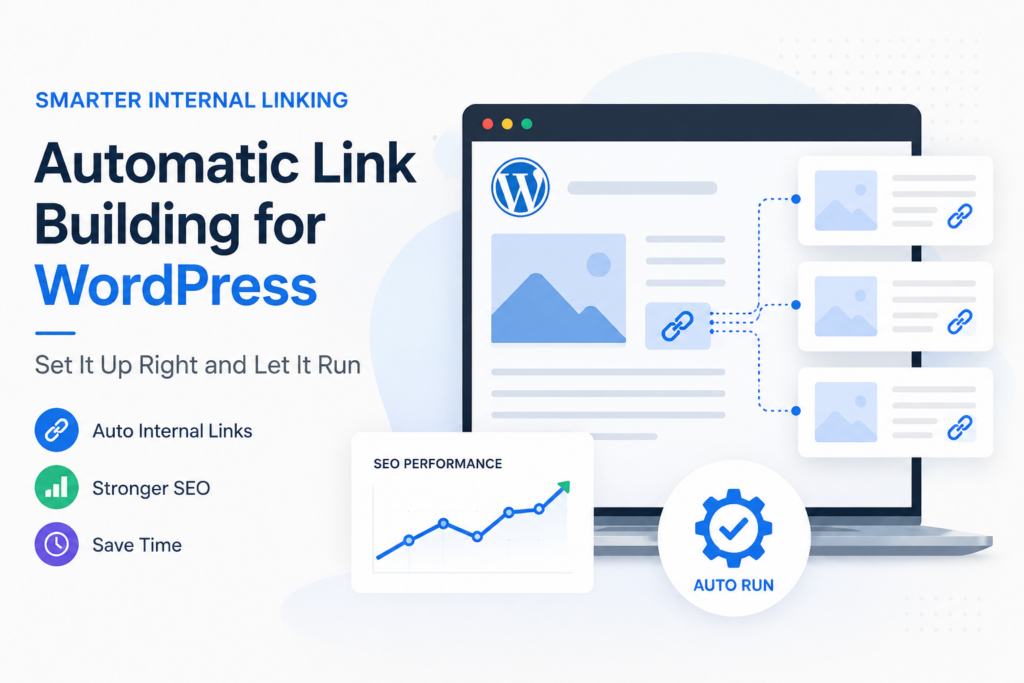
Instead of manually searching through hundreds of articles every time you publish something new, modern link builder software continuously analyses your content, identifies relevant pages, recommends contextual links, and in many cases automates the entire process. Rather than treating internal linking as a one-time SEO task, it becomes an ongoing optimisation system that grows alongside your website.
However, simply installing a WordPress automatic internal links plugin is not enough.
Poor automation can create repetitive anchor text, irrelevant links, keyword stuffing, and an unnatural website structure that harms user experience. The real advantage comes from configuring automation correctly, understanding how Google’s crawlers interpret internal links, and choosing software that prioritises relevance over quantity.
This guide explains exactly how to do that.
Whether you manage a business website, WooCommerce store, SaaS company, agency, publisher, or content-heavy WordPress blog, you’ll learn how modern automation improves SEO while saving hours of manual work every month.
Why Internal Linking Has Become a Critical SEO Ranking Factor
SEO has changed dramatically over the last few years.
Ranking a single page is no longer simply about placing the right keywords in the title or earning a handful of backlinks. Google’s algorithms have become significantly better at evaluating websites as connected ecosystems rather than isolated pages.
When Google’s crawlers visit your website, they don’t just analyse individual articles. They analyse how every page connects with every other page.
Those connections help answer important questions:
- Which pages are most important?
- Which topics does this website specialise in?
- Which content supports other content?
- Which pages deserve more authority?
- How easily can users navigate the website?
Internal links provide these answers.
A well-planned internal linking strategy helps search engines understand your expertise while guiding visitors naturally through your content.
Imagine two WordPress websites with identical articles.
The first website publishes 300 blogs, but each article stands alone with very few internal links.
The second website publishes the same 300 blogs, but every article is connected through logical topic clusters, relevant service pages, resource guides, FAQs, and related tutorials.
- Both websites contain the same information.
- Only one demonstrates expertise.
- That difference is often reflected in search rankings.
- Modern SEO isn’t simply about creating content.
- It’s about creating connected content.
This is why more businesses are investing in WordPress auto internal links rather than relying solely on manual optimisation.
The Hidden Cost of Manual Internal Linking
Internal linking sounds straightforward.
You publish a new blog. You open five or six older articles. You add a few links. Done.
For small websites, that approach works perfectly.
Now imagine your website after three years.
Instead of twenty articles, you now have:
- 450 blog posts
- 75 service pages
- 60 landing pages
- Product pages
- Category pages
- Resource centres
- Case studies
- FAQs
Every new article could potentially connect with dozens of existing pages.
Likewise, dozens of existing pages should also link back to that new article.
Suddenly, a task that once took ten minutes now requires several hours.
The challenge becomes even greater when multiple authors contribute content. Different writing styles lead to inconsistent anchor text, missed linking opportunities, duplicate links, and disconnected topic clusters.
- Over time, these small inconsistencies create significant SEO problems. Important commercial pages receive very little internal authority.
- Older high-performing articles never pass their ranking power to newer content. Valuable resources become orphan pages with few or no incoming links.
- Search engines continue crawling outdated content while newer pages receive less attention. Visitors reach dead ends instead of discovering related resources. This is where manual processes begin breaking down.
The issue isn’t effort.
It’s scalability.
Manual internal linking simply doesn’t grow alongside modern WordPress websites.
What Is an Automatic Link Building Tool?
An automatic link building tool is software designed to analyse your website and intelligently create, recommend, or manage internal links between related pages.
Unlike traditional plugins that simply detect broken URLs, modern link builder software focuses on strengthening your website’s overall architecture.
It works by analysing your existing content, identifying contextual relationships, and recommending where internal links should be added.
Rather than relying only on exact keyword matches, many AI-powered platforms evaluate topic relevance.
For example, if you publish an article about improving Core Web Vitals, an intelligent tool may recommend linking it with related articles covering technical SEO, website speed optimisation, image compression, XML sitemaps, or crawl budget.
Those recommendations help search engines understand that your content belongs to a larger knowledge cluster rather than existing in isolation.
Some platforms only provide recommendations.
Others function as a complete SEO Auto Linker for WordPress, automatically inserting approved links based on predefined rules.
The most advanced tools combine artificial intelligence with editorial controls, allowing marketers to review suggestions before publishing them.
This hybrid approach delivers automation without sacrificing content quality.
Why WordPress Websites Benefit Most from Automation
WordPress powers more than 40% of websites on the internet.
It also happens to be one of the fastest-growing content management systems for blogs, WooCommerce stores, publishers, agencies, and corporate websites.
That growth creates a unique SEO challenge. Every new page increases the number of potential internal linking opportunities exponentially.
A website with fifty pages may only require occasional maintenance. A website with one thousand pages requires continuous optimisation. This is why WordPress automatic internal links plugins have become increasingly popular.
Instead of relying on editors to remember every relevant article published over several years, automation analyses the entire content library in seconds. Whenever a new page is published, the software immediately identifies opportunities to strengthen existing topic clusters.
Older articles can automatically support newer content. Newer articles inherit authority from established pages. Commercial landing pages receive stronger internal signals. Content hubs become easier for Google to understand.
The result is a website that continuously improves without demanding hours of repetitive manual work.
Automation doesn’t replace SEO strategy.
It makes that strategy sustainable.
How an Automatic Link Building Tool Actually Works
Although every platform works differently, most professional solutions follow a similar workflow.
The first step is crawling your website.
The software analyses every blog post, landing page, category, product page, and resource available within your WordPress installation.
Next, it evaluates relationships between those pages.
Rather than simply searching for identical keywords, modern AI-powered systems analyse semantic relevance, content themes, search intent, and contextual similarity.
Once relationships are identified, the software begins looking for natural linking opportunities.
Instead of adding links randomly, it prioritises pages that strengthen your overall website structure.
This might include:
- Connecting supporting articles to pillar pages.
- Passing authority from older high-performing content.
- Identifying orphan pages.
- Improving topical clusters.
- Strengthening commercial landing pages.
- Reducing crawl depth.
Finally, depending on your configuration, the platform may recommend links for approval or automatically insert them using predefined rules.
The entire process repeats every time new content is published.
Rather than treating internal linking as another SEO task on your monthly checklist, it becomes an automated workflow that continuously strengthens your website.
The Biggest SEO Benefits of Using an Automatic Link Building Tool
Most businesses invest in SEO with one goal in mind: increasing qualified organic traffic. They publish blogs, optimise landing pages, improve metadata, and build backlinks. Yet one of the highest-impact SEO activities—internal linking—is often managed inconsistently or ignored altogether.
A professional automatic link building tool changes that by making internal linking an ongoing optimisation process instead of a manual task. Rather than fixing problems after they appear, automation continuously strengthens your website architecture as new content is published.
Here are the biggest SEO benefits businesses experience after implementing intelligent internal linking automation.
Stronger Topical Authority Across Your Website
Google increasingly rewards websites that demonstrate expertise around specific subjects rather than simply publishing isolated articles.
For example, a website with twenty well-connected articles covering technical SEO sends a much stronger topical signal than twenty standalone articles that never reference one another.
This is where an auto internal link strategy becomes incredibly valuable.
Modern link builder software identifies relationships between pages and connects them naturally, creating topic clusters that reinforce one another. Supporting articles pass authority to pillar pages, while pillar pages guide visitors toward deeper resources.
Instead of appearing as individual pieces of content, your website begins functioning as a complete knowledge hub.
Over time, this stronger topical structure improves keyword relevance and increases the likelihood of ranking for competitive search terms.
Faster Discovery and Indexing of New Content
Publishing great content is only the first step.
Search engines must also discover, crawl, and index that content before it can appear in search results.
New pages with few internal links often take longer to be discovered because Google’s crawlers have fewer pathways leading to them.
A WordPress automatic internal links plugin solves this problem immediately.
As soon as new content is published, relevant older articles begin linking to it. These existing pages already receive regular crawl activity, helping search engines discover new content much faster.
For businesses publishing content weekly, this continuous internal linking dramatically improves crawl efficiency while reducing the chances of important pages remaining undiscovered.
Better Distribution of Internal Authority
Every website naturally develops pages with stronger authority.
These may include evergreen blogs, popular guides, category pages, or service pages that have earned backlinks over time.
Without a deliberate internal linking strategy, much of that authority remains concentrated on a small number of pages.
A quality automatic link building tool redistributes authority throughout your website by connecting high-performing pages with newer or strategically important content.
This balanced flow of authority helps strengthen commercial landing pages, improves rankings for supporting content, and ensures valuable SEO equity isn’t wasted.
Instead of relying solely on backlinks, your existing content begins working together to improve overall search visibility.
Fewer Orphan Pages
One of the most common SEO problems on growing WordPress websites is orphan content.
An orphan page is a page with little or no internal links pointing toward it.
Even if the content is well-written and fully optimised, search engines may struggle to discover it consistently.
Visitors are also unlikely to find it through normal navigation.
Professional WordPress auto internal links software automatically identifies these isolated pages and recommends contextual opportunities to reconnect them with the rest of your website.
Reducing orphan pages creates a stronger website architecture while improving both crawlability and user engagement.
Higher User Engagement
Internal links aren’t created only for search engines.
They’re designed to help visitors continue exploring your website.
Imagine someone reading an article about local SEO.
Naturally, they may also want to learn about Google Business Profile optimisation, citation building, review management, or local keyword research.
A good SEO Auto Linker for WordPress helps surface these related resources automatically.
Instead of ending a visitor’s journey after one page, contextual internal links encourage additional page views, longer session durations, and increased engagement.
For businesses generating leads through content marketing, this often results in higher enquiry rates because visitors interact with more educational content before making contact.
Easier Website Maintenance
As websites grow, maintaining internal links manually becomes increasingly difficult.
Updating one article is manageable.
Updating four hundred articles after launching a new service page is not.
Automation significantly reduces this maintenance burden.
A professional WordPress plugin auto internal link solution continuously analyses your content library, identifies new linking opportunities, and ensures your website remains well connected without requiring constant manual reviews.
Instead of spending hours editing older articles, your SEO team can focus on creating better content and improving overall strategy.
AI-Powered Internal Linking vs Rule-Based Automation
Not every automatic link building tool uses artificial intelligence.
Many older plugins rely on simple keyword matching.
While this approach works for basic automation, it often creates links that feel repetitive or unnatural.
Understanding the difference between rule-based automation and AI-powered internal linking is essential when choosing the right solution.
Rule-Based Internal Linking
Traditional WordPress automatic internal links plugins operate using predefined rules.
For example, whenever the phrase technical SEO appears, the plugin automatically inserts a link to a selected page.
Although easy to configure, this method has limitations.
It doesn’t understand context.
The same anchor text may appear dozens of times across a single website.
Pages may receive unnecessary links simply because a keyword exists.
Without careful management, rule-based automation can produce repetitive anchor text, over-optimisation, and poor user experience.
AI-Powered Automatic Link Building
Modern link builder software approaches internal linking differently.
Instead of matching keywords, AI analyses the meaning of content.
It understands related topics, semantic relevance, user intent, and contextual relationships between pages.
For example, an AI platform may recommend linking an article about website speed with pages discussing Core Web Vitals, image optimisation, caching, and technical SEO—even if those exact keywords don’t appear repeatedly.
The result feels far more natural.
Rather than forcing links into content, AI strengthens genuine topical relationships that improve both user experience and SEO.
This is why many businesses are moving away from traditional automation toward intelligent internal linking platforms.
How to Choose the Right Automatic Link Building Tool
With dozens of plugins and SaaS platforms available, selecting the right automatic link building tool requires looking beyond feature lists.
The best solution should fit both your website size and long-term SEO goals.
First, prioritise contextual relevance over quantity.
A tool recommending ten highly relevant internal links is far more valuable than software inserting hundreds of keyword-based links automatically.
Second, ensure the platform provides detailed reporting.
Good link builder software should show:
- Internal link growth
- Orphan pages
- Anchor text distribution
- Internal authority flow
- Broken links
- Linking opportunities
These insights help measure long-term SEO improvements rather than simply automating tasks.
Third, look for editorial control.
The best SEO Auto Linker for WordPress platforms allows editors to approve, reject, or modify suggested links before publishing.
Automation should improve quality—not remove human judgement.
Finally, consider scalability.
A plugin suitable for fifty pages may struggle when your website grows to five thousand.
Choose a solution capable of supporting your business for years rather than months.
Stop Managing Internal Links Manually
Your best-performing pages already contain the authority your newer content needs.
Don’t let that value remain trapped inside isolated articles.
An intelligent automatic link building tool continuously connects your content, strengthens topic clusters, improves crawlability, and saves countless hours of manual SEO work.
Build a smarter WordPress website. Automate your internal linking. Let every new page strengthen every page you’ve already published.
Common Mistakes That Hurt Internal Linking SEO
While an automatic link building tool can significantly improve your WordPress SEO, automation should never mean “set it and forget it.” Even the best link builder software requires a well-planned strategy to ensure your internal links remain relevant, natural, and valuable for both users and search engines.
Here are the most common mistakes businesses make when implementing WordPress automatic internal links, and how to avoid them.
Automating Every Single Keyword
One of the biggest mistakes is linking every occurrence of the same keyword across the website.
For example, automatically linking the phrase “SEO” hundreds of times creates a poor reading experience while sending repetitive signals to search engines.
Instead, use your WordPress plugin auto internal link settings to limit the number of automatic links per page and vary anchor text naturally. Quality always outweighs quantity when it comes to internal linking.
Ignoring Search Intent
Internal links should help readers continue their journey—not interrupt it. Linking unrelated pages simply because they contain matching keywords often confuses visitors and weakens topical relevance.
A professional SEO Auto Linker for WordPress should recommend links based on context rather than exact keyword matches. Every internal link should answer the user’s next logical question or guide them to a related resource.
Neglecting Commercial Pages
Many websites focus exclusively on linking between blog posts while forgetting their most valuable pages—service pages, landing pages, and product pages.
These commercial pages often generate leads and revenue but receive very little internal authority. An effective automatic link building tool helps distribute authority from high-performing informational content to commercial pages, increasing their visibility and improving their ability to rank for competitive keywords.
Using the Same Anchor Text Repeatedly
Anchor text is one of the strongest contextual signals search engines use to understand linked pages.
- Repeating the exact same anchor text hundreds of times can appear unnatural.
- Instead, use descriptive variations naturally throughout your website.
For example, rather than always linking with an automatic link building tool, vary anchor text with phrases like:
- automated internal linking
- WordPress internal linking software
- internal linking automation
- AI-powered link builder
- intelligent internal linking solution
Natural variation improves readability while supporting a healthier SEO profile.
Forgetting to Review Automated Suggestions
Automation accelerates SEO—it doesn’t replace editorial judgement.
Even the most advanced AI-powered platforms occasionally recommend links that aren’t the best fit for the surrounding content. Regularly reviewing suggested links ensures your internal linking strategy remains accurate, relevant, and aligned with user intent.
Best Practices for Long-Term Internal Linking Success
Successful websites don’t simply automate links—they build a scalable internal linking strategy. Here are the practices followed by high-performing WordPress websites.
Build Topic Clusters Instead of Random Links
Think beyond individual articles.
- Group related content around core subjects and connect supporting articles back to comprehensive pillar pages.
- This strengthens topical authority while making it easier for search engines to understand your expertise.
Update Older Articles Regularly
Older articles often attract the strongest backlinks.
- Refresh them periodically by linking to newer blogs, resources, landing pages, and service pages.
- This allows existing authority to flow naturally across your website.
Prioritise High-Value Pages
Not every page needs the same number of internal links.
Focus on pages that drive:
- Leads
- Sales
- Newsletter signups
- Product enquiries
- Service enquiries
A strategic auto internal link approach ensures these pages receive stronger internal authority over time.
Monitor Website Growth
Internal linking isn’t static.
- Every new blog post changes your website architecture.
- Review reports from your automatic link building tool monthly to identify orphan pages, underlinked resources, broken links, and new linking opportunities.
- Continuous optimisation delivers far better long-term SEO results than occasional audits.
Combine Automation with Human Expertise
The strongest SEO strategies combine AI efficiency with human experience.
- Automation identifies opportunities in seconds.
- Editors ensure those opportunities genuinely improve content quality.
- This hybrid approach creates a natural internal linking structure that benefits both users and search engines.
Is an Automatic Link Building Tool Right for Your Business?
The answer depends less on your industry and more on your website’s size and publishing frequency. If your website contains fewer than fifty pages and rarely changes, manual internal linking may still be manageable.
However, once your website begins publishing content consistently, automation quickly becomes one of the highest-return SEO investments available.
An automatic link building tool is particularly valuable if you:
- Publish blog content every week.
- Manage hundreds of WordPress pages.
- Operate a WooCommerce store.
- Run multiple client websites.
- Produce content across several categories.
- Want to improve topical authority.
- Need better internal linking for SEO.
- Spend hours updating old articles manually.
For growing businesses, automation transforms internal linking from an ongoing maintenance task into a scalable SEO system.
Final Thoughts
Content alone no longer guarantees strong search visibility.
Google increasingly rewards websites that demonstrate expertise through clear website architecture, logical topic clusters, and meaningful relationships between pages.
That’s exactly what intelligent internal linking creates.
A modern automatic link building tool doesn’t simply save time—it strengthens crawlability, improves user navigation, distributes authority more effectively, and helps search engines understand your website at a much deeper level.
The most successful WordPress websites no longer rely on spreadsheets or manual link audits.
They build systems that continuously improve themselves.
Whether you choose AI-powered link builder software, an advanced SEO Auto Linker for WordPress, or a professional WordPress automatic internal links plugin, the goal remains the same:
Create a website where every page supports every other page.
That is the foundation of sustainable SEO.
Ready to Automate Your Internal Linking?
Every new article you publish should strengthen your entire website—not become another isolated page waiting for attention.
The right automatic link building tool helps you build a stronger website architecture, improve search visibility, and save countless hours of manual optimisation. Start automating your internal linking today and let your WordPress SEO grow with every page you publish.
Frequently Asked Questions
How does automatic internal linking improve SEO?
It strengthens website architecture, distributes page authority, improves crawl efficiency, reduces orphan pages, and helps search engines better understand relationships between your content.
Are WordPress automatic internal links safe for SEO?
Yes. When configured properly, WordPress automatic internal links improve user experience and SEO. However, avoid excessive automation or repetitive anchor text.
What is the best SEO Auto Linker for WordPress?
Several excellent tools are available, including Link Whisper, Internal Link Juicer, and AI-powered link builder software. The best option depends on your website size and SEO requirements.
Can an automatic link building tool replace manual internal linking?
Not entirely. Automation identifies opportunities much faster, but editorial review ensures links remain relevant and valuable for users.
How many internal links should a page have?
There is no fixed number. Add enough contextual links to improve navigation naturally without overwhelming readers or creating unnecessary keyword repetition.
What is an orphan page?
An orphan page has little or no internal links pointing to it, making it difficult for users and search engines to discover.
Can automatic internal linking improve indexing?
Yes. Better-connected pages are crawled more efficiently, helping search engines discover and index new content faster.
Should I automate links on every page?
No. Focus on contextual relevance and quality. The best WordPress plugin auto internal link solutions allow you to control where automation is applied.
When should I start using an automatic link building tool?
If your WordPress website contains more than 100 pages or you publish content regularly, automation can significantly reduce manual SEO work while strengthening your internal linking strategy.
Link Whisper tips
Keep learning about internal linking
Get Link Whisper tips and offers in your inbox.
Check if your site has the same issues.
Run a free audit right now. See your orphaned pages, broken links, and link health score in 60 seconds.
Check My Site