
Contents
- 1 What Is Site Structure Visualization and Why Does It Matter
- 2 Understanding Crawl Depth and Its SEO Impact
- 3 Orphan Pages SEO: Finding the Content Search Engines Cannot Reach
- 4 How to Run an Internal Link Audit
- 5 How Link Whisper WordPress Plugin Transforms Internal Linking
- 6 Choosing the Right SEO Plugin for Website Structure Management
- 7 Step by Step Process for Visualizing Your Site Link Structure
- 8 Conclusion
- 9 Frequently Asked Questions
- 9.1 How does site structure visualization improve crawl efficiency?
- 9.2 What key issues does site structure visualization reveal?
- 9.3 How does internal linking influence topical authority?
- 9.4 How does crawl depth impact indexing performance?
- 9.5 Why are orphan pages harmful for SEO?
- 9.6 What is the purpose of an internal link audit?
- 9.7 How does site structure visualization support optimization?
- 9.8 How does the Link Whisper improve internal linking workflows?
- 9.9 What is the impact of poor link distribution?
- 9.10 Why is site structure visualization a strategic SEO function?
Site structure visualization is the practice of mapping how every page on your website connects to every other page through internal links. It is one of the most overlooked yet highest-impact activities in modern SEO.
Most website owners invest heavily in keyword research, content creation, and backlinks. Meanwhile, completely ignoring the internal architecture that determines how well search engines can discover, crawl, and rank their pages. According to Google Search Central, search engines rely heavily on internal link paths to discover and prioritize pages across a website. When you visually map how your pages connect, you move from guesswork to deliberate, data-driven SEO decisions.
Site structure visualization also surfaces problems that are otherwise completely invisible to website owners. Pages buried deep in your site, with no internal links or weak anchor text, become obvious in a clear visual link map.
This guide walks you through understanding crawl depth, fixing orphan pages, and running an internal link audit. Whether you manage a small blog or a large content site, these steps help you build a clear internal link structure.
This structure helps search engines crawl and rank your site more effectively.
What Is Site Structure Visualization and Why Does It Matter
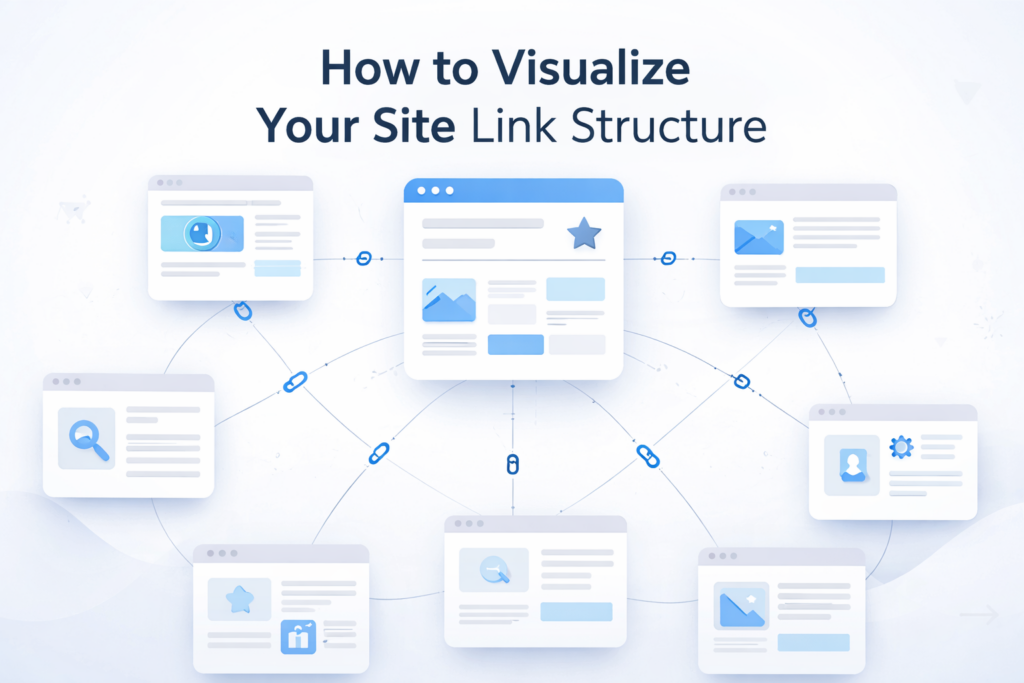
Site structure visualization is a visual map of how your pages connect through internal links. Think of it as a blueprint of your site showing page relationships, hierarchy, and how users and search engines navigate it. Without this clarity, it’s hard to know if your key pages are properly supported by internal links. They may be buried under navigation layers that reduce visibility to users and search engines.
How Site Structure SEO Connects to Organic Rankings
Site structure SEO refers to the intentional organization of your content and internal links in a hierarchy. This helps search engines understand which pages are most important and most relevant. When your structure is logical and well connected, search engines assign topical authority across your site far more accurately. Internal links act as endorsements, passing authority along each link path. Pages receiving more internal links from authoritative parent pages tend to rank higher. Meanwhile pages receiving few or no internal links remain invisible in search results no matter how well written or optimized.
Flat Architecture vs. Deep Architecture
A flat site architecture keeps most pages within two to three clicks of the homepage. This ensures crawlers reach and index all your content without exhausting their crawl budget. A deep architecture buries important content behind four, five, or more navigation layers. This causes crawlers to deprioritize or skip those pages entirely. Site structure visualization makes this distinction immediately clear by showing exactly how many clicks separate any given page from your homepage. Once you see your site architecture visually, you can make targeted adjustments. You can add links from well-crawled pages to deeper content and flatten the structure to improve indexing coverage.
Understanding Crawl Depth and Its SEO Impact
Crawl depth is one of the most critical metrics that site structure visualization reveals across your entire website. It is defined as the number of link clicks required to reach a specific page starting from your homepage. A page linked directly from your homepage sits at crawl depth one. A page requiring you to click through a homepage, then a category, then a subcategory sits at crawl depth three. The deeper a page sits in your internal link architecture, the less frequently search engine crawlers visit it.
Why Crawl Depth Shapes Google Indexing Decisions
Google allocates a finite amount of crawl resources to each website. For smaller websites this is rarely a constraint, because Google crawls the entire site comfortably during each visit. For medium and large websites with hundreds or thousands of pages, crawl budget becomes a genuine limitation. When crawlers exhaust their resources before reaching all pages, the deepest pages get left uncrawled and unindexed. Pages buried at crawl depth four or deeper on larger sites may never appear in search results. This isn’t because the content is poor. It’s because site structure SEO hasn’t given crawlers a clear path to discover it through your link architecture.
Crawl Depth Targets by Website Size
For most websites, SEO best practices recommend keeping all important pages within three clicks of the homepage. Small blogs with fewer than one hundred pages stay within this range without much effort. Medium content sites with several hundred posts often begin seeing depth problems as their archive grows without a matching investment in internal linking. Large publishers and ecommerce sites with thousands of pages face the most significant crawl depth challenges. Site structure visualization reveals exactly where depth problems concentrate. You can prioritize which sections of your site need the most internal linking attention, rather than trying to fix everything without a clear picture.
How Link Whisper Controls Crawl Depth Through Smart Linking
The Link Whisper WordPress plugin directly addresses crawl depth by making it fast and practical to add internal links from high authority shallow pages to content sitting deeper in your architecture. When you publish a new post, Link Whisper immediately suggests which existing pages should link to the new content. This includes pages that already rank well and sit close to your homepage. By acting on these suggestions, you pull deep content closer to the surface of your site architecture. This reduces its crawl depth and gives search engine crawlers a more direct path to discover and index it. This automated approach to depth management separates sites growing organic traffic from sites that publish strong content but rarely see it rank.
Interested in how internal links shape your SEO performance? Explore how the Link Whisper simplifies internal link building.
Orphan Pages SEO: Finding the Content Search Engines Cannot Reach
One of the most valuable insights that site structure visualization delivers is a complete picture of your orphan pages and the SEO damage they cause. Orphan pages SEO is focused on identifying and fixing pages that exist on your website. This receives no internal links from any other page on your site. Because search engine crawlers primarily discover content by following internal links. Orphaned pages are effectively invisible to crawlers unless they happen to appear in your XML sitemap. Even then, without contextual internal links pointing to them, these pages carry no internal authority. They rarely rank for anything meaningful in search results.
What Qualifies as an Orphan Page
An orphan pages SEO is any page receiving zero inbound internal links from anywhere else on your site. These pages exist in your database with published content, but they sit in complete isolation from the rest of your internal link network. Orphan pages are far more common than most website owners realize, particularly on sites active for several years.Old blog posts created before any internal linking strategy are common orphaned content. Campaign landing pages from past promotions often lose internal links over time. Product or category pages affected by redesigns are also frequently left unlinked .
Orphan Pages vs. Under Linked Pages
While orphan pages have no internal links, underlinked pages with only one or two inbound links are a related issue worth fixing. True orphan pages are the most urgent priority. They receive no internal authority and cannot be reliably discovered through crawling alone. Underlinked pages receive a small trickle of authority but far less than their content quality warrants. This causes them to rank below their real potential. During site structure visualization it is worth categorizing pages into three tiers: orphaned, under linked, and well linked. This tiered approach helps you allocate internal linking efforts systematically. This starts with true orphans before working through under linked pages.
How Link Whisper Finds and Fixes Orphan Pages
The Link Whisper WordPress plugin includes a built-in reporting dashboard. This makes identifying orphan pages SEO issues straightforward for any WordPress site owner. Link Whisper displays a clear report showing every page on your site currently receiving zero inbound internal links. This report updates dynamically as you add new content and build new links. This gives you a live view of your orphan page situation. When you identify an orphan page through the dashboard, it suggests which other pages contain relevant content that could link to the orphan.This includes contextually relevant anchor text for each suggested link. This helps you fix orphan pages SEO issues at scale.
How to Run an Internal Link Audit
An internal link audit is a systematic evaluation of every internal link on your website. This is identifies coverage gaps, anchor text problems, broken link paths, and missed opportunities. Running a thorough internal link audit is one of the highest-impact SEO activities. It reveals how your site is actually functioning rather than how you assume it is functioning. Many website owners find during an internal link audit that key commercial pages get fewer internal links. Meanwhile, less important content often gets more links simply because it’s easier to include while publishing posts.
The Four Areas Every Internal Link Audit Must Cover
A complete internal link audit should review four key dimensions of your linking strategy.
First is link distribution, where your most important commercial pages receive the most internal links. These links should come from related content across your site.
Second is anchor text quality, where internal links use descriptive, keyword-relevant text. This helps search engines clearly understand the destination page.
Third is broken link identification, since links to redirects or non-functional URLs waste crawl budget. They also disrupt authority flow across your site.
Fourth is depth-adjusted linking, where deep pages are linked from higher-level pages. This reduces crawl depth and improves indexing across your content.
Anchor Text Best Practices for Internal Links
Anchor text is one of the most underutilized levers in site structure SEO. A thorough internal link audit almost always reveals significant anchor text optimization opportunities. Generic anchors like “click here” or “read more” give search engines no context or relevance signals. When internal links use specific, descriptive anchor text that includes the primary keywords of the destination page. Search engines receive a clear reinforcing signal about that page’s topic and relevance. The Link Whisper WordPress plugin automatically suggests contextually appropriate anchor text for every link it recommends. This ensures links added during your internal link audit are actively communicating topical relevance to search engines.
How Often to Run an Internal Link Audit
The right frequency for an internal link audit depends on how often you publish new content and how frequently you restructure existing pages. Sites publishing content once or twice a week should run a quarterly internal link audit. This helps catch orphaned pages, broken links, and coverage gaps.
High-volume publishers adding multiple pages weekly should run a monthly internal link audit. This helps prevent structural issues from turning into ranking problems.
After a migration, domain change, CMS update, or redesign, run an immediate internal link audit. These changes often cause broken links, orphan pages, and crawl depth issues.
How Link Whisper WordPress Plugin Transforms Internal Linking
For WordPress users, the Link Whisper plugin is a practical tool for building, maintaining, and auditing internal links at any scale. Unlike manual approaches that require you to remember your entire content library and search for linking opportunities page by page.
Link Whisper uses artificial intelligence to scan your full content archive. This surface provides the most contextually relevant internal linking suggestions in real time. This AI-driven approach connects new posts to existing content through relevant, keyword-optimized internal links. It supports site structure SEO without requiring hours of manual work.
Key Features That Support Site Structure Visualization
The Link Whisper plugin supports site structure visualization and internal link management across your WordPress site. Its central reporting dashboard shows a site wide view of internal link distribution. This identifies pages receiving the most inbound links, pages that are orphaned, and pages linking out to the most destinations overall. This dashboard works as a practical internal link audit tool built inside your WordPress admin panel. This updates in real time rather than requiring periodic manual crawls to stay current and accurate. You can sort and filter by inbound links, outbound links, or content type. This helps quickly identify areas needing structural improvement.
Using Link Whisper to Build Topical Clusters
One powerful use of the Link Whisper plugin is building and maintaining topical clusters for stronger site authority. A topical cluster is a group of content pages covering related subtopics that all link back to a central pillar page covering the broad topic comprehensively. When properly built, topical clusters signal to search engines that your site has deep interconnected expertise. Link Whisper makes building clusters practical by identifying which existing posts are topically related to each pillar page. It suggests the exact internal links needed to complete the cluster. This also includes appropriate anchor text reinforcing the topical relevance signal you are establishing.
The WordPress Plugin for Internal Linking That Replaces Manual Work
Before plugins, internal linking required manually reviewing posts, finding related content, and editing each one.
There was no system to visualize the overall link structure. The Link Whisper WordPress plugin eliminates this entire burden by automating the discovery and suggestion process .. You retain full control over which suggestions to accept or skip, but the time required to build and maintain a strong internal link structure shrinks dramatically. For site owners managing hundreds of posts, this is what makes a comprehensive internal linking strategy genuinely achievable.
Ever checked how evenly your internal links are distributed? The Link Whisper helps you analyze and fix link distribution.
Choosing the Right SEO Plugin for Website Structure Management
Managing internal links on WordPress requires an SEO plugin for overall optimization.
It also requires a dedicated tool for building and auditing link structure.Understanding what each tool does and where they overlap helps you build a tool stack that supports site structure SEO without redundancy. Many WordPress site owners use an SEO plugin for technical setup alongside the Link Whisper for internal link architecture. This combination improves site structure and authority flow across pages.
Combining an SEO Plugin With Link Whisper
The most effective WordPress site structure SEO setup uses an SEO plugin for configuration. It also uses the Link Whisper for internal link management and auditing.
The SEO plugin for website optimization handles your technical foundation. This makes sure sitemaps, breadcrumbs, schema, and meta data are properly configured across every page. Link Whisper operates on top of this foundation. This ensures your SEO plugin makes content technically accessible. It also ensures it’s well connected through an internal link network that distributes authority efficiently.
Together, these tools address both technical and architectural dimensions of site structure SEO. This gives you a comprehensive approach covering the full range of factors search engines use to evaluate your site’s quality.
Step by Step Process for Visualizing Your Site Link Structure
Applying site structure visualization in a repeatable workflow is what produces lasting improvements in organic search performance. The following six steps take you from an unexamined internal link architecture to a well mapped and continuously monitored structure.
Each step builds on the previous one, so following the sequence matters. Skipping ahead before completing the diagnostic steps causes you to miss problems that would otherwise be easy to identify.
Step 1: Export Your Sitemap and Build a Page Inventory
Begin your site structure visualization project by pulling a complete inventory of every page using your XML sitemap. This sitemap contains every URL you have submitted to search engines and becomes your reference point throughout the process.
Any URL in your sitemap lacking internal links is a potential orphan page. Any URL live on your site but absent from your sitemap is a coverage gap. Export this list to a spreadsheet so you can track each URL through the subsequent steps of your site structure visualization
Step 2: Open Link Whisper Dashboard for a Site Wide View
With your URL inventory ready, open the Link Whisper dashboard in WordPress to see your internal link structure. The Link Whisper report shows how many inbound and outbound internal links each page currently has across your entire site. Sort by inbound link count to instantly identify orphan pages and underlinked pages across your content. Export this report with your sitemap and cross-reference both.
This helps you see which pages are well connected, isolated, or underlinked in your site structure SEO strategy.
Step 3: Map Crawl Depth for Your Priority Pages
Using the Link Whisper and your URL inventory, trace the shortest path from your homepage to key pages. Focus on high-value or conversion pages.
Count the clicks in each path and record the crawl depth for each priority page. Any important page sitting at crawl depth four or deeper needs immediate attention through additional internal links from pages closer to your homepage. Site structure visualization does not require complex software to be actionable.
Step 4: Use Link Whisper to Fix Orphan Pages
With a clear picture of your orphan pages and deep content problems, use the Link Whisper WordPress plugin to begin resolving them systematically. Starting with true orphan pages that have zero inbound internal links.
Use Link Whisper’s suggestion engine to identify which existing posts contain relevant content that could host a contextual link to each orphan page. Accept suggestions that are most topically relevant and review the proposed anchor text. This ensures alignment with the keywords you want each orphan page to rank for. After fixing orphan pages SEO issues, focus on deep content pages using the Link Whisper.
Add links from well-linked pages to reduce crawl depth for buried content.
Step 5: Build Your Topical Cluster Architecture
Once orphan pages and crawl depth issues are fixed, use the Link Whisper to build topical clusters.
This helps reinforce your site’s main subject areas. For each major topic, identify the pillar page and use the Link Whisper suggestions.
Ensure supporting posts link to the pillar, and the pillar links back to them. This bidirectional linking pattern creates a tightly connected cluster that signals topical depth and authority to search engines. A well executed cluster strategy supported by Link Whisper’s AI driven suggestions ensures your site structure SEO works at the topical level. This is how search engines increasingly evaluate expertise.
Step 6: Set Up a Monthly Review With Link Whisper
Site structure visualization is not a single project but an ongoing discipline. It requires regular review as your content library grows and evolves. Establish a monthly check-in using the Link Whisper WordPress plugin dashboard to review your internal link distribution. Identify new orphan pages since your last review, and act on new linking suggestions that have appeared as your library expanded. Each new piece of content you publish creates new internal linking opportunities for existing content. Each new post also needs to be connected to existing content through relevant internal links. Link Whisper automates the discovery of these opportunities, so your monthly review becomes focused.
Conclusion
Site structure visualization gives you a level of clarity about your website’s internal architecture that no other SEO activity can match. Seeing how your pages connect and how deeply content is buried lets you make targeted improvements. It also helps you fix isolated pages and improve rankings over time.
Internal link audits, crawl depth analysis, and orphan page fixes are high-impact SEO improvements. They consistently deliver strong results for WordPress sites of any size.
The Link Whisper WordPress plugin makes site structure visualization and internal link management practical for WordPress users at any scale. Whether you run a small or large site, the Link Whisper offers AI suggestions, orphan page reports, and link analytics. It helps build an internal link structure that search engines can crawl and rank effectively.
Frequently Asked Questions
What key issues does site structure visualization reveal?
A visual structure highlights orphan pages that are not linked internally. It also exposes deep content that is buried too far from the homepage. Weak or uneven internal linking patterns become clearly measurable.
Internal links connect related pages across the same subject area. This helps search engines understand thematic relationships within your site. Stronger internal connectivity improves perceived topical authority.
How does crawl depth impact indexing performance?
Crawl depth defines how many clicks a page is from the homepage. Pages with higher depth are crawled less frequently by search engines. This can delay indexing and reduce visibility in search results.
Why are orphan pages harmful for SEO?
Orphan pages have no internal links pointing to them. Search engines struggle to discover and prioritize these pages. As a result, they receive little to no organic visibility.
What is the purpose of an internal link audit?
An internal link audit evaluates the full structure of internal links. It identifies broken links, weak distribution, and missing connections. This helps ensure authority flows correctly across all important pages.
How does site structure visualization support optimization?
A visual overview reveals how content is actually connected in practice. This allows precise improvements instead of guessing structural issues.
How does the Link Whisper improve internal linking workflows?
The plugin generates contextual internal link suggestions automatically. It also identifies orphan and underlinked pages across your site. This reduces manual effort while improving internal link coverage at scale.
What is the impact of poor link distribution?
Poor distribution sends too many internal links to low-value pages. High-priority pages may receive insufficient authority signals. This weakens overall ranking performance across the site.
Why is site structure visualization a strategic SEO function?
Site structure determines how authority flows across your website. It influences crawlability, indexing speed, and content prioritization. Strong visualization leads to more controlled and predictable SEO outcomes.
Check if your site has the same issues.
Run a free audit right now. See your orphaned pages, broken links, and link health score in 60 seconds.
Check My Site

