Contents
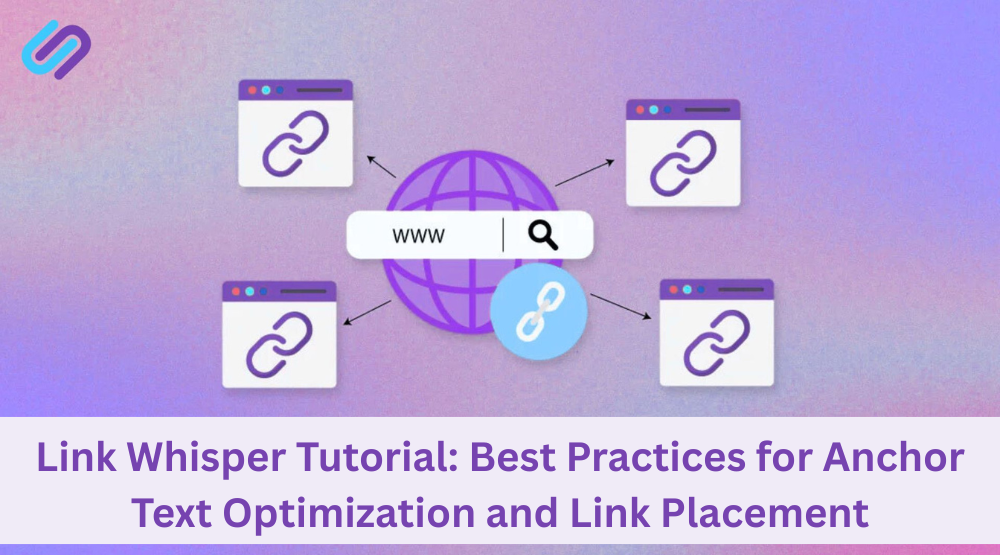
Internal linking is only as effective as the anchor text that powers it. When done right, internal links improve SEO performance, user experience, and content discoverability. However, careless placement or repetitive phrases can weaken your site’s structure.
With the help of LinkWhisper, a powerful internal linking plugin, WordPress users can automate and refine their internal linking strategy—especially when it comes to anchor text variation and link positioning.
Why Anchor Text Matters in Internal Linking
Anchor text is the visible, clickable word or phrase used in a hyperlink. Search engines use this context to understand the relationship between linked pages. Optimized anchor text:
- Strengthens topical relevance
- Helps distribute link equity
- Improves crawl signals to search engines
- Guides readers to valuable, related content
Avoiding vague phrases like “click here” or “read more” is essential. Instead, use descriptive, keyword-rich anchors that reflect the content being linked.
Using Link Whisper to Optimize Anchor Text at Scale
Link Whisper uses AI to generate semantic anchor text suggestions that match the surrounding content. Its suggestions are grounded in semantic relevance and natural language processing, making your links look and feel organic.
For instance, to automate internal links with Link Whisper’s AI, start with its built-in Auto-Linking engine. This feature scans your content for specific keywords and automatically inserts relevant internal links based on contextual understanding—not just keyword matching.
How to Review and Customize Anchor Text with LinkWhisper
- Open a post in the WordPress editor
- Scroll down to see LinkWhisper’s link suggestions
- Click on each idea to preview and edit anchor text
- Replace with branded, descriptive, or keyword-focused text where appropriate
- Approve and insert with one click
This ensures every internal link contributes meaningfully to your SEO structure.
Setting Anchor Text Rules for Auto-Linking
The Auto-Linking feature allows you to create preset rules. You can choose specific anchor phrases to link automatically to your cornerstone or money pages. This prevents anchor overuse and keeps internal link building efficient.
Where to Place Internal Links for Maximum SEO Impact
The position of an internal link can influence search engine crawlers and reader behavior. Placing links higher in the content or within relevant sections gives them more visibility and weight.
Best Practices for Link Placement
- Add internal links within the first 200 words if possible
- Ensure links appear contextually in-body, not just in footers or sidebars
- Use bullet lists to include multiple links in scannable formats
- Avoid overlinking a single page from one source
- Don’t repeat the same link multiple times in a single post
- Use the Link Whisper Dashboard to audit and adjust link positioning across your content library.
Avoid Common Anchor Text Mistakes
- Overusing exact-match keywords across multiple posts
- Linking with generic phrases lacking topical depth
- Ignoring brand anchors for authority pages
- Creating links with no semantic connection to the destination page
Link Whisper’s AI helps reduce these errors by recommending natural variations and ensuring a balanced link profile sitewide.
FAQs About Internal Linking
1. What is internal hyperlinking, and how does it help SEO?
Internal hyperlinking refers to linking one page of your website to another. It helps distribute PageRank, enhances crawlability, and strengthens topical relevance—necessary SEO signals recognized by search engines like Google.
2. How many internal links should a page have?
While there’s no exact number, a good rule is to naturally include internal links where contextually appropriate, typically between 3 and 10 per post. Too many can dilute SEO impact or harm user experience.
3. What is the difference between internal and external linking?
Internal links connect pages within the same domain, while external links point to other domains. Internal links help structure your site and retain SEO value, while external links provide credibility and support for referencing.
4. Can internal linking improve my site’s crawl budget?
Yes. A strong internal link structure ensures that search engine bots discover and revisit important pages efficiently, optimizing how your crawl budget is spent.
5. How do I find orphaned pages that have no internal links?
Use SEO tools like Link Whisper, Screaming Frog, or Ahrefs to detect orphaned URLs. These are pages without inbound internal links, and crawlers often ignore them.
6. What is anchor text, and why is it essential for internal links?
Anchor text is the clickable word or phrase used in a hyperlink. Optimizing it semantically improves relevance signals to Google and user clarity, especially when done with contextual accuracy.
7. Should internal links open in a new tab?
Generally, internal links should open in the same tab to maintain flow and user experience. Use new tabs for external links to keep users on your site longer.
8. How can AI improve internal linking strategies?
AI-powered plugins like Link Whisper analyze content context, suggest relevant internal links, and automate the process, saving time and improving consistency across your site.
9. Is there a risk of overusing internal links?
Yes. Overlinking or repeatedly using the exact anchor text can appear manipulative to search engines. It’s best to maintain relevance, diversity, and a natural flow.
10. Can internal linking increase page authority?
Absolutely. Internal links help distribute link equity to key pages, boosting their visibility in SERPs. Better-linked pages tend to rank higher and get crawled more frequently.
Why Trust LinkWhisper Internal Linking Software
LinkWhisper is a trusted name in on-page SEO, offering one of WordPress’s most advanced and user-friendly internal linking software solutions. Since its inception in 2017, LinkWhisper has empowered over 40,000 website owners, bloggers, agencies, and SEO professionals to control their internal link structure with precision, speed, and confidence.
Engineered for technical SEO optimization, LinkWhisper helps users build smarter internal links by providing:
- Real-time internal link suggestions based on content relevance and semantic signals
- AI-powered anchor text optimization to ensure natural, SEO-friendly phrasing
- Automated internal linking rules that apply site-wide or on a per-post basis
- Comprehensive link health reporting to detect orphaned pages, broken links, and 404 errors
- Multi-site internal linking intelligence for users managing multiple domains
- Full compatibility with Gutenberg, Elementor, WooCommerce, Thrive Architect, Classic Editor, and more
Unlike bloated SEO tools, LinkWhisper focuses solely on internal links—delivering laser-sharp functionality that improves crawlability, enhances site architecture, boosts PageRank flow, and increases organic search visibility.
With its intuitive dashboard, one-click automation, and AI-backed logic, LinkWhisper Internal Linking Software is the go-to plugin for anyone serious about elevating their WordPress SEO strategy.
📍 Website: https://linkwhisper.com
🔧 Main Service: Internal Linking Optimization Plugin for WordPress
🌍 Used in: 134+ Countries | 40,000+ Sites
💡 Core Focus: Smart Link Building | SEO Automation | Anchor Text Optimization | Site Structure SEO
Check if your site has the same issues.
Run a free audit right now. See your orphaned pages, broken links, and link health score in 60 seconds.
Check My Site