Contents
- 1 Stop Guessing and Start Finding Every Link Problem on Your Site
- 2 Table of Contents
- 3 Why Link Problems Happen at Scale
- 4 Every Type of Internal Link Issue Explained
- 4.1 Broken Links and 404 Errors
- 4.2 How Broken Links Form
- 4.3 Why Broken Links Are Dangerous
- 4.4 Detection Challenge
- 4.5 Weak Anchor Text Problems
- 4.6 Generic Anchor Text
- 4.7 Over-Optimized Anchors
- 4.8 Orphaned Content and Missing Links
- 4.9 Why Orphaned Pages Cannot Rank
- 4.10 How Orphaned Content Develops
- 4.11 Over-Linked Pages and Link Dilution
- 4.12 PageRank Dilution Mechanics
- 4.13 Circular Links and Redirect Chains
- 4.14 Redirect Chain Consequences
- 5 Why Manual Auditing Fails Beyond 50 Posts
- 6 Using Link Whisper as Your Complete Link Identifier
- 7 How to Run a Full Link Audit with Link Whisper
- 7.1 Step One: Install and Activate Link Whisper
- 7.2 Initial Configuration
- 7.3 Step Two: Run the Internal Link Checker
- 7.4 Reading the Broken Links Report
- 7.5 Reading the Anchor Text Report
- 7.6 Identifying Orphaned Content
- 7.7 Step Three: Review the Link Architecture Map
- 7.8 Verifying Pillar Page Connections
- 8 Fixing Every Issue Type After the Audit
- 9 Maintaining Link Health Long Term
- 10 Conclusion
- 11 What is a link identifier and why do I need one for my WordPress site? A link identifier is a tool that crawls your site and maps every internal link, flagging broken URLs, weak anchors, and orphaned pages. Sites with more than 50 posts generate link issues faster than manual review can catch them, making an automated identifier essential for maintaining SEO performance. How often should I run a link audit on my WordPress site? Sites publishing daily content should audit weekly. Sites publishing weekly content can audit monthly. Always run an immediate audit after any major site change like a URL restructure or migration. The Google Search Console audit process pairs well with Link Whisper to give you a complete picture of your site health. What is the difference between a broken link and a weak link? A broken link points to a URL returning an error code like a 404 and sends users to a dead end. A weak link technically works but uses poor anchor text like 'click here' that provides no SEO value. Both types damage your site's search performance and should be fixed during any comprehensive link audit. Can internal link problems really affect my Google rankings? Yes. Broken internal links waste crawl budget, interrupt PageRank flow, and increase bounce rates from 404 pages. Weak anchor text reduces the relevance signals you send to search engines. Orphaned content cannot build authority. Each issue individually reduces ranking potential and they compound significantly across a large site. What is orphaned content and how do I find it? Orphaned content is any page with zero internal links pointing to it. Search engine crawlers discover pages by following links, so orphaned pages are essentially invisible to crawlers outside of your sitemap. Understanding on-page versus off-page SEO helps clarify why internal link structure is a foundational on-page ranking factor. How does Link Whisper detect broken links automatically? Link Whisper crawls every post and page on your WordPress site and checks the HTTP status code returned by each internal link. Links returning 404, 410, or other non-200 status codes are flagged in the broken link report with the source post, destination URL, and anchor text displayed together for fast resolution. What is a bad links checker and how is it different from a standard link checker? A standard link checker confirms whether a URL resolves or returns an error. A bad links checker goes further by evaluating anchor text quality, link context relevance, over-linked destinations, and circular link patterns. Link Whisper functions as both, giving you a complete picture of your site's internal link health in one tool. How many internal links should each post have for good SEO? Most SEO practitioners recommend 3 to 10 contextually relevant internal links per post depending on length and topic. More important than quantity is quality. Links should use descriptive anchor text, point to genuinely related content, and serve the reader. Using Link Whisper to add outbound internal links ensures every link meets these standards efficiently. Does fixing internal link anchor text actually improve rankings? Yes. Search engines use anchor text as a relevance signal to understand what a linked page is about. Replacing generic anchors with descriptive keyword-relevant text provides clearer relevance signals. Sites that systematically improve anchor text across their internal link profiles consistently see improvements in target page rankings for associated keyword terms. Can Link Whisper handle internal linking for large sites with thousands of posts? Yes. Link Whisper is designed to scale from small blogs to enterprise-level content sites with thousands of posts. The automated audit, suggestion engine, and auto-linking rules all function at any site size. Sites following topic cluster strategies with strong internal linking benefit most from the plugin's ability to manage complex link structures at scale.
Stop Guessing and Start Finding Every Link Problem on Your Site
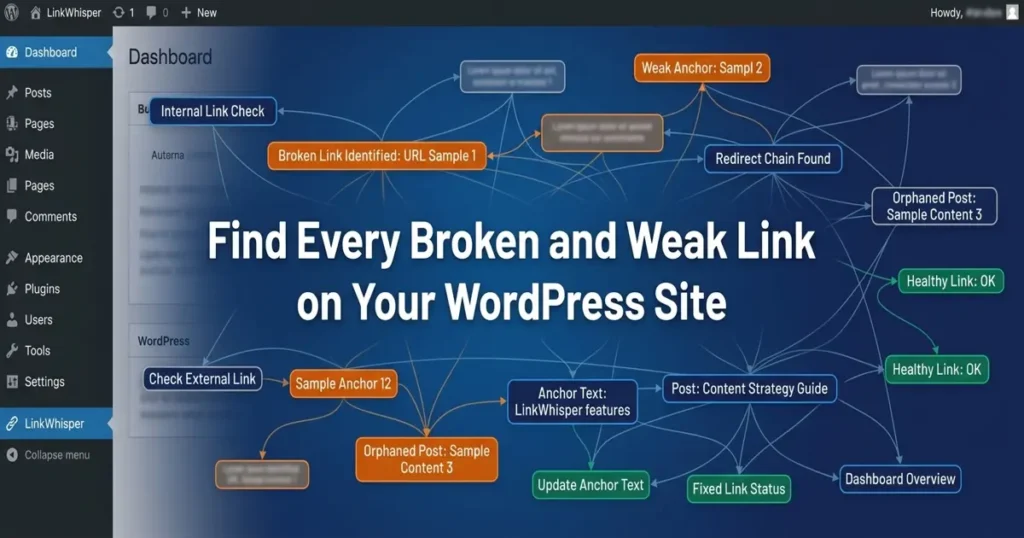
If your WordPress site has more than 50 published posts, you almost certainly have broken links, weak anchor text, orphaned content, and over-linked pages that you do not even know about. Using a reliable link identifier is no longer optional. It is essential. Manual auditing at scale is simply impossible. You miss issues, you waste hours, and your SEO suffers as a result. This guide walks you through every type of internal link problem that exists on WordPress sites and shows you exactly how to surface all of them in a single audit pass using Link Whisper.
Key Takeaways
- Manual link auditing fails beyond 50 posts
- Multiple link issue types require one unified tool
- Link Whisper surfaces all problems in one pass
- Internal linking directly impacts SEO rankings and crawl efficiency
Table of Contents
- Why Link Problems Happen at Scale
- Every Type of Internal Link Issue Explained
- Why Manual Auditing Fails Beyond 50 Posts
- Using Link Whisper as Your Complete Link Identifier
- How to Run a Full Link Audit with Link Whisper
- Fixing Every Issue Type After the Audit
- Maintaining Link Health Long Term
- Conclusion
Why Link Problems Happen at Scale
Internal link problems are not the result of carelessness. They are the inevitable consequence of a growing content library. The more posts you publish, the more opportunities exist for links to break, anchors to weaken, and structure to erode. Understanding why these problems develop is the first step toward solving them systematically.
The Growth Problem in WordPress Sites
Most WordPress sites start with a clean internal link structure. A handful of posts, a few cross-links, and everything looks tidy. But as the site scales, the structure degrades unless someone is actively managing it.
Content Volume Acceleration
When a site grows from 20 posts to 200 posts, the number of possible internal link combinations grows exponentially. A site with 200 posts theoretically has 39,800 possible link combinations. No human team can manually track and maintain that volume. The site architecture and WordPress link structure becomes fragile the moment manual oversight cannot keep pace with content growth.
URL and Permalink Changes
WordPress sites frequently update URLs for SEO improvements, site migrations, or redesigns. Every time a URL changes without a proper redirect or link update, a broken link is born. On a 200-post site, a single URL restructure can create dozens of broken links overnight. Most site owners discover these issues weeks later when Google starts reporting 404 errors in Search Console.
Content Deletion Without Link Cleanup
When old posts are deleted, every internal link pointing to them becomes broken immediately. Without a systematic link checker tool in place, these orphaned references linger in your content indefinitely, sending both users and search engine crawlers to dead ends. This is one of the most common and damaging link issues on mature WordPress sites.
The Hidden Cost of Undetected Link Issues
Broken and weak links are not just minor technical annoyances. They have measurable consequences for your organic search performance and user experience.
Crawl Budget Waste
According to Google’s official crawl budget documentation, Googlebot allocates a finite budget for crawling each site. When crawlers follow links that lead to 404 pages, they consume crawl budget without indexing anything useful. On sites with hundreds of broken links, this can meaningfully delay indexation of new and updated content.
PageRank Leakage
Internal links pass PageRank between pages. Broken links interrupt this flow entirely. When a high-authority page links to a broken URL, that PageRank signal is wasted. A proper seo link checker identifies exactly where this leakage is occurring so you can redirect or fix those connections and restore the equity flow to your best content.
User Experience Signals
Users who click a broken link and land on a 404 page leave your site. This increases bounce rate and reduces dwell time, both of which send negative engagement signals to Google. Fixing broken links directly improves the metrics that influence your search rankings.
Every Type of Internal Link Issue Explained
Not all link problems look the same. A comprehensive link identifier needs to detect multiple distinct issue categories. Understanding each one helps you prioritize your fixes and build a healthier link architecture across your entire site.
Broken Links and 404 Errors
Broken links are the most visible and universally understood link problem. A broken link is any internal link that points to a URL returning a non-200 HTTP status code, most commonly a 404 Not Found error.
How Broken Links Form
Broken links emerge through several common scenarios. A post is deleted. A permalink structure is changed. A page is moved to a different URL without updating existing links. A typo is introduced during manual link insertion. Each of these scenarios produces the same result: a link that sends users and crawlers to a dead end. The 410 status code is also relevant here, as permanently removed pages should ideally return a 410 rather than a 404 to signal intentional removal to search engines.
Why Broken Links Are Dangerous
Beyond the crawl budget waste and PageRank leakage already mentioned, broken links damage trust. A reader who clicks a link and hits a 404 page immediately loses confidence in your site. On affiliate and e-commerce sites, this translates directly to lost revenue. Broken links on high-traffic pages cause the most damage and should always be the first priority during any audit. Running a dedicated internal link checker makes it possible to surface every one of these broken connections across your entire site in a single scan rather than discovering them one at a time through user complaints.
Detection Challenge
Finding every broken link manually on a 100-plus post site requires clicking every single internal link in every single post. At an average of 5 to 10 links per post, that means manually checking 500 to 1,000 individual links. This is why automated internal link checker tools exist. They crawl your entire site and surface every broken link in minutes.
Weak Anchor Text Problems
Anchor text is the visible, clickable text of a hyperlink. The words you choose for anchor text communicate context to both users and search engines. Weak anchors reduce the SEO value of every link they appear in.
Generic Anchor Text
Anchors like ‘click here,’ ‘read more,’ or ‘this post’ provide no topical context to search engines. Google uses anchor text as a relevance signal to understand what the linked page is about. When your internal links use generic anchors, you are leaving significant SEO value on the table. A strong seo link checker identifies every instance of non-descriptive anchor text across your entire site so you can replace them with keyword-relevant alternatives.
Over-Optimized Anchors
The opposite problem is equally damaging. Using the same exact-match keyword anchor text for every internal link pointing to a page creates an unnatural pattern that search engines can interpret as manipulation. A healthy internal link profile uses a variety of anchor text including exact match, partial match, branded, and natural language anchors. Identifying anchor text distribution across all links to a given page requires a site-wide bad links checker that maps every anchor in use.
Orphaned Content and Missing Links
Orphaned content refers to pages on your site that have zero internal links pointing to them. These pages are effectively invisible to search engine crawlers unless they are in your sitemap, because crawlers navigate your site by following links.
Why Orphaned Pages Cannot Rank
A page with no internal links receives no PageRank from your other content. It sits isolated from your site’s topical authority structure. Even if the content itself is excellent, Google has difficulty assigning it authority or understanding its relationship to your other content when no internal links connect it to the broader site. Research from Google’s foundational PageRank research confirms that link graph position fundamentally determines how authority flows through a site.
How Orphaned Content Develops
New content gets published during busy periods without proper cross-linking. A site migration leaves some pages without updated internal links. Category or tag structures change, disconnecting content from navigation. An editorial team publishes posts without following an internal linking for SEO strategy. In every case, the result is the same: valuable content that search engines cannot properly discover, index, or rank. Reviewing your site’s visual internal link map makes isolated content immediately visible, allowing you to reconnect orphaned pages before they fall further out of your site’s authority structure.
Over-Linked Pages and Link Dilution
While most site owners worry about too few links, over-linking is an equally real problem. When a single page receives an excessive number of internal links from across the site, link equity can become diluted and the linking structure looks unnatural.
PageRank Dilution Mechanics
PageRank is divided equally among all outbound links on a page. If a page has 100 outbound links, each link passes only one-hundredth of the available equity. While this applies primarily to outbound links rather than incoming ones, over-linking to one destination at the expense of linking to other valuable pages creates an imbalanced authority distribution across your site. Understanding this helps you prioritize which pages should receive the most internal link support.
Circular Links and Redirect Chains
Circular links occur when Page A links to Page B, which links back to Page A, creating a closed loop that can confuse crawlers and dilute PageRank. Redirect chains occur when a URL redirects to another URL, which redirects to yet another URL, creating a multi-step chain that wastes crawl budget and loses equity at each hop.
Redirect Chain Consequences
According to Google’s official documentation on handling redirects, each redirect hop dilutes the PageRank being passed. A link that goes through three redirect hops before reaching the destination page passes significantly less equity than a direct link. Identifying these chains and updating links to point directly to final destination URLs is a straightforward fix with real SEO impact.
Why Manual Auditing Fails Beyond 50 Posts
The argument for manual link auditing is simple: you know your content, so you can assess links in context. The argument against it is equally simple: it does not scale. Understanding exactly where manual processes break down helps you appreciate why automated internal link checker tools are not a luxury but a necessity.
The Mathematics of Manual Auditing
Let us put concrete numbers to the problem. A site with 100 posts and an average of 8 internal links per post contains 800 internal links. Checking each link manually, including clicking it, verifying the destination, evaluating anchor text quality, and noting the source page, takes approximately 30 seconds per link. That is 400 minutes, or nearly 7 hours, for a single audit pass of a 100-post site.
Time Cost at Scale
A 300-post site with 8 links per post has 2,400 links. At 30 seconds each, that is 1,200 minutes or 20 hours of manual checking. A 500-post site requires over 33 hours. And that is only counting one audit pass. You would need to repeat this process every month to catch new issues as they emerge from content updates, URL changes, and deletions. The time cost makes ongoing manual auditing economically impossible for most site owners and teams.
Human Error Rate
Even if you had the time, manual checking introduces significant human error. Studies on repetitive manual tasks consistently find error rates of 5 to 15 percent. On a 2,400-link audit, that means 120 to 360 links will be incorrectly assessed. You will miss broken links, overlook weak anchors, and fail to identify orphaned content even after spending 20 hours on the audit. Automated tools do not make these errors.
What Automated Auditing Changes
Automated internal link checker tools transform a 20-hour manual process into a sub-five-minute automated analysis. More importantly, they surface insights that are genuinely impossible to obtain through manual methods. An automated link identifier crawls your entire site and builds a complete map of every internal link simultaneously. It then analyzes patterns across the entire dataset: which pages are over-linked, which are under-linked, which anchors are repetitive, and which URLs return errors.
Using Link Whisper as Your Complete Link Identifier
The linkwhisper plugin was built specifically for WordPress internal link management. It functions as a comprehensive link identifier that surfaces every category of link issue described in this guide, all within a single dashboard. Understanding its specific audit capabilities helps you know exactly what you will find when you run your first full site audit.
Broken Link Detection
Link Whisper automatically identifies every internal link that returns an error status code. It shows you the source post, the broken URL, and the anchor text used, giving you everything you need to fix the issue without any additional investigation. You can identify broken links across a 500-post site in minutes rather than hours. This capability makes it one of the most effective bad links checker solutions available for WordPress.
Anchor Text Analysis
Every internal link found during the audit is displayed with its anchor text. This allows you to immediately identify generic anchors, over-optimized exact-match anchors, and missing anchor context across your entire site. The linkwhisper plugin makes it possible to see your complete anchor text distribution at a glance, which is simply not possible with manual methods.
Link Count per Page
The audit report shows you exactly how many internal links point to each page on your site. Pages with zero incoming links are immediately flagged as orphaned content. Pages with disproportionately high link counts are visible as potential over-linking targets. This data drives the rebalancing decisions that improve your site’s overall link equity distribution.
Visual Link Architecture Mapping
Link Whisper provides a visual representation of your site’s entire link architecture. It displays every page as a node and every internal link as a connection between nodes, giving you an intuitive visual understanding of your site structure that is impossible to obtain from a data table alone. On this map, orphaned pages appear as isolated nodes with no incoming connection lines, making disconnected content immediately obvious without scanning through rows of data.
Hub and Spoke Structure Clarity
For sites using topic cluster strategies, the link map shows whether your hub and spoke structure is working as intended. Pillar pages should appear as highly connected central nodes with many spokes radiating outward. If a pillar page appears with few connections, the map reveals the structural gap immediately. This visual audit capability supports the internal linking for SEO strategy that modern content sites depend on for topical authority. You can learn more about building effective cluster structures in this guide on what topic clusters are and how they work.
AI-Powered Link Suggestions
For posts that need additional internal links but lack obvious targets, Link Whisper’s AI suggestion engine analyzes your content and recommends the most relevant internal linking opportunities across your site. These suggestions are contextually matched, meaning the anchor text and destination page are semantically aligned. You can accept or reject each suggestion with a single click, making the process of building a healthy internal link structure fast and effortless.
Outbound Link Monitoring
Link Whisper tracks not just internal links but also outbound links from your content. Broken outbound links are just as damaging to user experience as broken internal links, and they can also signal poor content quality to search engines. Having a single dashboard that monitors both internal and external link health eliminates the need for multiple separate tools.
How to Run a Full Link Audit with Link Whisper
Running a comprehensive link audit with the linkwhisper plugin is a straightforward process. This section walks you through each step so you can complete your first full audit immediately after installing the plugin.
Step One: Install and Activate Link Whisper
Begin by installing Link Whisper from your WordPress dashboard or by uploading the plugin file directly. After activation, the plugin immediately begins indexing your content in the background. For large sites with hundreds of posts, this initial indexing process may take a few minutes to complete before full audit data is available.
Initial Configuration
After activation, navigate to the Link Whisper settings to configure which post types should be included in the audit. By default, the plugin audits posts and pages. If your site uses custom post types for products, courses, or other content, add those to the audit scope to ensure complete coverage. This configuration step ensures no content is excluded from your link identifier analysis.
Step Two: Run the Internal Link Checker
Navigate to the Link Whisper reports section and open the internal link checker. Click the scan button to initiate a full site crawl. The tool will systematically check every internal link across all your indexed content and return a complete report of issues found.
Reading the Broken Links Report
The broken links report displays a table showing the source post, the broken URL, the anchor text, and the HTTP status code returned. Sort this report by source post traffic or by broken URL to prioritize your fixing efforts. Start with broken links on your highest-traffic pages for maximum immediate impact.
Reading the Anchor Text Report
The anchor text section of the report shows every anchor used across your site’s internal links. Filter for generic anchors like ‘here,’ ‘this,’ or ‘click’ to immediately identify weak anchor text that needs updating. This is the fastest way to implement anchor text improvements across a large site without reviewing each post individually.
Identifying Orphaned Content
The inbound links column in the report shows zero for every page that has no internal links pointing to it. Filter this column to show only pages with zero inbound links. This is your orphaned content list. Cross-reference it against your traffic data to prioritize which orphaned pages need internal links added most urgently.
Step Three: Review the Link Architecture Map
After reviewing the data reports, open the visual link map for a structural perspective on your site’s link architecture. Look for clusters of content that appear isolated from the main body of your site’s link graph. These isolated clusters indicate topic areas that are not properly connected to your site’s primary topical authority structure.
Verifying Pillar Page Connections
If you use a topic cluster strategy, verify that each pillar page appears as a well-connected hub in the map. Every cluster post should have a visible connection line to the relevant pillar page. Missing connections are immediately visible and easily fixed by adding the missing link directly from the audit interface. This directly supports your internal linking for SEO strategy.
Fixing Every Issue Type After the Audit
An audit is only valuable if it drives action. Once Link Whisper has surfaced every link issue on your site, you need a systematic process for resolving each issue type. This section provides a prioritized fix sequence that maximizes your SEO impact per hour of effort invested.
Priority One: Fix Broken Links Immediately
Broken links are always the highest priority fix. They create immediate negative experiences for users and waste crawl budget for search engines. The good news is that fixing them is usually fast once you know where they are.
Update the Link Destination
If a page has moved to a new URL, update the internal link to point directly to the new URL. Do not rely on redirects for internal links. While redirects help preserve equity from external backlinks, internal links should always point directly to the final destination URL to avoid passing link equity through redirect hops.
Remove or Replace Broken Links
If the linked page has been permanently removed and no replacement content exists, remove the link entirely rather than leaving it pointing to a 404 page. When a linked page is gone but the topic is still relevant to your content, use Link Whisper’s suggestion engine to find the most relevant replacement internal link for that anchor text. This turns a negative fix into a positive opportunity by replacing a broken link with a high-quality relevant link that continues to serve the reader’s informational needs.
Priority Two: Improve Anchor Text Quality
After fixing broken links, anchor text improvement delivers the next highest SEO return. Work through your anchor text report and replace every generic anchor with a descriptive, keyword-relevant alternative. Focus first on links pointing to your most important pages, as these are the links where anchor text quality has the greatest impact on search visibility. Link Whisper allows you to edit anchor text directly from the audit report without opening each individual post in the editor.
Diversify Exact Match Anchors
For pages where all internal links use identical anchor text, introduce variation. Use partial match anchors, branded anchors, and natural language anchors alongside exact match anchors to create a more natural and diverse anchor text profile. This diversity signals authenticity to search engines and aligns with best practices for internal linking for SEO.
Priority Three: Connect Orphaned Content
Every piece of orphaned content on your site represents a lost SEO opportunity. Content that is not accessible through internal links cannot build authority through your site’s link graph, regardless of how good the content itself is. For each orphaned page, use Link Whisper’s AI suggestion feature to find the most contextually relevant posts that should link to it. Review each orphaned page’s topic and identify which topic cluster it belongs to. Add a link from the relevant pillar page and from two or three cluster posts that cover related subtopics.
Maintaining Link Health Long Term
A one-time audit is valuable but insufficient. Internal link health degrades continuously as you publish new content, update existing posts, and evolve your site structure. Building ongoing maintenance into your workflow is what separates sites with consistently healthy link structures from those that require periodic emergency cleanups.
Establishing a Regular Audit Cadence
The frequency of your link audits should match the pace of your content production. A site publishing daily content should audit weekly. A site publishing weekly content can audit monthly. The linkwhisper plugin makes this cadence achievable because the audit process takes minutes rather than hours.
Monthly Broken Link Checks
Schedule a monthly review of the Link Whisper broken link report as a standing item in your editorial calendar. This ensures broken links are caught and fixed before they accumulate into a significant problem. Catching one or two new broken links monthly is a much easier fix than discovering 50 broken links after six months of neglect.
Quarterly Structural Audits
Once per quarter, run a full structural audit using both the internal link checker and the visual link map. Review your overall link equity distribution, check for newly orphaned content, and verify that your topic cluster structures remain intact. This quarterly review catches structural drift before it significantly impacts your organic performance.
Post-Migration Audits
Any time you make significant changes to your site structure, perform an immediate link audit. URL restructures, theme changes, plugin updates, and content migrations all create opportunities for broken links to appear. Running an audit immediately after any major site change ensures you catch and fix issues before search engines discover them.
Integrating Link Whisper Into Your Publishing Workflow
The most effective approach to maintaining internal link health is preventing problems from developing in the first place. Configure auto-linking rules in Link Whisper to automatically insert internal links whenever specific keywords appear in your content. This ensures every new post automatically receives relevant internal links without any manual intervention. It also retroactively adds links across your existing content, addressing historical under-linking at scale.
Reviewing Suggestions at Publish Time
Link Whisper displays internal link suggestions directly within the WordPress editor. Before publishing any new post, spend 60 to 90 seconds reviewing the suggestions and accepting the most relevant ones. This quick step at publish time prevents new content from becoming orphaned and ensures every post is immediately integrated into your site’s link structure the moment it goes live. This is internal linking for SEO operating at maximum efficiency.
Conclusion
Every WordPress site with a growing content library faces the same internal link challenges: broken links, weak anchors, orphaned content, over-linked pages, and circular link patterns. Identifying these issues manually at scale above 50 posts is not realistic. You need a reliable link identifier that surfaces every problem type in a single audit pass. The linkwhisper plugin gives you a complete picture of your site’s link health, from individual broken URLs to your entire architectural link structure. Run your first audit today and discover every link issue your site is carrying. Then fix them systematically, build better internal link habits, and maintain that health with automated monitoring. Your SEO performance and your readers will both benefit immediately. To see how Link Whisper compares to other options on the market, read this detailed Link Whisper review before making your decision.
Check if your site has the same issues.
Run a free audit right now. See your orphaned pages, broken links, and link health score in 60 seconds.
Check My Site