Contents
- 1 Why a Broken Link Checker WordPress Plugin Is No Longer Enough
- 2 The Question SEO Communities Keep Asking
- 3 Broken Link Checker vs Internal Link Checker WordPress: What’s the Difference?
- 4 Why Bad Links Checker Tools Only Tell Half the Story
- 5 Why the LinkWhisper Tool Goes Beyond a Broken Link Checker
- 6 Better Internal Linking Builds Better Rankings
- 7 Best Broken Link Checker WordPress Plugins Compared: Which Tool Actually Improves SEO?
- 7.1 Traditional Broken Link Checker Plugins
- 7.2 Technical SEO Crawlers
- 7.3 Why an Internal Link Checker WordPress Tool Matters More Than Ever
- 7.4 Why the LinkWhisper Tool Takes a Different Approach
- 7.5 The Free Internal Link Audit Every WordPress Website Should Run
- 7.6 Why Better Internal Linking Delivers Long-Term SEO Results
- 8 Link Whisper vs Traditional Broken Link Checker WordPress Plugins
- 9 Why the Free Internal Link Audit Changes Everything
- 10 Frequently Asked Questions
- 10.1 What is the best Broken Link Checker WordPress plugin?
- 10.2 Can broken links hurt SEO?
- 10.3 What is a dead link checker online?
- 10.4 What is the difference between a broken link checker and an internal link checker WordPress tool?
- 10.5 Does Link Whisper automatically create internal links?
- 10.6 How often should I check my website for broken links?
- 10.7 What are orphan pages in SEO?
- 10.8 Why is internal linking important for SEO?
- 10.9 Is Link Whisper better than a traditional bad links checker?
- 10.10 Does Link Whisper include a free internal link audit?
- 11
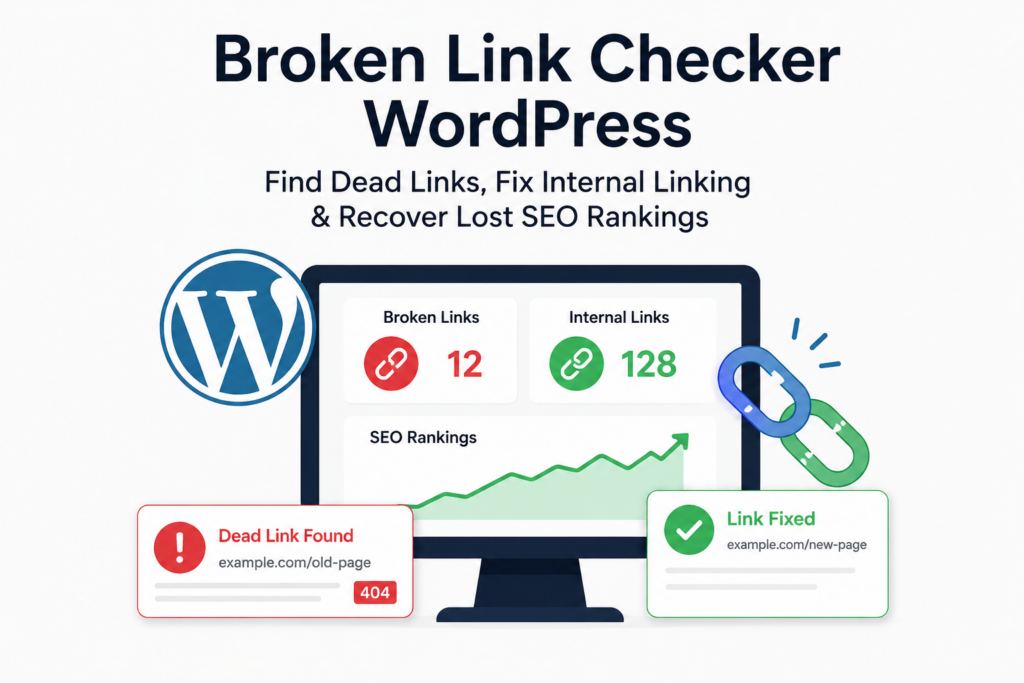
Broken Link Checker WordPress tools can tell you which links on your website are broken. What they don’t tell you is how much those broken links are already costing your business.
Every broken URL weakens the path between your content and your visitors. It interrupts the flow of link equity, makes Google’s crawlers work harder, and slowly damages the internal structure your website depends on to rank. The frustrating part is that most businesses don’t notice the problem until organic traffic starts declining, important pages disappear from search results, or Google Search Console begins reporting crawl issues.
This is why experienced SEO professionals never look at broken links in isolation. A dead link is rarely the root cause of poor rankings. More often, it is the first visible sign of a much larger issue—an internal linking strategy that has gradually weakened as the website has grown.
Think about what happens over the life of a typical WordPress website. New blogs are published every week. Older articles are updated. Product pages are removed. Categories are reorganised. URLs change after redesigns. Team members delete outdated content without checking where it was linked. Over time, what began as a well-organised website slowly becomes disconnected. Valuable articles stop receiving internal links, orphan pages begin to appear, and your carefully planned topic clusters SEO strategy starts to break apart.
This is exactly why a modern broken link checker should do far more than identify 404 errors. It should help you understand how every page connects to another, where your strongest content is losing authority, and how your website can be rebuilt into a structure that both users and search engines can navigate effortlessly.
In this guide, we’ll look beyond traditional dead link checker online tools and explain why leading SEO professionals are replacing basic broken link scanners with intelligent internal linking platforms like Link Whisper. You’ll learn how broken links affect rankings, why internal linking has become one of Google’s strongest quality signals, and how a single audit can uncover hidden SEO opportunities that most WordPress plugins completely miss.
Why a Broken Link Checker WordPress Plugin Is No Longer Enough
A few years ago, running a broken link scan was considered good website maintenance. The plugin flagged invalid URLs, you corrected them, and the job was done. That approach worked when websites were smaller and Google’s algorithms relied heavily on keywords and backlinks.
SEO has changed dramatically.
Today, Google evaluates websites as connected collections of information rather than isolated pages. It looks for clear topical relationships, logical navigation, and content that demonstrates depth and authority. Those signals are created through internal linking for SEO, not simply by publishing more content.
That’s why many websites with excellent articles still struggle to rank. They continue investing in content creation while overlooking the structure that connects those articles together. Pages become buried several clicks from the homepage. Supporting articles fail to link back to pillar content. Important resources receive only a handful of internal links, while outdated pages continue attracting authority they no longer deserve.
The result is a website that appears healthy on the surface but performs poorly in search.
This is one of the biggest reasons website owners search for terms like internal link checker WordPress, wordpress plugin internal links, wordpress plugin auto internal link, and internal link checker tools after they’ve already fixed their broken links. They quickly realise that repairing dead URLs solves only one part of the problem.
The Question SEO Communities Keep Asking
Browse Reddit, Quora, or YouTube, and you’ll notice a recurring question:
“My website has almost no broken links. Why are my rankings still dropping?”
The answer surprises many website owners.
Search engines don’t reward websites simply because they are free from technical errors. They reward websites that make information easy to discover and easy to understand. If Google can’t clearly identify which pages are most important, how your content supports related topics, or where authority should naturally flow, rankings often stagnate—even when every page is technically optimised.
That’s where the conversation shifts from finding broken links to improving website architecture.
Instead of asking, “Which links are broken?”, experienced SEOs ask much bigger questions.
- Are our pillar pages receiving enough internal authority?
- Have important articles become orphan pages?
- Is our anchor text helping Google understand topical relevance?
- Is our crawl depth preventing search engines from discovering valuable content quickly?
These questions don’t just lead to better rankings. They lead to a stronger, more scalable SEO strategy.
And that’s exactly where the difference between a traditional bad links checker and a platform like Link Whisper becomes impossible to ignore.
Why a Dead Link Checker Online Isn’t Enough for Modern SEO
Running a dead link checker online is often the first step website owners take when they notice a drop in rankings or start seeing 404 errors. While these tools are useful for identifying broken URLs, they only solve a small part of the problem. They tell you what is broken, but they don’t explain why your website is losing authority or how those broken links are affecting your overall SEO performance.
Search engines don’t rank websites because they have zero broken links. They rank websites that are easy to crawl, logically connected, and structured around related topics. If your internal linking is weak, fixing a handful of dead URLs won’t suddenly improve your rankings. That’s why professional SEO audits go far beyond a simple broken link scan.
Broken Link Checker vs Internal Link Checker WordPress: What’s the Difference?
Many website owners assume that a broken link checker and an internal link checker WordPress plugin perform the same task. In reality, they solve two very different SEO challenges.
A traditional broken link checker scans your website for links that return errors such as 404 pages, redirect loops, or unavailable external resources. Once you repair those links, the scan is complete.
An internal link checker WordPress tool, however, analyses how every page on your website connects with another. It highlights pages receiving little internal authority, identifies content with weak internal links, and uncovers opportunities to strengthen your website’s architecture. In other words, it helps improve the way Google understands your content rather than simply identifying technical errors.
For websites that publish content regularly, the second approach delivers far greater long-term SEO value.
Why Most Internal Link Checker Tools Stop Too Soon
Most internal link checker tools focus on reporting data instead of helping you improve it.
They generate spreadsheets filled with URLs, status codes, and crawl reports. While that information is useful for technical SEO professionals, it rarely answers the questions business owners actually care about.
- Which pages deserve more authority?
- Which blogs should support your pillar content?
- Which articles have become isolated over time?
- Where are you losing valuable link equity?
These are the insights that improve rankings, yet many traditional tools never provide them.
The reality is that Google’s algorithms evaluate relationships between pages, not simply whether links work. A technically perfect website with poor internal linking can still struggle to rank against a competitor with stronger topical connections.
Why Bad Links Checker Tools Only Tell Half the Story
A bad links checker can identify invalid, broken, or redirected URLs, but it cannot measure the strength of your internal linking strategy.
Imagine two websites with exactly the same number of broken links.
The first website has well-connected pillar pages, strong topic clusters, descriptive anchor text, and every important page sits within three clicks of the homepage.
The second website has dozens of orphan pages, weak internal connections, poor navigation, and important content buried deep within the website.
Both websites might pass a standard broken link audit.
Only one is likely to perform well in Google.
That’s because Google’s ranking systems evaluate context, hierarchy, and topical relationships just as much as technical accuracy.
Why the LinkWhisper Tool Goes Beyond a Broken Link Checker
This is where the LinkWhisper Tool separates itself from traditional WordPress plugins.
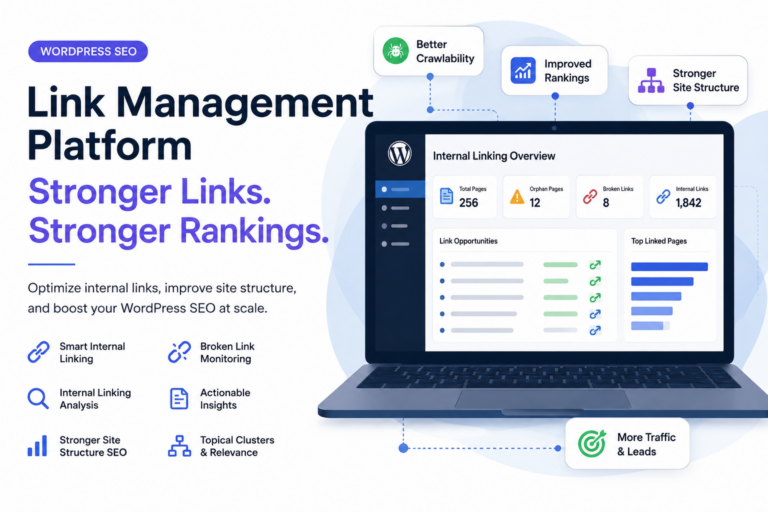
Instead of functioning solely as a Broken Link Checker WordPress plugin, Link Whisper analyses the health of your entire internal linking ecosystem. It helps identify broken links, but it also reveals pages with weak internal authority, highlights orphan pages SEO issues, and recommends relevant internal links that strengthen your website naturally.
One of its biggest advantages is the Free Internal Link Audit. Rather than manually reviewing hundreds of posts, you receive a clear overview of your website’s internal linking health, making it easier to identify missing connections, improve site structure SEO, and distribute link equity more effectively.
As your website grows, these insights become far more valuable than simply fixing another broken URL.
Better Internal Linking Builds Better Rankings
Every new article you publish should strengthen the rest of your website.
That’s the purpose of internal linking for SEO.
A well-planned internal linking strategy supports pillar content, connects related articles into meaningful topic clusters SEO, reduces unnecessary crawl depth, and improves topical authority across your niche. Together, these signals help search engines understand which pages deserve prominence in search results.
This is also why many website owners are replacing traditional wordpress plugin internal links solutions with smarter platforms that automate much of the process. Instead of manually searching through old articles, modern wordpress plugin auto internal link features recommend relevant linking opportunities while your content is being created.
Finding broken links is still important.
But building a stronger internal linking strategy is what turns a technically healthy website into one that consistently earns higher rankings.
Best Broken Link Checker WordPress Plugins Compared: Which Tool Actually Improves SEO?
If you search for the best Broken Link Checker WordPress plugin, you’ll find dozens of recommendations. Some focus on scanning your website for broken URLs, while others specialise in technical SEO audits or internal linking. On the surface, many of these tools appear to offer similar features. However, once you look beyond the marketing claims, the differences become clear.
The biggest question isn’t which tool finds broken links. Almost every broken link checker can do that.
The real question is:
Which tool helps you build a stronger website after those broken links are fixed?
That’s where many traditional plugins fall short.
Traditional Broken Link Checker Plugins
Most WordPress users begin with a basic dead link checker online or a standard broken link plugin. These tools scan your website, identify 404 errors, highlight missing images, and report invalid external links. For smaller websites, this functionality is often enough.
As your website grows, however, these plugins become increasingly limited.
They don’t explain why important pages receive very few internal links. don’t identify pages that have gradually become isolated from the rest of your website. They don’t show how link equity flows between articles or whether your pillar content is receiving enough support from related posts.
In other words, they solve today’s problem but do very little to improve tomorrow’s rankings.
Technical SEO Crawlers
Enterprise tools such as Screaming Frog, Ahrefs and Semrush provide much deeper technical analysis. They can crawl thousands of pages, identify redirect chains, detect duplicate content, analyse metadata and generate extensive reports.
For experienced SEO professionals, these platforms are incredibly valuable.
The challenge is that they still expect you to interpret the data yourself.
Finding a report that lists pages with few internal links is one thing.
Knowing where those links should come from is something entirely different.
For content teams, agencies and business owners, manually reviewing hundreds of pages quickly becomes time-consuming and expensive.
Why an Internal Link Checker WordPress Tool Matters More Than Ever
Modern SEO is no longer driven by content volume alone. Google wants to understand how every page contributes to the broader topic your website is trying to own.
That’s why searches for internal link checker WordPress and internal link checker tools have increased alongside searches for broken link checkers.
Businesses have realised that publishing more content isn’t enough.
Every article should strengthen the rest of the website.
The supporting blog should reinforce its pillar page.
Alternatively, the service page should receive relevant internal authority.
Without those connections, even exceptional content can struggle to compete.
An advanced internal link checker helps uncover these missed opportunities before they affect your rankings.
Instead of asking, “Which links are broken?”, you begin asking questions that have a much greater impact on SEO.
- Which pages deserve more internal authority?
- Which blogs should support this service page?
- Which articles have become orphan pages?
- Where can I improve topical relevance through better anchor text?
These are the insights that move the needle.
Why the LinkWhisper Tool Takes a Different Approach
Unlike a traditional bad links checker, the LinkWhisper Tool is built around one objective: helping your content work together instead of existing as isolated pages.
Yes, it identifies broken links.
But that’s only one part of what it does.
Link Whisper also analyses the relationships between your pages, recommends contextually relevant internal links, identifies orphan pages SEO issues, and helps distribute link equity more effectively across your website.
As a result, you’re not simply repairing broken URLs.
You’re strengthening the entire structure of your website.
For websites with hundreds or thousands of pages, this difference becomes significant. A stronger internal linking strategy improves crawlability, supports topic clusters SEO, reinforces pillar content, and helps establish the topical authority Google increasingly rewards.
The Free Internal Link Audit Every WordPress Website Should Run
One of the standout features of Link Whisper is its Free Internal Link Audit.
Most website owners don’t realise how many internal linking opportunities they’re missing until they see a complete audit of their site.
Within minutes, the audit highlights:
- Pages with very few internal links.
- Pages receiving no meaningful internal authority.
- Orphan pages that search engines may struggle to discover.
- Broken internal links requiring attention.
- Opportunities to improve site structure SEO.
- Content that should support your pillar pages.
Instead of spending hours manually reviewing blog posts, the audit provides a clear roadmap for improving your website’s architecture.
For growing businesses, this is often more valuable than fixing broken links alone.
Why Better Internal Linking Delivers Long-Term SEO Results
Fixing broken links improves website maintenance.
Improving internal linking improves rankings.
That’s an important distinction.
Every strategic internal link helps search engines understand the relationship between your content. It reduces unnecessary crawl depth, strengthens topic clusters, reinforces topical relevance, and ensures your most valuable pages receive the authority they deserve.
This is also why many businesses are moving away from simple wordpress plugin. There are internal links solutions and adopting platforms with wordpress plugin auto internal link capabilities. Intelligent link suggestions save hours of manual work while helping maintain a consistent internal linking strategy as your website continues to grow.
Ready to Look Beyond Broken Links?
If your current plugin only tells you which URLs are broken, you’re only seeing part of the picture.
Run Link Whisper’s Free Internal Link Audit to discover hidden linking opportunities, identify orphan pages, strengthen your internal linking strategy and build a website that is easier for both users and Google to navigate.
Link Whisper vs Traditional Broken Link Checker WordPress Plugins
Choosing the right Broken Link Checker WordPress plugin isn’t simply about finding 404 errors. It’s about choosing a solution that continues adding SEO value long after the broken links have been fixed.
Traditional broken link plugins are excellent at one task—finding invalid links. Once you’ve repaired or removed those URLs, their role is largely complete.
Link Whisper approaches the problem differently.
Instead of treating broken links as an isolated technical issue, it considers them part of your website’s overall internal linking strategy. It helps you repair broken links while also improving internal connections between pages, ensuring that your most valuable content continues receiving the authority it deserves. Premium versions also include a dedicated broken links report, automatic broken-link checking, URL changing tools, and automatic internal link insertion after approval.
If Your Goal Is Better Rankings
A standard broken link checker asks:
“Which links are broken?”
The LinkWhisper Tool asks much more valuable questions:
- Which pages are receiving the fewest internal links?
- Which pages have become orphaned?
- Which articles should link to my pillar content?
- Where am I losing internal authority?
- Which linking opportunities can be added immediately?
Those questions improve rankings far more than fixing a handful of broken URLs.
LinkWhisper Tool vs Ahrefs
Ahrefs is one of the industry’s most respected SEO platforms. Its Site Audit can identify broken links, crawl errors, redirects, and hundreds of technical SEO issues. It also provides backlink analysis, keyword research, and competitor intelligence.
However, Ahrefs wasn’t built specifically for managing internal links inside WordPress.
After identifying pages with weak internal linking, you still need to decide where links should be added and manually update your content.
Link Whisper removes much of that manual work.
Instead of exporting reports and reviewing spreadsheets, it suggests relevant internal links directly inside WordPress, making implementation significantly faster for content teams and bloggers. Premium users can also automatically insert approved suggestions and use keyword-based auto-linking.
If your priority is backlink research and competitor analysis, Ahrefs remains difficult to beat.
If your priority is improving internal linking for SEO, Link Whisper is the more specialised solution.
Link Whisper vs Screaming Frog
Screaming Frog is widely recognised as one of the best technical SEO crawlers available.
It excels at discovering:
- Broken links
- Redirect chains
- Duplicate content
- Missing metadata
- Crawl errors
- Internal and external links
For technical audits, it’s an outstanding tool.
The challenge begins after the crawl finishes.
Screaming Frog tells you what is happening.
It doesn’t actively help improve your internal linking strategy inside WordPress.
You’ll still spend considerable time deciding:
- Which pages deserve additional links.
- Which anchor text should be used.
- Which articles should support your pillar content.
- How to strengthen your topic clusters SEO strategy.
Link Whisper bridges that gap by helping users move from analysis to implementation.
Link Whisper vs Yoast SEO
Yoast SEO remains one of the most popular WordPress SEO plugins because it handles metadata, XML sitemaps, schema, readability analysis, and on-page optimisation extremely well.
Its internal linking suggestions, however, focus primarily on content you’re currently editing.
They don’t comprehensively analyse your existing archive in the way Link Whisper does. Link Whisper is designed to scan previously published content, surface under-linked posts, identify orphaned pages, and recommend contextual links across your existing website. Many WordPress sites successfully use both plugins together because they solve different problems.
Think of it this way:
- Yoast helps optimise individual pages.
- Link Whisper helps optimise the relationships between those pages.
Both contribute to SEO, but in very different ways.
Link Whisper vs Rank Math
Rank Math has become a favourite among WordPress users thanks to its extensive feature set.
It combines schema markup, keyword optimisation, redirection management, sitemap generation, analytics integration and many other SEO capabilities into a single plugin.
Internal linking, however, remains one feature within a much broader SEO platform.
Link Whisper approaches the challenge from the opposite direction. Its primary focus is building stronger internal linking structures.
That dedicated focus allows it to identify linking opportunities, improve site structure SEO, reduce unnecessary crawl depth, and help distribute link equity more effectively across your content.
For websites publishing content every week, that specialised workflow often saves hours of manual effort.
Why the Free Internal Link Audit Changes Everything
One of the biggest advantages of Link Whisper isn’t the broken link checker.
It’s the visibility.
Most websites have no idea:
- which pages are under-linked,
- which posts receive almost no internal authority,
- which pages have become isolated,
- or where additional links could immediately improve SEO.
That’s exactly what the Free Internal Link Audit helps uncover.
Instead of spending hours manually reviewing old content, you receive a clearer picture of your internal linking health and the opportunities available across your website.
For growing blogs, agency websites and content-heavy businesses, this can become one of the highest ROI SEO activities because it improves existing content rather than requiring you to publish more articles.
Why SEO Professionals Are Moving Beyond Broken Link Reports
Broken links should always be fixed.
But the websites that consistently outperform competitors don’t stop there.
It can build logical website architecture.
Further, this strengthens topic clusters SEO.
They support their pillar content with relevant contextual links.
Next, it can follow anchor text best practices.
Also, reduce unnecessary crawl depth.
Last, improve topical authority with every new article they publish.
That’s the difference between maintaining a website and building one that continues growing in search visibility.
Ready to Strengthen Your Website Beyond Broken Links?
If your current Broken Link Checker WordPress plugin only reports errors, you’re fixing symptoms rather than improving the underlying structure of your website.
Run Link Whisper Free Internal Link Audit to uncover hidden linking opportunities, identify orphan pages, strengthen your internal linking strategy and build a website that’s easier for users to navigate—and easier for search engines to understand.
Frequently Asked Questions
Can broken links hurt SEO?
Yes. Broken links affect user experience, waste crawl budget, interrupt the flow of link equity, and make it harder for search engines to crawl your website efficiently.
What is a dead link checker online?
A dead link checker online scans your website and reports links that return errors such as 404 pages, redirects, or unavailable external URLs.
What is the difference between a broken link checker and an internal link checker WordPress tool?
A broken link checker finds invalid URLs, while an internal link checker WordPress tool analyses how pages connect, identifies linking opportunities, and helps improve your website's internal SEO structure.
Does Link Whisper automatically create internal links?
Yes. Link Whisper recommends contextual internal links and includes WordPress plugin auto internal link features that allow approved links to be added automatically, saving significant time.
How often should I check my website for broken links?
For actively updated websites, it's a good practice to check for broken links at least once a month. High-content websites may benefit from weekly audits.
What are orphan pages in SEO?
Orphan pages SEO refers to pages that have little or no internal links pointing to them. These pages are harder for users and search engines to discover, which can affect their rankings.
Why is internal linking important for SEO?
Internal linking for SEO helps distribute link equity, improves crawlability, strengthens topic clusters, supports pillar content, and builds topical authority across your website.
Is Link Whisper better than a traditional bad links checker?
A traditional bad links checker only reports broken or invalid links. Link Whisper goes further by identifying internal linking opportunities, orphan pages, and website structure improvements that contribute to better SEO.
Does Link Whisper include a free internal link audit?
Yes. Link Whisper offers a Free Internal Link Audit that helps identify broken links, orphan pages, weak internal linking, and opportunities to improve your website's overall SEO structure.
Check if your site has the same issues.
Run a free audit right now. See your orphaned pages, broken links, and link health score in 60 seconds.
Check My Site