Contents
- 1 Table of Contents
- 2 Why Internal Link Building Outperforms External Outreach
- 3 What Makes a True Link Building Platform for WordPress
- 4 Link Whisper Benchmarked Against Manual and Alternative Methods
- 5 Core Features That Separate Link Whisper from Generic Tools
- 6 How to Get Started with Link Whisper as Your Link Building Platform
- 7 Conclusion
- 8 What is an internal link building platform and how is it different from an external link building tool? An internal link building platform helps you create and manage links between pages on your own site. External tools focus on acquiring backlinks from other websites. Internal platforms like Link Whisper give you full control, instant implementation, and zero dependency on third parties, making them faster and lower risk. Why should WordPress site owners prioritize internal link building over guest posting? Internal linking delivers faster, more controllable SEO results than guest posting. You do not need approval from any editor, you pay nothing per link, and changes take effect immediately on your next crawl. For established content sites, internal linking often produces stronger ranking improvements per hour invested than outreach campaigns. How does Link Whisper suggest internal links automatically? Link Whisper uses AI-powered contextual analysis to scan your existing content and identify relevant linking opportunities. It reads the full sentence and surrounding context rather than just matching keywords, so suggestions fit naturally within your writing. You can accept suggestions with a single click without leaving your dashboard. Can I use Link Whisper on a site with thousands of pages? Yes. Link Whisper is designed to scale with large content libraries. Auto-linking rules handle new content automatically while bulk editing tools let you update historical posts efficiently. Sites with thousands of articles benefit most because the time savings from automation grow proportionally with content volume, as covered in this guide on why every WordPress site with 100 pages needs a link management platform. What are orphan pages and why do they hurt SEO? Orphan pages are articles that have no internal links pointing to them. Search engine crawlers discover most content by following links, so orphan pages are effectively invisible unless someone types the URL directly. They waste your content investment and miss ranking opportunities. Link Whisper identifies all orphan pages automatically so you can fix them. Does Link Whisper work with page builders like Elementor or only with the Gutenberg editor? Link Whisper is compatible with Gutenberg, the Classic Editor, Elementor, and WooCommerce product pages. This multi-editor compatibility means you can use the full feature set regardless of how your WordPress site is structured, making it practical for agencies managing client sites with different technical setups. How do auto-linking rules work in Link Whisper? Auto-linking rules let you specify a phrase and a target URL so that every time that phrase appears in any post or page, a link is inserted automatically. You control frequency limits, exclusions, and post types, ensuring your most important pages accumulate internal links continuously as explained in this walkthrough of the automatic link building tool for WordPress. How often should I audit my internal links? A weekly check for broken links, a monthly review of your link architecture, and a quarterly full audit comparing against your baseline metrics is a practical cadence for most content sites. Active sites that publish frequently benefit from more regular checks to catch broken links before they compound into larger crawl efficiency problems. Does internal linking really affect how Google crawls my site? Yes. According to Google Search Central documentation, internal links are a primary signal crawlers use to discover and prioritize pages. A page with multiple internal links pointing to it is crawled more frequently and evaluated more thoroughly than one with no internal links, which directly influences your indexation speed and overall dwell time improvements over time. What is the difference between link building software and a link management platform? Link building software typically focuses on acquiring external backlinks through outreach or directory submissions. A link management platform like Link Whisper focuses on organizing, monitoring, and optimizing the links within your own site, giving content-heavy WordPress sites a more scalable and controllable path to improved rankings through structured on-page SEO factors and deliberate internal link architecture. No Content
- 9 Keep learning about internal linking
Most people hunting for a link building platform are thinking about outreach, guest posts, and backlink acquisition. But here is the truth that established WordPress site owners are starting to realize: the fastest return on investment in link building is internal, and almost no one is treating it with the urgency it deserves. While external link building takes months and thousands of dollars, a well-structured internal linking strategy can move the needle within weeks. This guide explains why an internal link building platform built for WordPress outperforms outreach-focused tools for content-heavy sites, and benchmarks Link Whisper against manual and alternative approaches so you can make the right decision for 2026.
Key Takeaways
- Internal links deliver faster SEO ROI than external outreach
- Link Whisper automates internal linking with AI-powered suggestions
- Manual linking wastes hours that automation reclaims instantly
- Orphan pages and broken links silently kill rankings
- Internal link health is measurable and fixable with the right platform
Table of Contents
- Why Internal Link Building Outperforms External Outreach
- What Makes a True Link Building Platform for WordPress
- Link Whisper Benchmarked Against Manual and Alternative Methods
- Core Features That Separate Link Whisper from Generic Tools
- How to Get Started with Link Whisper as Your Link Building Platform
- Conclusion
Why Internal Link Building Outperforms External Outreach
External link building has a perception problem: it sounds impressive, but the actual mechanics are slow, expensive, and unpredictable. Outreach campaigns require finding prospects, writing personalized emails, following up, and then waiting. Even when you land a guest post, the link equity benefit is indirect and delayed. Internal linking, by contrast, is something you control completely and can execute today.
The Speed Advantage of Internal Links
Immediate Crawl Access:
When you add an internal link from a high-authority page to a newer article, Googlebot follows that path on its very next crawl. You do not need to wait for a third-party site to publish a post or update their content. According to Google Search Central documentation, internal links are among the primary signals crawlers use to discover and prioritize pages. That means a new article with strong internal links pointing to it gets indexed and evaluated faster than one that relies solely on a sitemap submission.
Controlled Link Equity Distribution:
PageRank flows through internal links. When you deliberately link from your pillar content to supporting articles, you are actively distributing authority across your site. External backlinks give you a domain-level authority boost, but internal links let you direct that authority surgically to the pages you want to rank. This is a level of precision that no outreach campaign can replicate.
No Dependency on Third Parties:
External link building is a negotiation. You depend on editors, site owners, and content managers who may or may not follow through. Internal linking is entirely within your control. You decide which pages get linked, which anchor text is used, and when changes are made. For content sites with hundreds or thousands of articles, this control is not just convenient; it is essential for maintaining a coherent site architecture.
The ROI Reality of Internal vs. External Link Building
Cost Comparison:
A single high-quality guest post on a domain with genuine authority can cost anywhere from a few hundred to several thousand dollars. An internal link costs nothing except the time it takes to find a relevant opportunity and add the link. A dedicated link building software like Link Whisper reduces even that time cost to a matter of seconds per link. Over a content site with 300 articles, the compounding savings are enormous.
Risk Profile:
Google’s spam policies explicitly target manipulative external link schemes. Paid links, link exchanges, and low-quality guest posts carry real penalty risk. Internal links, when organized logically around topic relevance, carry zero penalty risk and are explicitly encouraged by Google’s own best practice documentation.
Compounding Returns:
Every new piece of content you publish creates a new opportunity for internal linking. Unlike external backlinks, which depreciate over time as domains age and pages get removed, a well-maintained internal link structure compounds in value as your site grows. More content means more linking opportunities, which means more authority distribution and better rankings for your entire catalog.
What Makes a True Link Building Platform for WordPress
Not every tool that touches links qualifies as a genuine link management platform. Many WordPress plugins offer basic linking features as a side function of a broader SEO suite. A true internal link building platform is purpose-built for the task and provides a complete workflow from discovery to implementation to ongoing maintenance.
Discovery and Suggestion Capabilities
AI-Powered Relevance Matching:
The foundation of any serious link builder software is the ability to analyze your existing content and surface contextually relevant linking opportunities automatically. This requires natural language processing that understands topic relationships, not just keyword matching. A platform that only looks for exact phrase matches will miss dozens of legitimate opportunities and may suggest irrelevant links that hurt user experience.
Orphan Page Detection:
Orphan pages are articles that have no internal links pointing to them. They are invisible to both crawlers and users unless someone types the URL directly. A proper internal link building WordPress plugin identifies these orphaned pages and prioritizes them for linking so that your full content catalog remains crawlable and valuable. You can use the internal link checker to surface these hidden assets and identify which pages in your library are completely disconnected from the rest of your site.
Contextual Anchor Text Suggestions:
The anchor text used for internal links carries semantic weight. Google uses anchor text to understand what the linked page is about, reinforcing or clarifying its topical relevance. A capable platform does not just tell you where to link; it suggests anchor text that fits naturally within the surrounding sentence and aligns with the target page’s primary keyword focus.
Implementation and Editing Workflow
One-Click Link Insertion:
Manually editing posts to add internal links means opening each article in the WordPress editor, finding the right sentence, placing the cursor, and inserting a link manually. For a site with 500 articles, this is a full-time job. A proper platform surfaces suggestions and lets you accept them with a single click without leaving the dashboard.
Bulk Editing for Historical Content:
Most content sites have a backlog of old articles that were published before a systematic internal linking strategy was in place. These articles are missing dozens of linking opportunities. A genuine link management platform allows bulk editing across historical content so you can bring your entire archive up to standard without opening each post individually.
Auto-Linking Rules for New Content:
Every new article published on a growing site should automatically receive internal links based on predefined rules. Auto-linking rules let you specify that any time a particular phrase appears in any post or page, it should automatically link to a designated target URL. This ensures that new content is never published in isolation and that your most important pages accumulate links over time without manual intervention. Link Whisper’s auto-linking rules feature is purpose-built for this workflow.
Reporting and Link Health Monitoring
Broken Link Detection:
Internal links break when pages are deleted, URLs are changed, or content is restructured. A broken internal link is a dead end for both crawlers and users, wasting crawl budget and creating a poor experience. A complete platform monitors all internal links continuously and alerts you when a link breaks so you can fix it before it impacts rankings.
Link Distribution Reports and Architecture Visualization:
Understanding which pages receive the most internal links and which are underlinked is essential for deliberate site architecture. A reporting dashboard that shows inbound and outbound link counts per page lets you identify imbalances and correct them strategically. The internal link map tool takes this a step further by giving you a visual representation of how your pages connect to each other, making it easy to spot isolated clusters, over-linked hubs, and gaps in your site architecture at a glance.
Click Tracking:
Knowing that internal links exist is one thing. Knowing which ones actually get clicked tells you something deeper about user navigation patterns and content relevance. Click tracking data helps you optimize anchor text, placement, and target page selection to improve both user engagement and SEO signals simultaneously.
Link Whisper Benchmarked Against Manual and Alternative Methods
To understand where Link Whisper sits as a link building platform, it helps to compare it directly against the two most common alternatives: fully manual linking and generic site-wide SEO tools that include linking as a secondary feature.
Link Whisper vs. Manual Internal Linking
Time Investment:
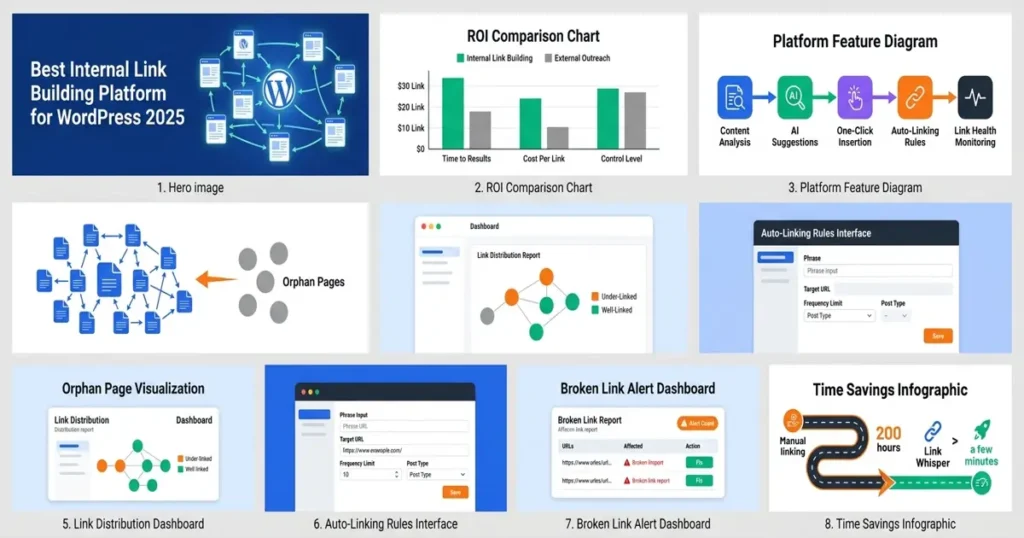
A content manager working manually on a 400-article site might spend 20 to 30 minutes per article finding, evaluating, and inserting internal links. That is 130 to 200 hours of work. Link Whisper reduces this to a few minutes per article by surfacing relevant suggestions instantly, with one-click acceptance. The time savings are estimated to reduce the linking workflow by as much as 97% compared to fully manual processes, allowing content teams to redirect that time toward creating new content.
Accuracy and Coverage:
Manual linking depends entirely on the person doing the work. They can only link to articles they remember or can find through a search. Link Whisper’s AI scans the entire content library and surfaces opportunities that a human reviewer would miss, especially on large sites where no single person has read every article. This completeness advantage grows proportionally with site size.
Consistency:
Manual linking creates inconsistency. Different writers and editors make different decisions about which pages to link, what anchor text to use, and how many links to include per article. This inconsistency undermines site architecture. Link Whisper applies consistent logic across all content, ensuring that your most important pages receive appropriate link equity regardless of who wrote a particular article.
Link Whisper vs. Generic SEO Plugin Linking Features
Depth of Functionality:
Many broader SEO plugins include a basic internal linking suggestion feature, but it is rarely the focus of the product. These features tend to be shallow, offering limited suggestions based on simple keyword matching without the contextual understanding that a dedicated platform provides. Link Whisper’s entire product is built around internal linking, which means every feature from suggestion algorithms to reporting dashboards is optimized specifically for this use case.
Reporting Granularity:
Generic plugins might tell you how many internal links a page has. Link Whisper provides a full internal link audit with inbound and outbound counts, orphan page identification, broken link alerts, and anchor text analysis all in one dashboard. This granularity is what separates a feature from a platform.
Automation at Scale:
Auto-linking rules are rarely available in generic SEO tools with any meaningful control. Link Whisper lets you define rules with precision: specific phrases, specific target URLs, frequency limits, and exclusions. This level of automation is what makes it viable for sites with hundreds or thousands of pages where manual management is simply not feasible.
The Internal Link Architecture Advantage
Topic Cluster Visibility:
One of the most underused capabilities in internal link strategy is understanding how your pages cluster together around core topics. Link Whisper’s reporting dashboard gives you the data to evaluate which pages are isolated, which are over-linked, and where topical clusters need to be strengthened. No manual process or generic plugin provides this kind of architectural overview across your entire content library.
Cluster Identification:
Topic clusters are the structural foundation of modern SEO. A pillar page supported by a ring of related articles that all link back to the pillar creates a signal of topical depth and authority. By reviewing your link distribution data inside Link Whisper, you can quickly see whether your clusters are properly formed or whether supporting articles are linking to the wrong pillar, diluting the signal.
Core Features That Separate Link Whisper from Generic Tools
Understanding the specific capabilities that make Link Whisper a genuine linkwhisper plugin platform rather than a simple SEO add-on helps clarify why it is the right choice for established WordPress content sites in 2026.
AI-Powered Suggestion Engine
Contextual Analysis:
Link Whisper does not simply match keywords. It analyzes the full context of a sentence and the target page to determine whether a link is genuinely relevant. This means you get suggestions that make sense to a human reader, not just ones that share a common phrase. The result is a higher acceptance rate for suggestions and better quality links throughout your site.
Sentence-Level Placement:
Suggestions are shown inline within the actual content, highlighting the exact sentence where the link would be inserted. You see the anchor text in context before accepting it, which means you can evaluate whether it reads naturally without switching between screens or tabs. This workflow is far more efficient than reviewing links in a separate interface disconnected from the content.
Multi-Editor Compatibility:
Link Whisper works with Gutenberg, the Classic Editor, Elementor, and WooCommerce product pages. This compatibility means that regardless of how your WordPress site is built, you can use the full feature set of the platform without needing to switch editors or adapt your workflow. For agencies managing multiple client sites with different setups, this compatibility is a significant operational advantage.
Automatic Linking Rules and Workflow Automation
Rule Precision:
Auto-linking rules in Link Whisper allow you to specify exact phrases, target URLs, maximum number of links per post, and whether the rule applies to posts, pages, or both. This precision prevents over-linking and ensures that automatic links are contextually appropriate. You maintain control over the automation rather than letting it run unchecked.
Exclusion Controls:
You can exclude specific pages from receiving automatic links, exclude specific posts from having auto-links inserted, and set limits on how many times a rule fires across the site. These controls are essential for maintaining a natural link profile and preventing the kinds of over-optimization patterns that could attract negative attention from search algorithms.
New Content Coverage:
Every article published after an auto-linking rule is created will automatically receive the relevant links without any manual action. This means your most important pages accumulate internal links continuously as your site grows, reinforcing their authority and topical relevance over time without requiring ongoing management effort.
Broken Link and Orphan Page Management
Real-Time Broken Link Alerts:
When a page is deleted or a URL changes, every internal link pointing to that old URL becomes a broken link. Link Whisper monitors your internal link network and surfaces broken links in the dashboard so you can identify and fix them quickly. This is especially important for large sites where a single URL restructure can break dozens of links simultaneously.
Orphan Page Prioritization:
The orphan page report in Link Whisper shows you every piece of content on your site that has zero internal links pointing to it. These pages are essentially invisible to crawlers that discover content through links rather than sitemaps. By using the orphan report to systematically add links to these pages, you recover lost ranking potential from content you have already invested time creating.
Link Health Dashboard:
The overall link health dashboard gives you a site-wide view of your internal linking status including total links, broken links, orphan pages, and pages with unusually high or low link counts. This dashboard turns internal link management from a reactive task into a proactive strategy you can monitor and optimize continuously. Understanding your on-page SEO factors alongside your link health data gives you a complete picture of your site’s optimization status.
How to Get Started with Link Whisper as Your Link Building Platform
Getting started with Link Whisper as your primary internal link building WordPress plugin is straightforward, but the sequence in which you approach the initial setup determines how quickly you see results. Here is a practical workflow for both new users and those migrating from manual processes.
Initial Site Audit and Baseline Assessment
Run the Internal Link Checker First:
Before adding any new links, use the internal link checker tool to establish a baseline. This gives you a clear picture of your current internal link distribution, which pages are over-linked, which are under-linked, and which have no links at all. Starting with data prevents you from duplicating effort or missing the highest-impact opportunities.
Identify Your Priority Pages:
Not every page on your site deserves equal internal link attention. Identify your pillar pages, your highest-converting articles, and your most commercially important content. These are the pages that should receive the most internal links and the most deliberate anchor text selection. Link Whisper’s reporting makes it easy to see which of these pages are currently under-supported.
Address Orphan Pages Before Adding New Links:
If your site has orphan pages, fixing them should be your first priority. An orphan page represents content you have already created but cannot be discovered through crawling. Adding internal links to orphan pages is the fastest way to recover latent value from your existing content library before you invest time in optimizing the rest of your link architecture.
Setting Up Auto-Linking Rules for Scale
Start with Your Most Important Keywords:
Begin by creating auto-linking rules for the primary keywords associated with your most important target pages. If you have a pillar article about a core topic, create a rule that automatically links any mention of that topic’s main phrase to that pillar. This ensures that every new article you publish reinforces your most important pages without requiring any manual action.
Set Conservative Frequency Limits:
When first configuring auto-linking rules, err on the side of fewer automatic links per post rather than more. A limit of one or two auto-links per post per rule keeps the link profile looking natural and prevents any single page from becoming over-linked in a way that might look manipulative. You can always increase limits later as you evaluate the results.
Review Auto-Link Reports Regularly:
Auto-linking rules work in the background, but they require periodic review to ensure they remain appropriate as your content evolves. A phrase that was relevant six months ago may now point to an outdated article. Monthly review of your auto-linking rules ensures that your automation remains aligned with your current content strategy and SEO priorities.
Ongoing Maintenance and Optimization
Weekly Broken Link Checks:
Build a weekly habit of checking the broken link report in Link Whisper. Broken internal links accumulate quickly on active sites, especially when content is restructured, merged, or deleted. Catching and fixing broken links weekly prevents them from compounding into a larger crawl efficiency problem that requires significant remediation.
Monthly Architecture Reviews:
Once a month, review your overall site architecture using Link Whisper’s reporting suite. Look for clusters that are disconnected from your main content hub, pillar pages that are under-supported, and articles that have too many outbound links without corresponding inbound ones. These monthly reviews keep your site architecture intentional rather than accidental as your content library grows.
Quarterly Full Audits:
Every quarter, run a comprehensive internal link audit using Link Whisper’s full reporting suite. Compare the current state to your baseline from the initial audit to measure progress. Track metrics like orphan page count, average inbound links per article, and broken link frequency. These quarterly comparisons give you the data you need to justify ongoing investment in your internal link strategy and demonstrate ROI to stakeholders or clients. WordPress SEO is a long-term game, and systematic internal linking is one of the most measurable components of that strategy. Explore the complete WordPress SEO guide to see how internal linking fits into a broader optimization framework.
Conclusion
The search for the right link building platform often ends with tools built for outreach and backlink acquisition. But for established WordPress content sites with dozens or hundreds of articles already published, the greatest untapped opportunity is internal. Link Whisper is the only purpose-built link management platform that provides AI-powered suggestions, one-click insertion, auto-linking rules, orphan page detection, broken link monitoring, and comprehensive link distribution reporting all in one place. The result is a fundamentally different approach to link building: one that you control completely, executes in a fraction of the time of manual methods, and compounds in value as your site grows. If you are ready to stop leaving internal linking ROI on the table, start building internal links today. Get Link Whisper and put your internal link strategy on autopilot.
Why should WordPress site owners prioritize internal link building over guest posting?
Internal linking delivers faster, more controllable SEO results than guest posting. You do not need approval from any editor, you pay nothing per link, and changes take effect immediately on your next crawl. For established content sites, internal linking often produces stronger ranking improvements per hour invested than outreach campaigns. How does Link Whisper suggest internal links automatically?
Link Whisper uses AI-powered contextual analysis to scan your existing content and identify relevant linking opportunities. It reads the full sentence and surrounding context rather than just matching keywords, so suggestions fit naturally within your writing. You can accept suggestions with a single click without leaving your dashboard. Can I use Link Whisper on a site with thousands of pages?
Yes. Link Whisper is designed to scale with large content libraries. Auto-linking rules handle new content automatically while bulk editing tools let you update historical posts efficiently. Sites with thousands of articles benefit most because the time savings from automation grow proportionally with content volume, as covered in this guide on why every WordPress site with 100 pages needs a link management platform. What are orphan pages and why do they hurt SEO?
Orphan pages are articles that have no internal links pointing to them. Search engine crawlers discover most content by following links, so orphan pages are effectively invisible unless someone types the URL directly. They waste your content investment and miss ranking opportunities. Link Whisper identifies all orphan pages automatically so you can fix them. Does Link Whisper work with page builders like Elementor or only with the Gutenberg editor?
Link Whisper is compatible with Gutenberg, the Classic Editor, Elementor, and WooCommerce product pages. This multi-editor compatibility means you can use the full feature set regardless of how your WordPress site is structured, making it practical for agencies managing client sites with different technical setups. How do auto-linking rules work in Link Whisper?
Auto-linking rules let you specify a phrase and a target URL so that every time that phrase appears in any post or page, a link is inserted automatically. You control frequency limits, exclusions, and post types, ensuring your most important pages accumulate internal links continuously as explained in this walkthrough of the automatic link building tool for WordPress. How often should I audit my internal links?
A weekly check for broken links, a monthly review of your link architecture, and a quarterly full audit comparing against your baseline metrics is a practical cadence for most content sites. Active sites that publish frequently benefit from more regular checks to catch broken links before they compound into larger crawl efficiency problems. Does internal linking really affect how Google crawls my site?
Yes. According to Google Search Central documentation, internal links are a primary signal crawlers use to discover and prioritize pages. A page with multiple internal links pointing to it is crawled more frequently and evaluated more thoroughly than one with no internal links, which directly influences your indexation speed and overall dwell time improvements over time. What is the difference between link building software and a link management platform?
Link building software typically focuses on acquiring external backlinks through outreach or directory submissions. A link management platform like Link Whisper focuses on organizing, monitoring, and optimizing the links within your own site, giving content-heavy WordPress sites a more scalable and controllable path to improved rankings through structured on-page SEO factors and deliberate internal link architecture.
Why should WordPress site owners prioritize internal link building over guest posting?
How does Link Whisper suggest internal links automatically?
Can I use Link Whisper on a site with thousands of pages?
What are orphan pages and why do they hurt SEO?
Does Link Whisper work with page builders like Elementor or only with the Gutenberg editor?
How do auto-linking rules work in Link Whisper?
How often should I audit my internal links?
Does internal linking really affect how Google crawls my site?
What is the difference between link building software and a link management platform?
Link Whisper tips
Keep learning about internal linking
Get Link Whisper tips and offers in your inbox.
Check if your site has the same issues.
Run a free audit right now. See your orphaned pages, broken links, and link health score in 60 seconds.
Check My Site