
Contents
- 1 Understanding Internal Linking in WordPress and Its SEO Importance
- 2 Overview of Link Whisper WordPress Plugin
- 3 Overview of Internal Link Juicer Plugin
- 4 Link Whisper vs Internal Link Juicer Feature Comparison
- 5 How to Perform Internal Linking Audits for WordPress SEO
- 6 Creating a Strong Internal Linking Structure for WordPress
- 7 How Link Whisper Can Strengthen Internal Linking and SEO
- 8 How Internal Link Juicer Can Strengthen Internal Linking and SEO
- 9 Pricing and Value: Link Whisper vs Internal Link Juicer
- 10 Conclusion
- 11 Frequently Asked Questions
- 11.1 What is the difference between Link Whisper vs Internal Link Juicer?
- 11.2 Which plugin is better for internal linking: Link Whisper vs Internal Link Juicer?
- 11.3 What is internal linking in WordPress?
- 11.4 How do internal links boost SEO?
- 11.5 What are anchor links in WordPress?
- 11.6 Can I automate internal linking in WordPress?
- 11.7 How do I perform an internal link audit?
- 11.8 What is an internal link checker tool?
- 11.9 Why are internal links important for SEO?
- 11.10 How can I optimize anchor text for internal linking?
Ever felt like your WordPress site is full of hidden treasures that no one sees? You have spent hours, maybe even weeks crafting detailed guides, step-by-step tutorials. You have added tips on specific topics, like how to enrich garden soil or maximize seasonal planting. Each post is packed with value, yet many visitors stumble onto a page, read a bit, and leave without exploring the rest of your content. Meanwhile, search engines struggle to understand how your pages connect, leaving some of your best posts buried in the shadows.
That’s where internal linking comes in. Internal links are the threads that stitch your content together. It keeps readers engaged and helps search engines crawl and index your site more effectively. According to Search Engine Journal, internal linking is super critical for SEO. It helps Google understand which pages on your site are the most important. At the same time, it shows how your content is connected throughout your website. In fact, strategic internal linking gives search engines cues about page importance and helps distribute authority across your content.
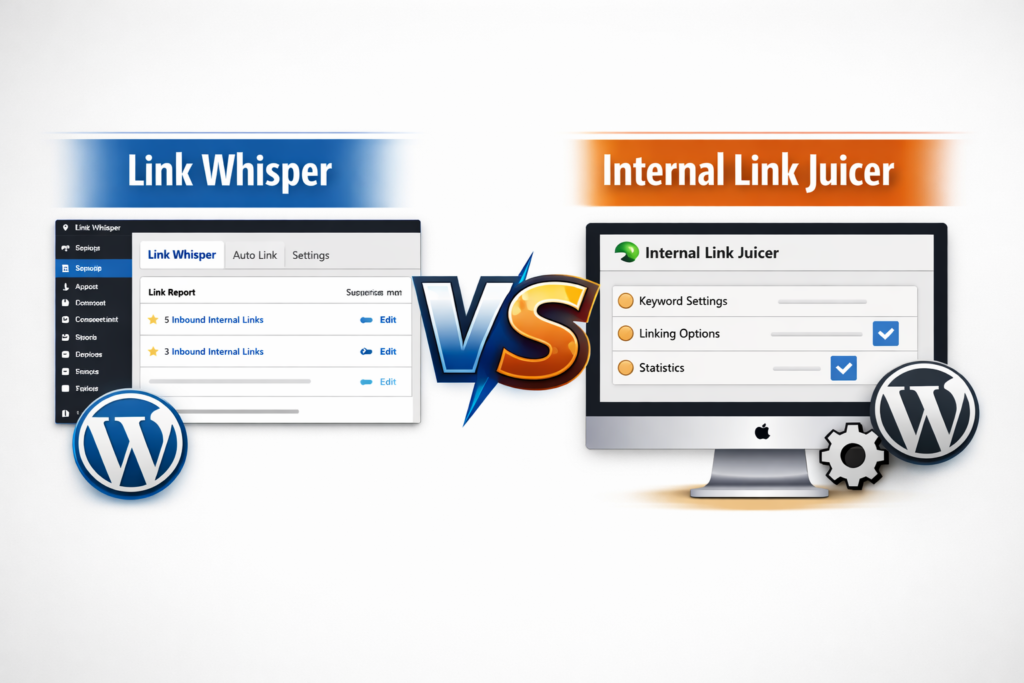
For WordPress users, plugins make this process effortless. The Link Whisper WordPress plugin and Internal Link Juicer are two of the top tools for automating internal links. They do more than just insert links. They provide intelligent WordPress internal link suggestions and help build a connected content network.They also improve your internal linking for SEO. In this guide, we’ll take a deep dive into link whisper vs internal link juicer, exploring features, usability, automatic internal linking capabilities, and SEO benefits.
Understanding Internal Linking in WordPress and Its SEO Importance
What is Internal Linking and Why It Matters
Think of internal linking like giving your readers a roadmap through your website. Instead of sending them off to another site, you’re guiding them from one helpful page to the next. It’s not just about your readers. These links also tell Google and other search engines how your content fits together. This is why choosing the right tool in Link Whisper vs Internal Link Juicer matters. They show which pages are the most important and how everything on your site is connected. They also help spread your site’s “authority” around, so your key posts get the SEO boost they deserve.
For example, a gardening blog post about “improving soil health” could internally link to posts like “organic fertilizers guide” or “composting techniques for beginners.” This helps readers explore related content and improves SEO by signaling page relevance to search engines.
How Internal Links Boost WordPress SEO
Internal links enhance WordPress SEO in several ways. They improve crawlability, allowing search engines to index new content quickly. They also distribute link equity, giving authority from high-performing pages to newer posts. Moreover, well-placed anchor links in WordPress help target keywords strategically, boosting your chances of ranking higher for specific search terms.
Without proper internal linking, even high-quality content can remain buried and fail to attract organic traffic. A strong internal linking structure is essential to maximize the value of every post. Internal links play a key role in SEO and help organize your site’s structure. For practical strategies on building a strong internal linking framework, check out Search Engine Land’s guide on internal linking.
Overview of Link Whisper WordPress Plugin
Link Whisper WordPress Plugin Features
The Link Whisper WordPress plugin is designed to simplify and automate internal linking. Its key features include automatic internal link suggestions, anchor link recommendations, link reporting, and orphan content detection.
In the Link Whisper vs Internal Link Juicer comparison, Link Whisper provides contextual link suggestions that align with your keywords. For example, a post on “composting techniques” might automatically suggest links to “organic composting guide” or “garden soil enrichment strategies.” This saves time while improving internal link SEO.
How Link Whisper Helps Improve WordPress Internal Links SEO
Link Whisper is more than just a time-saving tool. By analyzing your content and suggesting relevant internal links, it helps maintain a balanced internal linking structure. Orphaned pages, which are posts without incoming links, are highlighted so you can take corrective action. This ensures every piece of content contributes to your website’s overall SEO strength.
Link Whisper Anchor Links WordPress Integration
Anchor links are crucial for SEO as they provide context to search engines. Link Whisper allows precise control over anchor text, ensuring that internal links appear natural while targeting specific keywords. For example, rather than repeating the same anchor text over and over, Link Whisper gives you suggestions for variations. You might see options like “best composting practices” or “how to enrich garden soil.” Using different phrases like this helps make your internal linking more diverse and natural.
Overview of Internal Link Juicer Plugin
Internal Link Juicer Key Features for WordPress Internal Link Suggestion
Compared to Link Whisper, Internal Link Juicer takes a keyword-based approach, highlighting the differences in Link Whisper vs Internal Link Juicer. Users can assign target keywords to specific URLs, and the plugin automatically links those keywords across the website. This system ensures consistency and control over your internal link strategy.
In a gardening blog, keywords like “organic fertilizers” or “soil enrichment” can be assigned to relevant posts. Every time these keywords appear, Internal Link Juicer will automatically create internal links. This makes your SEO strategy systematic and consistent.
How Internal Link Juicer Enhances WordPress Internal Linking for SEO
Internal Link Juicer allows bloggers to manage link frequency, preventing a single keyword from appearing too often on a page. The plugin also integrates with categories and tags to maintain contextually relevant links. This level of control makes it ideal for larger sites with hundreds of posts, where manual internal linking would be cumbersome.
Anchor Links WordPress Control with Internal Link Juicer
While Internal Link Juicer automates anchor text based on assigned keywords, users can customize settings to ensure anchor links remain natural and diverse. This is particularly important for long-form content like gardening guides, where repetitive anchor text can reduce readability and SEO effectiveness.
Link Whisper vs Internal Link Juicer Feature Comparison
Automatic Internal Linking and Link Suggestions
One of the key differences in link whisper vs internal link juicer is the method of automation. Link Whisper provides real-time suggestions, making internal linking intuitive and fast. Internal Link Juicer relies on pre-defined keywords, which requires initial setup but provides consistent link placement across existing content.
Internal Link SEO and Anchor Links Management
When evaluating Link Whisper vs Internal Link Juicer, both plugins support anchor links in WordPress, but their approach differs. Link Whisper allows you to customize anchor text with AI-based suggestions for SEO-friendly phrasing. Internal Link Juicer automates anchor links based on assigned keywords but may require fine-tuning to avoid repetitive text.
Reporting and Internal Link Audit Tools
Link Whisper includes reporting features to track the number of internal links per post, identify orphaned pages, and highlight opportunities for additional links. Internal Link Juicer gives you some basic reporting right out of the box. But if you want a full picture, you might need extra tools. These can help with things like checking for broken links or analyzing your entire site’s internal linking structure.
Performance and Website Speed Considerations
Considering Link Whisper vs Internal Link Juicer, plugin performance matters, as each handles internal links differently and can impact site speed. Link Whisper is lightweight and optimized for speed, even on large WordPress sites. Internal Link Juicer may require more resources due to keyword mapping and bulk link generation. This is important to consider for large blogs with hundreds of posts.
How to Perform Internal Linking Audits for WordPress SEO
What is Internal Audit Activity and Why It Matters
An internal link audit involves reviewing your website to ensure all internal links are functional, relevant, and SEO-friendly. This process helps prevent broken links, ensures proper distribution of link authority. This also identifies orphaned pages that may be underperforming.
Tools to Analyze Internal Linking and Find Broken Links
Using SEO internal link checker can simplify the audit process. These tools scan your WordPress site for broken links, duplicate anchor text, and missing internal links. It also provides actionable insights for improvement.
How to Do an Internal Link Audit Step by Step
The first step in any internal link audit is to get a complete map of your WordPress site. Export a list of all URLs so you have a clear view of every page that needs to be analyzed.
Next, use an internal link checker to scan your site. This will identify broken links, missing connections, and other issues that could affect user experience and SEO performance. Once the scan is complete, focus on your high-priority pages that drive the most traffic or hold the most authority. Examine the internal links on these pages carefully. Ensure that anchor text is relevant, descriptive, and varied to maintain natural linking and improve SEO signals.
After the review, take action. Update broken links, remove low-value links, and add links where appropriate to strengthen your content network. Keep an eye on your site’s performance as you make changes. Too many links or heavy pages can slow down your site. And slower pages don’t just frustrate readers but they can also hurt your search rankings.
Regular internal link audits are essential for keeping your WordPress site organized, and enhancing user navigation. This also signals to search engines which content is most important. By systematically analyzing and optimizing your internal links, you ensure that your content works efficiently for both readers and search engines.
Creating a Strong Internal Linking Structure for WordPress
Internal Linking SEO Strategies
Maintaining a proper internal linking structure is critical. Internal links help guide crawlers and distribute authority throughout your site, improving crawlability and relevance according to Search Engine Land’s internal linking best practices.
Link your high-authority pages to new content whenever possible. Make sure every post has at least one incoming link so it’s not isolated. Spread your links naturally across different categories to keep your site well-connected and easy to navigate. For gardening sites, this could involve linking “composting techniques” posts to broader topics like “organic gardening” or “soil fertility.”
Outbound Links Checker and Integration with Internal Linking
While focusing on internal links, it’s also important to monitor outbound links. Link Whisper gives you reports for your external links. This makes it easier to keep your link structure healthy. By tracking both internal and external links, you can maintain a system that balances SEO authority across your site.
Imagine a blog post on “organic fertilizers for vegetables.” Using internal linking best practices, this post could link to guides on “composting techniques,” “pest control in vegetable gardens,” and “soil enrichment strategies.” Both Link Whisper and Internal Link Juicer can automate this linking, but the choice depends on whether you prefer real-time suggestions or keyword-based consistency.
How Link Whisper Can Strengthen Internal Linking and SEO
When you’re creating content, keeping your internal links organized can feel overwhelming. That’s where Link Whisper comes in. As you write a new post, it provides real-time suggestions for links to other relevant articles on your site. For example, if you’re drafting a post on improving soil health, Link Whisper might suggest linking to articles like “best composting practices” or “organic fertilizer tips.” This automation saves hours of manual linking while helping create a strong, well-connected internal link network across your site.
Beyond suggestions, Link Whisper offers reporting to show how your internal links are distributed. It highlights pages that could use more links and helps you identify opportunities to strengthen connections between posts. With this insight, you can maintain a healthy SEO strategy without spending endless time manually adding links. This also ensures every article supports your site’s overall structure and visibility.
How Internal Link Juicer Can Strengthen Internal Linking and SEO
Internal Link Juicer helps automate your internal linking strategy without requiring manual effort for every post. As you create content, it can automatically link keywords or phrases in your articles to relevant pages across your site. For example, if you’re writing a guide on boosting plant growth, the plugin might link terms like “organic fertilizers” or “composting techniques” to existing posts, building a natural and well-connected internal link network.
The plugin also provides reporting and analytics, allowing you to see how links are distributed throughout your site. It highlights pages that are underlinked and helps you maintain a balanced internal linking structure. With these insights, Internal Link Juicer makes it easy to keep your SEO strategy on track while saving time. This ensures your content is fully connected and accessible to both readers and search engines.
Pricing and Value: Link Whisper vs Internal Link Juicer
Choosing the right internal linking plugin comes down to your site’s needs, workflow, and budget. Both Link Whisper and Internal Link Juicer offer distinct features and pricing plans that cater to different approaches.
Link Whisper starts at $97 per year for a single-site license. This plan gives access to AI-powered link suggestions, automatic internal linking, orphan page reports, and broken link detection. Its dashboards make it easy to see which pages need more links and track overall link health. Higher-tier plans support multiple sites and offer additional AI credits. There’s also a 60-day money-back guarantee, making it easy to test without risk.
Internal Link Juicer offers a free plan with basic automation, suitable for smaller sites or beginners. The Pro version starts at $69.99 per year for one site, adding features like linking in custom fields, detailed stats, whitelist and blacklist control, and priority support. Larger site bundles are available, including an unlimited site plan at $1,299 per year.
When you compare value, Link Whisper’s automation and reporting stand out for saving time and streamlining workflow. It simplifies internal linking while providing clear insights into link distribution. Internal Link Juicer, on the other hand, gives precise, keyword-driven control. This can be advantageous for very large content libraries or sites with highly structured SEO strategies.
In the end, it comes down to your needs. If you want AI-powered suggestions and deep reporting, Link Whisper is worth it. If you need flexible automation across many sites and a free starting point, Internal Link Juicer is a solid choice.
Conclusion
Internal linking is a key factor in WordPress SEO, and understanding Link Whisper vs Internal Link Juicer makes a big difference when choosing a tool. Link Whisper stands out for its combination of automation, real-time link suggestions, and reporting tools. These features make it easy to maintain a well-connected site without spending hours manually managing links.
Internal Link Juicer offers keyword-driven linking and granular control, which can be useful for large content libraries. However, Link Whisper’s smart recommendations and intuitive interface make it simpler to implement a consistent internal linking strategy across any website. The plugin also helps identify orphaned pages and monitor link distribution, ensuring no content is left isolated.
The comparison clearly shows that a tool’s effectiveness depends on ease of use, automation, and the ability to maintain a healthy link structure. Link Whisper not only automates much of the work but also provides insights that keep internal links optimized over time.
For websites of any size, Link Whisper delivers a complete solution for building a strong internal linking network. It saves time, enhances SEO performance, and ensures that every page contributes to the overall site hierarchy. With Link Whisper, internal linking becomes a seamless part of site management, turning what used to be a tedious task into a strategic advantage.
Frequently Asked Questions
Which plugin is better for internal linking: Link Whisper vs Internal Link Juicer?
For streamlined automation and real-time link suggestions, Link Whisper is often preferred. Internal Link Juicer excels when keyword-driven bulk linking and precise control are required, especially for larger websites.
What is internal linking in WordPress?
Internal linking is the practice of connecting one page on your WordPress site to another. It helps users navigate content and signals to search engines which pages are most important.
How do internal links boost SEO?
Internal links improve crawlability, distribute link authority, and help search engines understand content hierarchy. Proper internal linking increases the chances of ranking higher for relevant keywords.
What are anchor links in WordPress?
Anchor links in WordPress are hyperlinks that direct users to a specific section within a page or to another page using targeted anchor text. They improve navigation and enhance SEO when used strategically.
Can I automate internal linking in WordPress?
Yes. Tools like Link Whisper allow automatic internal link suggestions as you write content. Meanwhile, Internal Link Juicer can automate keyword-based links across existing content.
How do I perform an internal link audit?
An internal link audit involves reviewing all links on your site to ensure they are functional, relevant, and SEO-friendly. Tools like Link Whisper and external internal link checker plugins can help identify orphaned pages and broken links.
What is an internal link checker tool?
An internal link checker is software that scans your website to identify broken links, orphaned pages, and overall link structure. It helps maintain healthy internal linking for SEO.
Why are internal links important for SEO?
Internal links guide users through your website and distribute page authority. They help search engines understand content relationships, improving site crawlability and rankings.
How can I optimize anchor text for internal linking?
Use descriptive, varied anchor text that naturally fits the content. Link Whisper provides suggestions for alternative phrasing to prevent repetitive anchor text and improve SEO.
Check if your site has the same issues.
Run a free audit right now. See your orphaned pages, broken links, and link health score in 60 seconds.
Check My Site

