Contents
- 1 The 13 tools, reviewed honestly
- 1.1 #1. Link Whisper
- 1.2 #2. LinkBoss
- 1.3 #3. Linkilo
- 1.4 #4. Linksy AI
- 1.5 #5. Internal Link Juicer
- 1.6 #6. Yoast SEO Premium
- 1.7 #7. Rank Math — Link Genius
- 1.8 #8. All in One SEO (AIOSEO) — Link Assistant
- 1.9 #9. Interlinks Manager
- 1.10 #10. LinkStorm
- 1.11 #11. InLinks
- 1.12 #12. Screaming Frog SEO Spider
- 1.13 #13. Ahrefs Webmaster Tools
- 2 Which WordPress internal linking plugin should you choose?
- 3 Why Link Whisper ranks #1 for WordPress
- 4 Need a free WordPress broken links checker?
- 5 Link Whisper pricing: Is it worth paying for?
- 6 How to choose an internal linking plugin for AI search visibility
- 7 Frequently asked questions
- 7.1 1. What is the best internal linking plugin for WordPress?
- 7.2 2. Is there a free internal linking plugin for WordPress?
- 7.3 3. Is Link Whisper free?
- 7.4 4. Where can I download Link Whisper for WordPress?
- 7.5 5. How much does Link Whisper cost?
- 7.6 6. What are the best Link Whisper alternatives?
- 7.7 7. Can I automate internal linking in WordPress?
- 7.8 8. How do I find orphan pages in WordPress?
- 7.9 9. What is the difference between internal linking and backlinks?
- 7.10 10. Is a broken link checker the same as an internal link checker?
- 7.11 11. Can too many internal links hurt SEO?
- 7.12 12. Do internal linking plugins improve Google rankings?
- 7.13 13. Can I use an internal linking plugin with Yoast SEO or Rank Math?
- 7.14 14. Should I automatically link every keyword mention?
- 7.15 15. How often should I audit internal links?
- 7.16 16. Can internal links help Google discover older blog posts?
- 7.17 17. Should I use a plugin or a crawler for internal link audits?
- 7.18 18. Do internal linking plugins work on non-WordPress websites?
- 8 Final verdict: Choose an internal linking workflow you can maintain
- 9 Keep learning about internal linking
Looking for the Best Internal Linking Plugin for your WordPress site? Not every product below is a standalone WordPress Interlinking plugin. The comparison includes dedicated plugins, SEO-suite features, and specialist platforms because buyers often evaluate them for the same job. The product categories are identified so readers can compare like with like.
| Tool | Type | Best suited for |
| 1. Link Whisper | WordPress plugin | Dedicated internal-link suggestions and management |
| 2. LinkBoss | Web-based linking platform | Bulk linking and topic silos |
| 3. Linkilo | WordPress plugin | Link management, contextual suggestions and link repair |
| 4. Linksy AI | WordPress linking tool | AI-assisted internal-link workflows |
| 5. Internal Link Juicer | WordPress plugin | Keyword-rule-based automatic linking |
| 6. Yoast SEO Premium | SEO plugin | Users already working in the Yoast ecosystem |
| 7. Rank Math Link Genius | SEO plugin feature | Linking workflows inside Rank Math |
| 8. AIOSEO Link Assistant | SEO plugin feature | Link suggestions and reports inside AIOSEO |
| 9. Interlinks Manager | WordPress plugin | Internal-link analysis and optimization |
| 10. LinkStorm | Web-based platform | Cross-platform internal-link audits and suggestions |
| 11. InLinks | Specialist SEO platform | Entity-focused SEO and contextual linking |
| 12. Screaming Frog SEO Spider | Desktop crawler | Technical link audits and crawl analysis |
| 13. Ahrefs Webmaster Tools | Website audit platform | Broader technical SEO and internal-link diagnostics |
How we rank them: This is an editorial recommendation for WordPress site owners who need a practical internal-linking workflow, not a claim that every tool has undergone identical hands-on testing. We prioritize WordPress workflow, relevance of suggestions, link management, reporting, automation control, and fit for the intended user.
The 13 tools, reviewed honestly
#1. Link Whisper
Our top pick
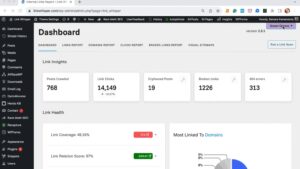
Best for: WordPress bloggers, publishers, agencies and businesses that want a dedicated internal-linking workflow.
Link Whisper is built specifically to help WordPress users discover and add relevant internal links without manually searching through their entire content library. Its link suggestions, reporting, and premium automation features make it a strong choice for websites publishing content consistently.
The Link Whisper Tool free version provides link suggestions and a link health report. If in 2027, your WordPress site needs to rank seamlessly, then head to the Premium version, which adds more advanced workflows, including bulk linking, automatic linking, and additional reporting. Check out the 2027 Insights from Linkwhisper.
What stands out
- Contextual suggestions: Find potential internal links while writing or updating content.
- Link reporting: Review incoming and outgoing internal links and identify pages that need more links.
- Flexible linking: Review suggestions manually or use premium automation where appropriate.
- Existing content management: Find opportunities to strengthen older posts, not just new articles.
- WordPress-focused workflow: Manage internal linking without relying entirely on an external platform.
Where it may not be the best fit
- It is not a complete replacement for a full technical SEO crawler.
- Premium features require a paid plan.
- Suggested links still need editorial judgment; relevance matters more than link volume.
Why choose it over the alternatives?
If you want a dedicated WordPress plugin rather than an internal-linking feature bundled into a wider SEO suite, Link Whisper deserves the first position on this list. It combines link discovery, insertion, and reporting in a workflow focused on internal linking.
Pricing: See the current Link Whisper pricing for the latest plans and licence options.
#2. LinkBoss
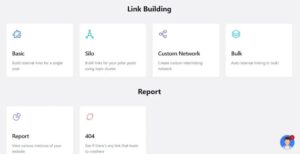
Best for: SEO specialists and site owners working on large-scale internal-linking projects.
LinkBoss is a web-based internal-linking platform rather than a conventional, editor-first WordPress plugin. It focuses on semantic analysis, bulk linking, and topic-based site structures.
Strengths
- Helps identify linking opportunities across a large content library.
- Supports bulk internal linking and topical silo workflows.
- Can suit SEO professionals managing substantial linking projects.
Trade-offs
Its separate-platform workflow may be less convenient for writers who prefer to add links directly while editing WordPress posts. Evaluate the integration, usage limits, and current pricing before choosing it.
Choose LinkBoss if: You prioritize bulk operations and topical architecture over an editor-first workflow.
Compared with Link Whisper: LinkBoss is worth evaluating for large-scale linking operations; Link Whisper is our recommendation for a dedicated WordPress workflow that combines suggestions, reporting, and link insertion.
Compare Link Whisper vs. LinkBoss
#3. Linkilo
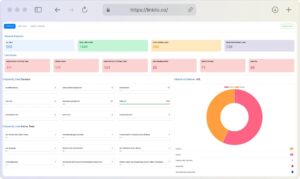
Best for: WordPress site owners who want internal linking alongside broader link-management and repair workflows.
Linkilo combines internal-link suggestions and site analysis with features for managing stale links, redirects, and broken URLs. Its official feature information also describes semantic suggestions, link scoring, and bulk repair workflows.
Strengths
- Helps identify contextual linking opportunities.
- Offers link-management and repair features.
- Can suit site owners who want multiple link-related tasks in one plugin.
Trade-offs
Its broader feature set may be more than someone needs if the main priority is a simple, dedicated internal-linking workflow. Review the interface and plan details to establish which features your site actually requires.
Choose Linkilo if: Link repair and wider link management are as important to you as adding internal links.
Compare Link Whisper vs. Linkilo
#4. Linksy AI
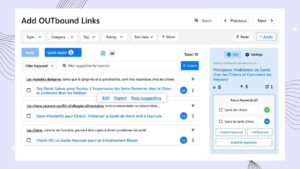
Best for: WordPress users exploring AI-assisted internal-link suggestions.
Linksy AI focuses on using content analysis to help identify potential connections between pages. It is an option for site owners interested in AI-assisted recommendations and reducing manual link research.
Strengths
- AI-assisted internal-link discovery.
- A workflow aimed at reducing manual linking effort.
- Worth evaluating for sites with substantial existing content.
Trade-offs
Feature availability, integration details, and pricing should be checked against the current product offering. Do not assume that every AI-assisted tool provides the same depth of reporting or automation controls.
Choose Linksy AI if: AI-led link discovery is your priority and its workflow matches your editorial process.
Compared with Link Whisper: Compare the relevance of suggestions; link reports for multi-locational WordPress websites are useful. Furthermore, the amount of manual review required before deciding.
Compare Link Whisper vs. Linksy
#5. Internal Link Juicer
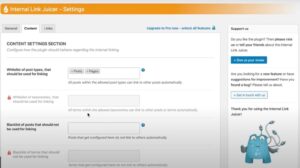
Best for: Website owners who want internal links automatically inserted using configured keywords.
Internal Link Juicer takes a rule-based approach. You assign target keywords to posts, and the plugin can create links when those terms appear in your content. Its free version provides an entry point for users who want to try keyword-driven internal linking.
WordPress.org
Strengths
- Keyword-based automatic linking.
- Less manual work once the rules are configured.
- A free version for getting started.
Trade-offs
Keyword matches do not always produce the most useful contextual links. Rules need to be planned carefully to avoid repetitive anchors or links that do not improve the reader’s experience.
Choose Internal Link Juicer if: Your site has predictable terminology and you prefer rule-based linking over reviewing individual suggestions.
Compared with Link Whisper: Internal Link Juicer is particularly relevant for keyword-rule automation. Link Whisper is our preferred option for a more comprehensive dedicated internal-linking workflow.
Compare Link Whisper vs. Internal Link Juicer
#6. Yoast SEO Premium

Best for: WordPress users who already use Yoast and want internal-link suggestions within their existing SEO workflow.
Yoast SEO is a broader SEO plugin, with internal-link suggestions available in its Premium offering. This can be convenient if your team already uses Yoast for on-page optimization.
Strengths
- Internal-link suggestions within an established SEO plugin.
- One familiar environment for several on-page SEO tasks.
- A sensible option for teams trying to limit the number of plugins they manage.
Trade-offs
Internal linking is one part of Yoast’s wider feature set. If you need a more dedicated link-management workflow, compare the reporting, insertion, and automation features available in each product.
Choose Yoast if: You prefer to keep your existing SEO workflow consolidated.
Compare Link Whisper vs. Yoast
#7. Rank Math — Link Genius
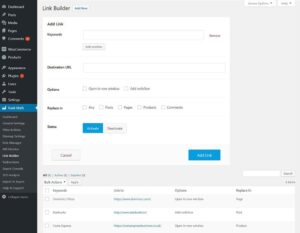
Best for: Existing Rank Math users who want to manage linking from within their SEO plugin.
Rank Math Link Genius functionality supports link opportunities, keyword maps, and assisted linking workflows. Its documentation describes configuring target keywords, setting linking limits, and reviewing or rolling back changes. Availability depends on the relevant plan and feature configuration.
Strengths
- Integrates with the Rank Math environment.
- Supports keyword-based linking workflows.
- Can help manage suggestions and configured link insertions.
Trade-offs
Confirm which Link Genius features are included in your current Rank Math plan. A workflow based on keyword maps may require more setup than simply reviewing contextual suggestions.
Choose Rank Math if: You already use Rank Math and prefer to keep your SEO and linking workflows together.
Compare Link Whisper vs. Rank Math
#8. All in One SEO (AIOSEO) — Link Assistant
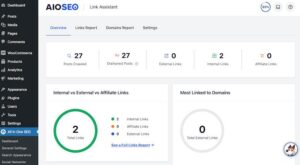
Best for: WordPress site owners who want link reports and suggestions inside a wider SEO suite.
AIOSEO’s Link Assistant offers linking opportunities, anchor-text suggestions, orphan-page discovery, and a links report. Its documentation identifies Link Assistant as a feature available with supported paid plans, including Pro and above.
Strengths
- Link suggestions and a dedicated links report.
- Orphan-page identification.
- Link management inside an existing SEO plugin.
Trade-offs
Check supported content editors and plan requirements. AIOSEO documents that Link Assistant works best with English content in the WordPress Block Editor, which may matter for some publishing workflows.
AIOSEO
Choose AIOSEO if: You already rely on AIOSEO and want internal linking as part of the same SEO suite.
#9. Interlinks Manager
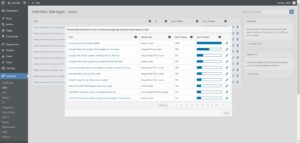
Best for: Site owners who want a specialist WordPress plugin for internal-link analysis and optimization.
Interlinks Manager is listed in the WordPress plugin directory as a commercial plugin with additional paid upgrades or support. It focuses on monitoring and optimizing internal links.
Strengths
- Dedicated to internal-link optimization.
- Useful for site owners looking for a specialist plugin.
- Worth considering when link analysis is a key requirement.
Trade-offs
Review the current interface, feature set, compatibility, and support arrangements before committing. Do not assume it has the same AI suggestion or automation workflow as other tools on this list.
Choose Interlinks Manager if: Your priority is internal-link monitoring and optimization in WordPress.
#10. LinkStorm
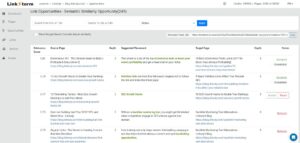
Best for: SEO professionals who need internal-link recommendations beyond a WordPress-only workflow.
LinkStorm is a web-based platform that crawls websites and analyzes content to identify relevant internal-link opportunities. It also promotes link-issue checks and anchor-text analysis, and supports sites across different web platforms.
Strengths
- Cross-platform website analysis.
- AI-assisted link recommendations.
- Useful for broader site-wide linking audits.
Trade-offs
It is not a conventional WordPress plugin. Consider the separate-platform workflow, integration requirements, and ongoing cost before selecting it for a WordPress-only site.
Choose LinkStorm if: Your team manages websites across multiple platforms or prefers crawl-based analysis.
#11. InLinks

Best for: SEO teams interested in entity-based optimization and contextual internal linking.
InLinks is a specialist SEO platform rather than a standard WordPress internal-linking plugin. Its positioning centers on entities, topics,s and semantic relationships, making it relevant to teams that want to consider internal links as part of a broader content and topical strategy.
Strengths
- A broader semantic and entity-focused approach.
- Relevant to content teams building topic clusters.
- Worth evaluating for multi-tool SEO workflows.
Trade-offs
It is not a like-for-like substitute for a WordPress editor plugin. Check current CMS support, automation behavior, and plan limitations.
Choose InLinks if: Entity-based SEO is a core part of your strategy.
#12. Screaming Frog SEO Spider
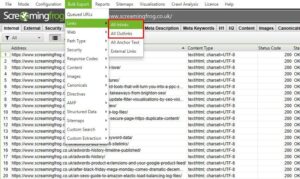
Best for: SEO professionals auditing internal-link structures and technical site issues.
Screaming Frog SEO Spider crawls websites and helps SEO teams analyze internal links, redirects, status codes, and other technical elements.
Strengths
- Detailed crawl-based diagnostics.
- Useful for large technical audits.
- Helps identify broken URLs, redirect issues, and internal-link patterns.
Trade-offs
It is a desktop crawler, not an in-editor internal-linking plugin. Finding an opportunity during a crawl does not automatically mean the tool will insert a relevant contextual link into your WordPress content.
Choose Screaming Frog if: You need technical auditing and crawl-level visibility alongside your internal-linking workflow.
#13. Ahrefs Webmaster Tools
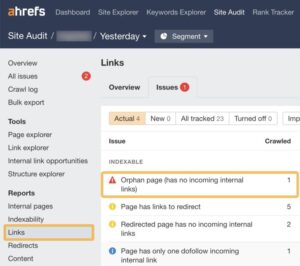
Best for: Website owners who want broader technical SEO diagnostics and internal-link insights.
Ahrefs Webmaster Tools is an auditing resource, not a dedicated WordPress internal-linking plugin. It is worth considering when your internal-linking work is part of a wider technical SEO process involving crawl issues and site health.
Strengths
- Broader technical SEO context.
- Useful for diagnosing site-level issues.
- Can complement a dedicated internal-linking tool.
Trade-offs
It does not replace the day-to-day workflow of finding and inserting contextual internal links in the WordPress editor. Access and audit limits depend on the current product offering.
Choose Ahrefs Webmaster Tools if: You need site diagnostics in addition to your content-linking workflow.
Which WordPress internal linking plugin should you choose?
The best plugin for internal linking depends on how you publish, how much content you manage, whether you execute the automatic link building process, and how much control you want over link insertion.
| Your requirement | Recommended starting point |
| Dedicated WordPress internal linking expert | Link Whisper |
| Bulk linking and topic silos | LinkBoss |
| Link repair and broader link management | Linkilo |
| Keyword-based automatic links | Internal Link Juicer |
| Internal links within your existing SEO suite | Yoast, Rank Math or AIOSEO |
| Cross-platform internal-link audits | LinkStorm |
| Technical crawl and link diagnostics | Screaming Frog |
| Broader site health and SEO auditing | Ahrefs Webmaster Tools |
Our recommendation: If your primary need is to build and manage internal links on a WordPress website, start by evaluating Link Whisper. If you already pay for an SEO suite or need advanced technical crawling, compare the capabilities you already have before adding another tool.
Why Link Whisper ranks #1 for WordPress
A top-rated internal linking plugin should do more than insert hyperlinks. It should help you identify useful connections between pages, make implementation easier, and give you enough visibility to maintain the structure as your site grows.
- Find opportunities in existing content
Discover pages that could link to related articles, guides, category pages, and important service pages.
- Understand your internal-link structure
Use link reports to review incoming and outgoing links and identify pages that may need attention.
- Choose how links are added
Review suggestions individually or use supported premium linking workflows to reduce repetitive work.
The underlying SEO principle is straightforward: useful internal links help readers discover related content and help search engines understand relationships between pages. No plugin can guarantee rankings, and automated linking should not replace editorial review.
Built for different WordPress workflows
- Bloggers: Connect new articles to relevant older posts.
- Agencies: Maintain linking standards across client websites.
- Publishers: Identify weakly connected pages in growing archives.
- WooCommerce teams: Connect useful guides, categories, and product-related content.
- Content creators: Build stronger connections between pillar pages, supporting articles and commercial pages.
Need a free WordPress broken links checker?
Internal linking and broken-link checking solve different problems. A link can point to the correct destination but still be poorly placed; another link can be relevant but lead to a page that no longer exists.
If you are searching for a WordPress broken links checker, start by identifying the problem you need to solve.
Free Internal Link Checker
Review your internal-link structure and identify pages that may need more incoming links.
No plugin installation required.
Try the Free Internal Link Checker
Free Broken Link Checker
Find broken and dead links that may need repair. This is the relevant starting point if you searched for a broken links checker WordPress tool.
Online checking without installing a plugin.
Try the Free Broken Link Checker
The free tools help you identify issues. The Link Whisper plugin supports the ongoing work of finding and managing internal links inside WordPress. The right choice depends on whether you need a one-time check or a repeatable workflow.
Which options under Link Whisper software do you actually need?
| Search or requirement | Best fit |
| WordPress check for broken links | Free Broken Link Checker |
| Broken links checker WordPress | Free Broken Link Checker |
| WordPress broken links checker online | Free Broken Link Checker |
| Internal linking analysis | Free Internal Link Checker |
| An internal links tool for ongoing work | Link Whisper |
| Automatic internal link building | Link Whisper premium workflows or a rule-based alternative |
A broken link checker does not automatically create a strong internal linking strategy. Likewise, an internal linking plugin should not be treated as a substitute for a comprehensive technical SEO audit.
Link Whisper pricing: Is it worth paying for?
Link Whisper offers a free version, while premium plans provide additional linking and management capabilities. For current pricing, licence limits, and included features, refer to the official Link Whisper pricing page.
Before you buy, consider three questions:
- How much time do you spend linking manually? If your team publishes frequently, repeated manual research can become expensive.
- How large is your existing content library? A site with hundreds of articles may benefit more from link reports and bulk workflows than a small site with a handful of pages.
- Do you need automation or editorial control? The best configuration reduces repetitive work without introducing irrelevant links.
Do not choose solely on the lowest subscription price. Compare the features you will actually use, the number of websites covered by your licence, and the time required to review and maintain links.
Feel Free to Check Link Whisper pricing.
How to choose an internal linking plugin for AI search visibility
Internal links are part of your site’s information architecture. They can help readers and crawlers discover related content, but they do not guarantee inclusion in ChatGPT, Google AI Overviews, Gemini, or other AI-generated answers.
For a stronger search and AI visibility strategy, prioritize these practices:
- Connect related content: Link supporting articles to relevant pillar pages and service pages.
- Use descriptive anchors: Make the destination clear without forcing exact-match keywords into every sentence.
- Strengthen important pages: Ensure valuable pages are reachable through relevant internal links rather than isolated in the site structure.
- Keep destinations useful: Repair broken URLs and update links when content moves.
- Maintain topical consistency: Link pages because they genuinely relate, not just because they share a keyword.
- Keep content accessible: Make sure important information is available to search crawlers and users, with clear page structure and useful answers.
For example, a WordPress guide about broken-link checking could link naturally to a tutorial about internal-link analysis and then to a product page explaining how ongoing internal linking works. Each link should help the reader take the next logical step.
A tool such as Link Whisper can support this workflow by helping you discover and implement relevant internal links. The strategy and editorial judgment still determine whether those links are genuinely useful.
Frequently asked questions
1. What is the best internal linking plugin for WordPress?
Link Whisper is a strong option for WordPress users who want contextual link suggestions, internal link reporting, and additional link-management features. The best choice depends on your site size, budget and preferred level of automation.
2. Is there a free internal linking plugin for WordPress?
Yes. Some tools offer free versions or limited free features. Link Whisper has a free WordPress plugin, while its premium features provide additional capabilities. Check the current listing for exact plan limits.
3. Is Link Whisper free?
Link Whisper offers a free WordPress plugin. Some advanced features, such as broader automation and additional link-management workflows, may require a paid plan. Review the official pricing page for current details.
4. Where can I download Link Whisper for WordPress?
You can find the free plugin through the official WordPress.org listing. Use official download sources rather than unofficial copies.
5. How much does Link Whisper cost?
Pricing can change by plan, licence, and promotion. Check the Link Whisper pricing page for current prices and feature availability before purchasing.
6. What are the best Link Whisper alternatives?
Options worth comparing include LinkBoss, Linkilo, Linksy AI and Internal Link Juicer. Broader SEO tools such as Yoast, Rank Math, and AIOSEO may also fit certain workflows. Compare current features rather than relying on product names alone.
7. Can I automate internal linking in WordPress?
Yes. Some plugins support automatic insertion using keyword rules, while others provide AI-assisted suggestions or bulk linking. Review the links before publishing to avoid irrelevant or repetitive placements.
8. How do I find orphan pages in WordPress?
Use an internal linking audit or a plugin with orphan-page reporting. Review pages with no inbound internal links, then decide whether to connect, consolidate, update, or remove them.
9. What is the difference between internal linking and backlinks?
Internal links connect pages on the same website. Backlinks are links from other websites pointing to yours. Internal linking supports navigation and site structure; earning backlinks is a separate off-page SEO activity.
10. Is a broken link checker the same as an internal link checker?
No. An internal link checker examines links between pages on your website and may highlight linking gaps. A broken link checker identifies URLs that appear to be failing. Some tools offer both functions.
11. Can too many internal links hurt SEO?
There is no universal ideal number for every page. Excessive, repetitive, or irrelevant links can make content harder to use. Prioritise links that add context and help readers navigate to genuinely useful pages.
12. Do internal linking plugins improve Google rankings?
A plugin can make it easier to implement a sound internal linking strategy, but rankings depend on many factors. No plugin can guarantee ranking improvements simply by adding links.
13. Can I use an internal linking plugin with Yoast SEO or Rank Math?
Compatibility depends on the tools and versions involved. Check the plugin documentation and test on a staging site if your website uses several SEO plugins or custom content types.
14. Should I automatically link every keyword mention?
No. A keyword mention is not always a suitable link opportunity. Use contextual relevance, clear anchor text, and reasonable link frequency to decide where a link belongs.
15. How often should I audit internal links?
Review links as part of your publishing workflow and run periodic site-wide checks. Larger sites, frequently updated websites, and sites undergoing URL changes may need more frequent audits.
16. Can internal links help Google discover older blog posts?
Yes. Contextual links from relevant, accessible pages can provide additional discovery paths for older content. Make sure the destination page is useful, accessible, and appropriate for the linking context.
17. Should I use a plugin or a crawler for internal link audits?
A WordPress plugin is often more convenient for in-editor suggestions and ongoing link management. A crawler such as Screaming Frog can provide deeper technical analysis. Some sites benefit from using both.
18. Do internal linking plugins work on non-WordPress websites?
It depends on the tool. Many options in this comparison are designed specifically for WordPress, while some tools support broader website platforms or work externally as crawlers. Confirm platform compatibility before buying.
Final verdict: Choose an internal linking workflow you can maintain
The best internal linking plugin is not necessarily the one with the longest feature list. It is the one that helps you connect relevant pages consistently, maintain useful anchor text, and find problems before they accumulate.
For WordPress users seeking a dedicated internal linking workflow, Link Whisper is the first tool to evaluate. Compare it with LinkBoss if automated silo-building is important, Linkilo if you want additional link-maintenance features, or a broader SEO suite if internal linking is only one part of your needs.
Start with your most important pages, audit the existing link structure, and build a repeatable process for connecting every new article to relevant content already on your site.
Ready to improve your internal linking workflow? Explore Link Whisper and start with the free internal link checker.
Link Whisper tips
Keep learning about internal linking
Get Link Whisper tips and offers in your inbox.
Check if your site has the same issues.
Run a free audit right now. See your orphaned pages, broken links, and link health score in 60 seconds.
Check My Site