You’re connected! Now you can ask your AI about the links on your site and decide what to work on first.
Open a chat with Link Whisper enabled. Copy and paste these prompts one at a time, in the same chat, so your AI can build on what it’s already found.
1. What are the problems on my site?
Start with an overview:
Use Link Whisper to check my site’s internal linking. Give me a short overview of broken links, orphaned posts, weakly related links and pages below my link coverage targets. Explain what needs attention, and tell me if any data is missing. Report your findings before making changes.
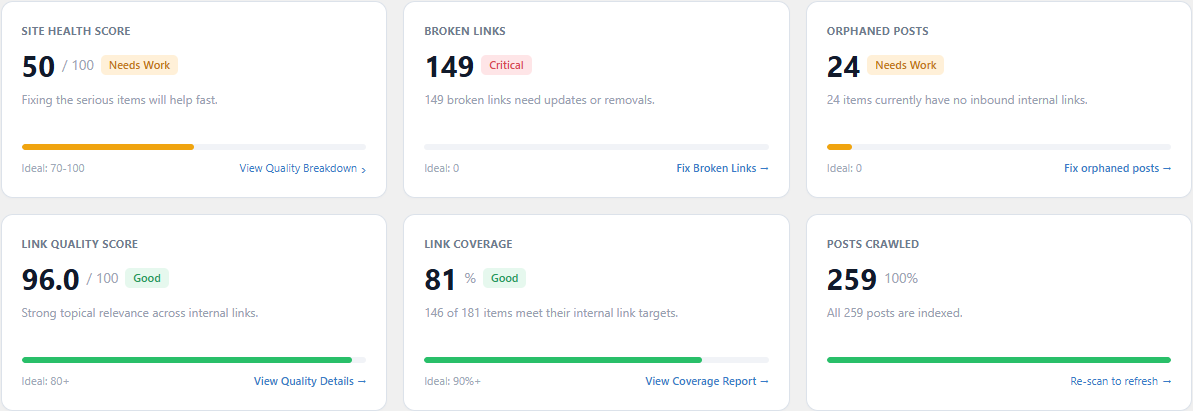
Your AI can explain the same linking issues shown on your Link Whisper Dashboard.
2. What is the most pressing issue?
Once you have the overview, ask your AI to pick a starting point:
Based on that overview, which issue should I tackle first, and why? Show me up to five affected pages or links, include their URLs, and suggest one practical next step. Use the information you’ve already gathered where possible.
This turns the overview into a small job you can work through, such as fixing a few broken links or getting links to an orphaned post.
3. Do you see any links I should remove?
Ask your AI to look at links that might be sending readers to an unrelated page:
Use Link Whisper to review up to five weakly related internal links. Read the surrounding text, then recommend whether to keep, replace or remove each one. Show the source page, anchor text, destination and your reason. Flag anything you couldn’t assess.
A low relatedness score is a reason to take a closer look. A link to a contact or signup page, for example, can still be useful to readers.
Review the recommendations, then make any removals you agree with in Link Whisper’s report or the post editor.
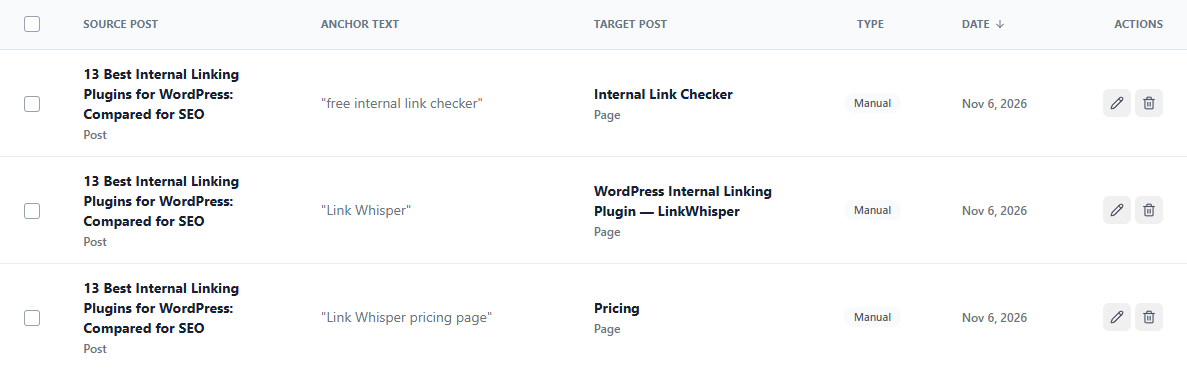
Use the Internal Links tab to locate a link your AI has flagged for review.
4. Are my most important pages getting enough links?
Tell your AI which pages matter most. Start with up to three product, service, signup or main guide pages:
My most important pages are:
[Paste up to three page URLs]Use Link Whisper to check the inbound internal links to each page. Show me the link counts and compare them with my site’s coverage targets. Which page needs more support, and why? Treat the targets as a starting point and consider how relevant the existing links are. Don’t generate new link suggestions yet.
Replace the bracketed text with your URLs. Inbound internal links are links from other pages on your site pointing to these pages.
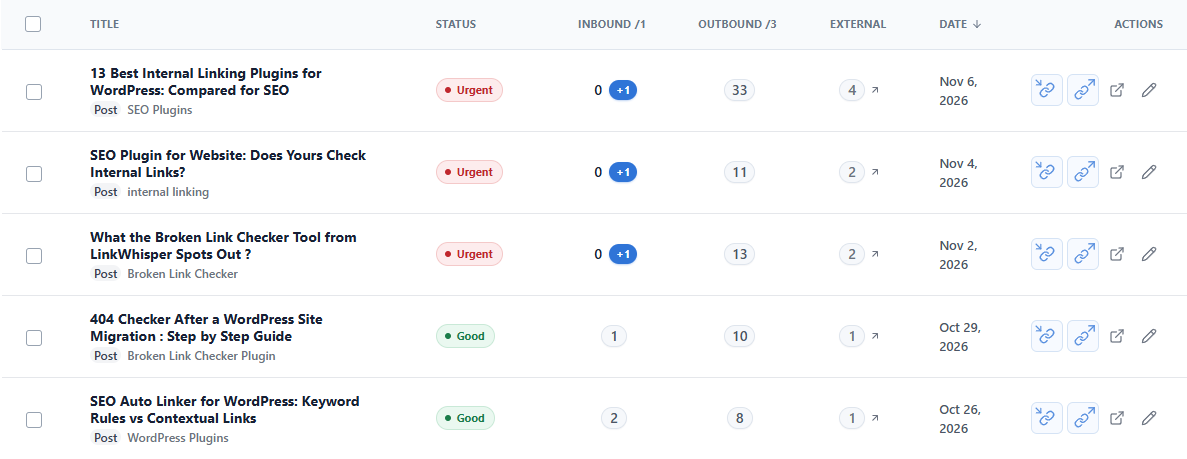
The Inbound column shows how many internal links point to each page.
Turn a finding into your first linking task
When you’ve picked a page that needs more inbound links, give your AI a focused job:
For [page URL], find up to five relevant inbound link opportunities. Check the surrounding text and submit the best three as proposals for me to review in Link Whisper.
Replace [page URL] with your chosen page. Then open your Link Whisper Dashboard, find Agent Proposals Waiting for Review and click Review proposals. Check the sentences and anchors, and add the links you want.
About credits: Report reads use Link Whisper AI credits unless you have an active Link Whisper AI subscription. Generating suggestions and submitting proposals also use credits. You can ask your AI to check the cost before starting a job.