
Contents
- 1 Introduction
- 2 Key Takeaways
- 3 1. Identifies Orphaned Content That Search Engines Miss
- 4 2. Reveals Opportunities to Build Topical Authority
- 5 3. Optimizes Anchor Text Distribution Across Your Site
- 6 4. Detects Broken Internal Links That Damage User Experience
- 7 5. Distributes PageRank More Effectively Through Link Analysis
- 8 6. Streamlines Content Audits with Comprehensive Link Reports
- 9 7. Automates Linking Suggestions to Save Time
- 10 Conclusion
- 11 Frequently asked questions
- 12 1: What is an internal link analyzer tool?
- 13 2: How does an internal linking plugin improve SEO?
- 14 3: Can an internal link analyzer tool find orphan pages?
- 15 4: What's the difference between manual and automated internal linking?
- 16 5: How often should I analyze my internal links?
- 17 6: Does an internal link analyzer tool work with WordPress?
- 18 7: Can internal link analysis improve my content strategy?
- 19 8: What metrics does an internal link analyzer tool track?
- 20 9: Is an internal linking plugin necessary for small websites?
- 21 10: How does link analysis affect page rankings?
- 22
Introduction
An internal link analyzer tool is essential for websites looking to strengthen their SEO foundation and improve search rankings. While most site owners focus on creating content and building backlinks, internal linking often gets overlooked despite being one of the most powerful on-page SEO factors you control. The right tool helps you identify linking gaps, optimize anchor text, and build a stronger site structure that search engines love.
In this guide, you’ll discover proven ways an internal link analyzer tool can transform your SEO strategy and help you unlock your site’s full ranking potential.
Key Takeaways
- Internal link analyzer tools reveal hidden linking opportunities that manual audits miss, helping you build stronger site architecture
- Automated analysis saves hours of manual work while identifying orphaned pages, broken links, and anchor text optimization opportunities
- Strategic internal linking improves crawlability, distributes page authority, and helps search engines understand your content relationships
1. Identifies Orphaned Content That Search Engines Miss
An internal link analyzer tool automatically scans your entire site to find orphaned pages content with zero incoming internal links that search engines struggle to discover and index.
Orphaned content is one of the biggest SEO blind spots for growing websites. These pages exist on your site but have no internal links pointing to them, making them nearly invisible to search engine crawlers. An internal link analyzer tool quickly identifies these isolated pages so you can connect them to your site’s link structure.
When you fix orphaned pages, you help search engines discover valuable content they might have missed. This improves your overall indexation rate and ensures every piece of content you’ve worked hard to create gets a chance to rank. Most sites have dozens of orphaned pages they don’t even know about, representing missed traffic and ranking opportunities. A good internal linking plugin can find these pages in seconds and suggest relevant connections.
2. Reveals Opportunities to Build Topical Authority
Smart analyzer tools identify content clusters and suggest strategic internal links that strengthen your topical authority signals to search engines.
Building topical authority requires more than just creating content on related subjects you need to demonstrate clear connections between those topics through strategic internal linking. An internal link analyzer tool maps out your content relationships and highlights where you can strengthen topical clusters. This helps search engines understand that you’re a comprehensive resource on specific topics.
For example, if you run a fitness blog with articles about nutrition, workouts, and recovery, your analyzer should connect these related pieces in meaningful ways. The tool might reveal that your protein-rich recipes aren’t linked to your muscle-building workout guides a missed opportunity to demonstrate topical expertise. By following these suggestions from your internal linking plugin, you create content hubs that signal depth and authority to Google.
Strategic topic clustering through internal links can significantly boost your rankings for competitive keywords by showing search engines you’ve covered a subject comprehensively.
3. Optimizes Anchor Text Distribution Across Your Site
Analyzer tools track anchor text patterns and flag over-optimization issues, helping you maintain natural, diverse linking that avoids penalties.
Anchor text optimization is a delicate balance too generic and you miss SEO opportunities; too keyword-heavy and you risk looking spammy. An internal link analyzer tool monitors your anchor text distribution across thousands of links, something that would take days to do manually. It identifies patterns like overusing exact-match keywords or relying too heavily on generic phrases like “click here.”
The best tools provide anchor text recommendations based on your target keywords and existing patterns. They’ll suggest when to use exact-match anchors, partial matches, or branded variations to maintain a natural profile. This data-driven approach to anchor text optimization helps you maximize SEO value while keeping your linking patterns looking organic.
You’ll also discover opportunities to update old anchor text that no longer aligns with your current content strategy or target keywords.
4. Detects Broken Internal Links That Damage User Experience
Automated scanning identifies broken internal links across your site, allowing quick fixes that preserve link equity and improve user navigation.
Broken internal links frustrate visitors and waste valuable link equity. As your site grows and evolves, page deletions, URL changes, and restructuring create broken links that manual checks rarely catch. An internal link analyzer tool continuously monitors your internal link structure and flags 404 errors before they impact your SEO performance.
These tools scan hundreds or thousands of pages in minutes, compiling comprehensive reports of every broken link on your site. You can prioritize fixes based on the importance of the linking page or the number of broken links pointing to deleted content. This proactive approach to identifying bad internal links ensures search engines can crawl your entire site without hitting dead ends.
Fixing broken links also improves time on site and reduces bounce rates both important ranking signals. When users click internal links that actually work, they explore more content and engage deeper with your site.
5. Distributes PageRank More Effectively Through Link Analysis
Analyzer tools visualize how link equity flows through your site, helping you strategically pass authority to your most important pages.
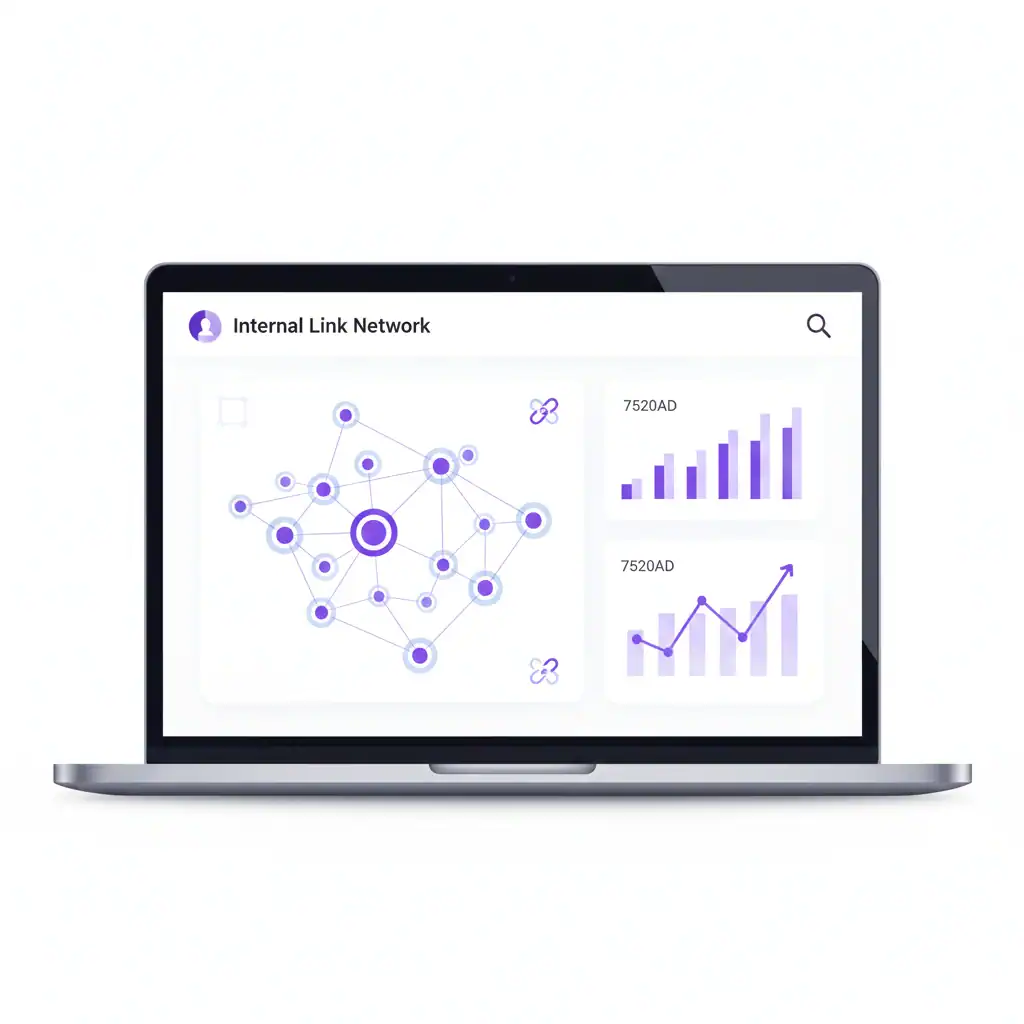
Not all pages on your site are equally important for your business goals. An internal link analyzer tool shows you how PageRank (link authority) flows through your internal link structure, revealing which pages receive the most link equity and which are under-linked. This visualization helps you make strategic decisions about where to add or remove links.
For instance, you might discover that your high-authority blog posts aren’t linking to your key conversion pages commercial content like service pages or product listings. By adding strategic internal links from authoritative content to these important pages, you channel PageRank where it matters most for your business. Most sites have too many links pointing at low-value pages and too few supporting their money pages.
The data from your internal link analyzer tool lets you identify these imbalances and fix them strategically. You can also see which pages have the highest linking potential based on their current authority, making them ideal sources for internal links to newer or weaker content.
6. Streamlines Content Audits with Comprehensive Link Reports
Detailed reporting features provide actionable insights about your internal linking health, making content audits faster and more data-driven.
Regular content audits are essential for maintaining SEO performance, but manually reviewing internal links across hundreds of pages is time-consuming. An internal link analyzer tool generates comprehensive reports showing incoming and outgoing links for every page, helping you quickly assess your site’s linking health. These reports reveal patterns you’d never notice through manual analysis.
You can filter reports by various metrics pages with too few internal links, content that’s over-linked, or posts that haven’t been updated in months. This makes it easy to prioritize which pages need attention during your content refresh cycles. Many tools also track changes over time, showing how your internal linking strategy evolves and improves.
The reporting features help you set concrete goals for your internal linking efforts. You might aim to ensure every post has at least five internal links or that your newest content gets linked from three established pages within the first week. Data-driven targets make your SEO strategy more measurable and effective.
7. Automates Linking Suggestions to Save Time
AI-powered suggestions automatically recommend relevant internal linking opportunities as you write, dramatically reducing the time spent on manual link building.
The most valuable feature of modern internal link analyzer tools is automated link suggestions. As you create or update content, the tool scans your existing pages and suggests contextually relevant links based on keyword matching and semantic analysis. This eliminates the need to remember every post you’ve written or manually search for linking opportunities.
These intelligent suggestions consider factors like topical relevance, anchor text variety, and existing link density. You can quickly review recommendations and add links with a single click, turning a task that once took hours into a few minutes. The AI gets smarter over time, learning which suggestions you accept and refining its recommendations.
This automation is particularly valuable for sites with large content libraries. Finding internal linking opportunities across 500+ posts manually is nearly impossible, but an analyzer tool handles it effortlessly. You spend less time on technical SEO tasks and more time creating the quality content your audience wants.
Conclusion
An internal link analyzer tool transforms internal linking from a tedious manual task into a strategic, data-driven SEO advantage. By identifying orphaned content, optimizing anchor text, detecting broken links, and automating suggestions, these tools help you build stronger site architecture that search engines reward with better rankings. The key benefits we’ve covered from distributing PageRank effectively to streamlining content audits—show why serious SEO professionals rely on internal link analyzer tools rather than manual methods.
If you’re ready to take control of your internal linking strategy and unlock your site’s full SEO potential, consider implementing an internal linking plugin that handles the heavy lifting while you focus on creating great content. The time savings and SEO improvements make it an investment that quickly pays for itself.
Ready to optimize your internal links? Start by auditing your site for orphaned pages and broken links—you’ll be surprised what you discover.
Frequently asked questions
2: How does an internal linking plugin improve SEO?
An internal linking plugin improves SEO by automating link suggestions, distributing PageRank effectively, strengthening topical authority, and reducing manual linking effort. It helps search engines crawl your site better while improving user navigation and content discoverability across your website.
3: Can an internal link analyzer tool find orphan pages?
Yes, an internal link analyzer tool automatically identifies orphan pages content with no incoming internal links. It scans your entire site structure and generates reports showing which pages need connecting to improve indexation and search visibility.
4: What's the difference between manual and automated internal linking?
Manual internal linking requires searching through content to find relevant connections, which is time-consuming and inconsistent. Automated tools analyze your entire site instantly, suggest contextually relevant links, and ensure comprehensive coverage that manual methods typically miss.
5: How often should I analyze my internal links?
Analyze internal links monthly for active sites or after major content updates. WordPress SEO best practices recommend regular audits to catch broken links, identify new linking opportunities, and maintain optimal site structure as your content library grows.
6: Does an internal link analyzer tool work with WordPress?
Yes, most internal linking plugins are designed specifically for WordPress. They integrate seamlessly with Gutenberg, Classic Editor, and page builders, providing real-time suggestions as you write and comprehensive analytics through your WordPress dashboard for easy management.
7: Can internal link analysis improve my content strategy?
Absolutely. Link analysis reveals content gaps, shows which topics lack supporting articles, and identifies your strongest content clusters. This data helps you plan new content strategically and understand which topics deserve more comprehensive coverage for better rankings.
8: What metrics does an internal link analyzer tool track?
Internal link analyzer tools track incoming and outgoing links per page, anchor text distribution, link depth, PageRank flow, broken links, internal linking automation efficiency, and orphaned content. These metrics help optimize your site's link architecture systematically.
9: Is an internal linking plugin necessary for small websites?
Even small websites benefit from internal linking plugins. They prevent linking mistakes, ensure consistent anchor text usage, and save time as your site grows. Starting with automation establishes good habits and prevents future SEO issues efficiently.
10: How does link analysis affect page rankings?
Link analysis optimizes how PageRank flows through your site, ensuring important pages receive proper authority. Better internal linking helps search engines understand content relationships, improves crawl efficiency, and signals topic expertise all factors that influence rankings positively.
Check if your site has the same issues.
Run a free audit right now. See your orphaned pages, broken links, and link health score in 60 seconds.
Check My Site

