Contents
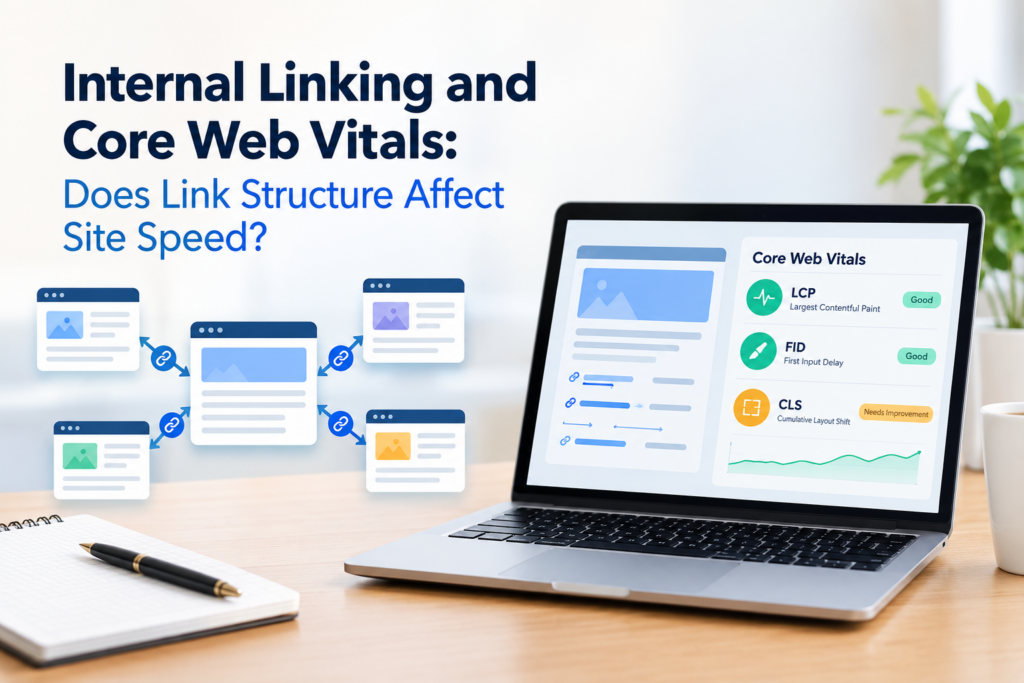
Internal linking core web vitals questions deserve an honest answer, not an exaggerated one. Internal linking is not a primary Core Web Vitals ranking lever the way image compression or render-blocking JavaScript are, and any advice claiming otherwise does not hold up under scrutiny. What is true is narrower, real, and still worth understanding if your site is already close to failing a Core Web Vitals threshold.
Not sure where your own site stands? Run the free internal link checker to see your current link health score before applying the framework below.
Key Takeaways
- Internal linking does not directly move Core Web Vitals scores the way image or script optimization does.
- Its real connection is structural: DOM size from excessive links, crawl efficiency, and layout shift from late-loading link widgets.
- These effects are minor individually but can compound on large sites with related-content widgets on every page.
What Core Web Vitals Actually Measures
Core Web Vitals is a specific set of metrics, Largest Contentful Paint, Interaction to Next Paint, and Cumulative Layout Shift, that Google uses to assess loading performance, responsiveness, and visual stability. None of the three are directly about how many links a page contains or how a site internal linking is organized. According to Google own Core Web Vitals documentation, these metrics are primarily driven by image and script optimization, server response times, and layout planning.
Understanding this baseline matters before drawing any conclusions about internal linking, since it is easy to find an SEO article implying internal linking is a major performance lever when the actual mechanism is much narrower than that. If you have already handled the obvious performance wins, image compression, caching, and removing render-blocking scripts, and are still hunting for smaller gains, that is the right context to think about internal linking at all. It is not the place to start.
Three Real Ways Internal Linking Touches Core Web Vitals
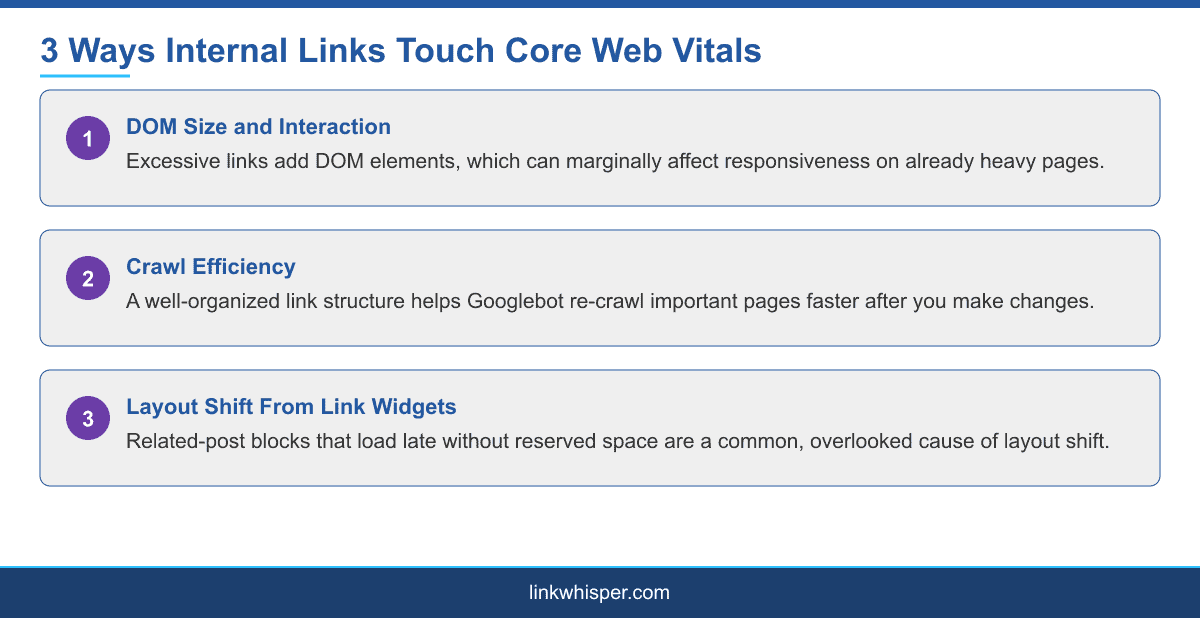
The first connection is DOM size. Every link on a page adds an element to the Document Object Model, and while one link changes nothing meaningful, a page with dozens of related-post links, tag clouds, and cross-promotional widgets can accumulate enough DOM elements to marginally affect interaction responsiveness on an already heavy page.
The second connection is crawl efficiency. A well-organized internal link structure affects how quickly Googlebot reaches and re-crawls important pages. This matters indirectly for Core Web Vitals because it affects how quickly a performance improvement you make gets noticed and reflected in how Google evaluates your site, not because crawling itself is a Core Web Vitals metric.
The third connection is layout shift. Related-post widgets, recommended-content blocks, and similar link-heavy elements that load after the rest of the page has rendered are a common and often overlooked cause of Cumulative Layout Shift, since the page visually jumps once that content appears if space was not reserved for it in advance.
None of these three effects are dramatic in isolation. A single page with a slightly larger DOM, or one instance of layout shift from a widget, is not going to move a Core Web Vitals score in any way a visitor would notice. The effect compounds on a large site, hundreds or thousands of pages, each carrying the same widget, the same sidebar links, and the same crawl inefficiencies repeated at scale.
Auditing Related-Post Widgets for Layout Shift and DOM Bloat
A practical WordPress-specific check is worth running on any site that already struggles with Cumulative Layout Shift. Open a few high-traffic pages and watch how the related-posts or recommended-content section behaves as the page loads. If it appears after a visible delay and pushes other content down when it does, that is a layout shift contributor worth fixing, usually by reserving a fixed height for that section before its content loads rather than letting it expand into place.
It is also worth counting how many links a single template contributes across sidebar widgets, related-post blocks, and footer navigation combined. A theme that repeats the same twenty links in a sidebar on every single page is adding real DOM weight sitewide for very little internal linking benefit, since none of those links are contextually relevant to the specific page they appear on. This general approach to auditing existing structure is covered in more depth in internal linking for different wordpress site types, though the performance angle specifically is unique to this guide.
Why Crawl Efficiency Still Matters Even Without a Direct Ranking Link
Even though crawl efficiency is not a Core Web Vitals metric itself, it affects how quickly the improvements you make elsewhere actually show up in how Google evaluates your site. A site with a clear, well-organized internal link structure gets re-crawled more efficiently, which means a genuine performance fix, like compressing images or removing render-blocking scripts, gets reflected in Google understanding of your site faster than it would on a site with a confusing or shallow link structure.
This is one of the reasons internal linking still belongs in a technical SEO conversation even though it is not, on its own, a performance fix. For a related technical angle connecting internal links to structured data, internal linking and schema markup covers how both signals work together for AI search visibility, and for the broader set of ways internal linking needs differ by site type, internal linking for different wordpress site types is worth reading alongside this guide.
A reasonable way to prioritize this work is to treat it as the last step in a performance pass, not the first. Fix the changes with a direct, well-documented impact on Core Web Vitals first, then come back to internal linking structure as a smaller, compounding cleanup once the larger wins are already in place.
Conclusion
Internal linking will not fix a failing Core Web Vitals score on its own, and treating it as a primary lever sets the wrong expectations. What it can do is remove a handful of small, compounding contributors, excess DOM weight from link-heavy widgets, inefficient crawling that slows how quickly other fixes get recognized, and layout shift from late-loading related-content sections. On a large site, cleaning those up is a reasonable part of a broader performance pass. Try the internal link checker to see how many links your current templates are actually adding sitewide. See our full internal linking automation guide for a step-by-step setup.
Frequently Asked Questions
Does internal linking directly affect Core Web Vitals scores?
Not directly. Its connection is structural, through DOM size, crawl efficiency, and layout shift from link widgets, not a primary ranking lever on its own.
Can too many internal links slow down a page?
A large number of links adds to DOM size, which can marginally affect interaction responsiveness on an already heavy page, though this is rarely the main cause of slow performance.
Do related-post widgets cause layout shift?
They can, if they load after the rest of the page and push content down without reserved space, contributing to a worse Cumulative Layout Shift score.
How does internal linking affect crawl efficiency?
A well-organized link structure helps Googlebot reach and re-crawl important pages more efficiently, which affects how quickly other performance fixes get reflected in indexing.
Should I remove internal links to improve Core Web Vitals?
No. Removing links entirely trades a minor DOM benefit for a real internal linking cost. Instead, fix layout shift causes and avoid excessive repeated links per template.
What is the biggest Core Web Vitals mistake related to internal linking?
Letting related-post or recommended-content widgets load without reserved space, causing visible layout shift as they appear after the rest of the page has rendered.
Is internal linking a Google ranking factor for page speed?
Internal linking is not a Core Web Vitals metric itself. Its influence is indirect, through crawl efficiency and DOM size, not a direct speed ranking signal.
How many links should a single WordPress template include?
There is no fixed number, but repeating the same large set of generic links across every page adds sitewide DOM weight for little contextual internal linking benefit.
Where can I check how internal linking affects my specific site?
Link Whisper own features page outlines how automated link analysis works across your existing content and templates.
Check if your site has the same issues.
Run a free audit right now. See your orphaned pages, broken links, and link health score in 60 seconds.
Check My Site